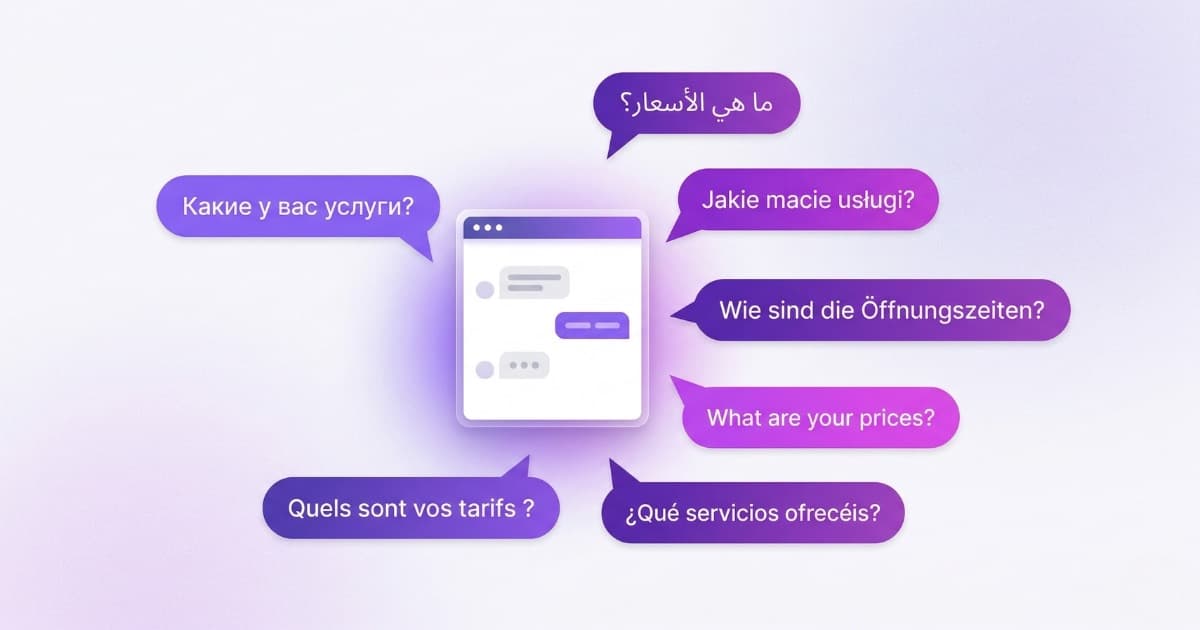
Your website is in five languages. Your chatbot speaks one. A real multilingual chatbot solves this — but most platforms force you to duplicate content, maintain separate bots per language, or manually activate each one. The result: a carefully localized website with a monolingual chatbot.
In this article we look at why language directly impacts sales, what the major chatbot platforms actually offer for multilingual support, and how Bravos AI handles it differently — with automatic URL-based detection and a single knowledge base (the documents, FAQs, and pages that feed the bot) for 15 languages.
40% of buyers won't purchase if the website isn't in their language
CSA Research's Can't Read, Won't Buy study — 8,709 consumers across 29 countries — remains the most cited research in the localization industry. Here's what it found:
- 76% of online shoppers prefer to buy in their native language
- 40% will not buy from websites that aren't in their language
- 60% rarely or never buy from English-only websites
- 75% are more likely to repurchase when post-sales support is in their native language
- Fortune 500 companies that invest in localization are 1.5x more likely to see revenue growth
In Europe the picture is even starker. The EU has 24 official languages. According to the 2024 Eurobarometer survey (26,523 respondents across 27 member states), only half of Europeans speak English and 32% speak no foreign language at all. If your chatbot only answers in English, you're cutting off a huge segment of your addressable market.
Why hiring multilingual staff doesn't scale
Multilingual customer support teams. If you have the budget for a large team, this can work. For a small business with 2–5 people, it's not viable. And it doesn't cover nights or weekends — which is exactly when international tourists and overseas buyers are browsing.
Translating all your content. If your website has 50 pages, translating into 5 languages means 250 pages. Every price change, every updated policy, gets replicated five times. Maintenance costs grow exponentially.
One chatbot per language. Some platforms force you to do this. Three bots means three times the configuration, content, and upkeep. You change an opening hour and have to update it in three places.
How a multilingual AI chatbot detects language automatically
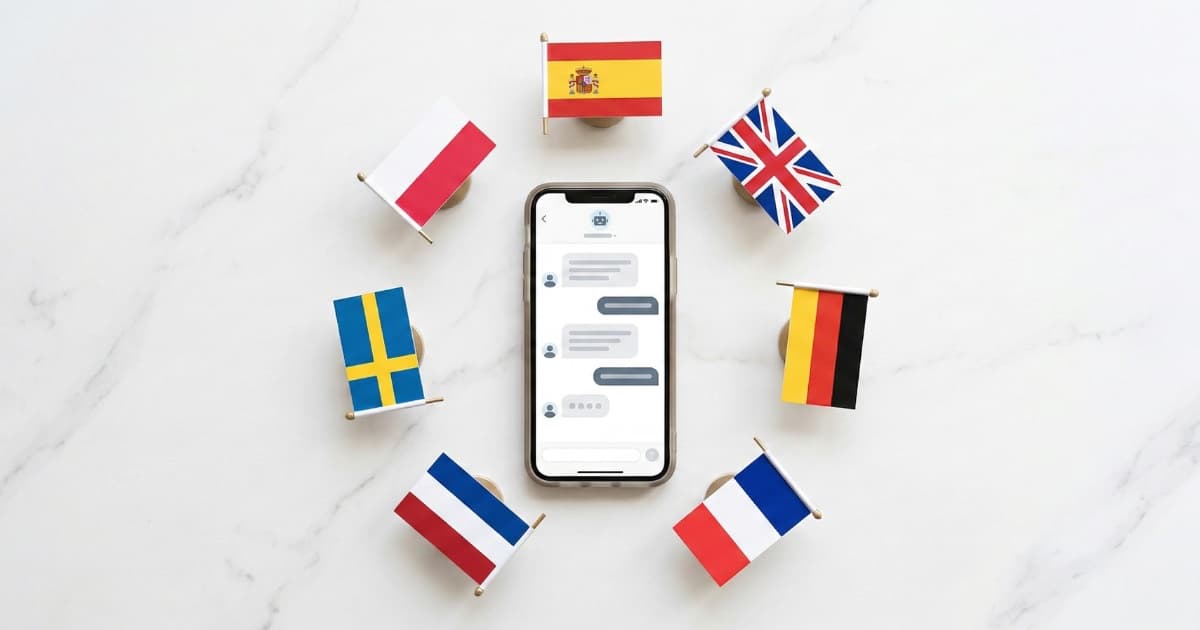
A multilingual chatbot — sometimes searched as a "chatbot in different languages" — is a single bot, with a single knowledge base, that answers in the visitor's language. You don't need to translate anything: you feed it your information in one language and the AI handles the rest — responding in German, French, Russian, or whatever language the visitor writes in.
The key is how it detects the language. There are three approaches:
Message content detection. The chatbot analyses what the user types. This is the most common method, but it fails with short messages ("Hi", "OK", "Price?") that could belong to multiple languages.
Browser language detection. The bot reads the Accept-Language header. It's instant, but many users have their browser set to English even though their native language is different.
URL-based language detection. If the URL contains /en/, the visitor speaks English; /de/ means German; /fr/ means French. It also works with subdomains (en.yoursite.com) or separate domains (yoursite.co.uk). This is the most reliable method because it reflects an explicit decision: "I'm browsing in this language."
The ideal setup combines URL and content detection: the URL sets the initial language (greeting, placeholder, bot name) and if the visitor switches language mid-conversation, the chatbot adapts automatically by detecting message content.
What the major chatbot platforms actually offer
Most major multilingual chatbots claim to support "multiple languages." But when you read the technical documentation, the fine print matters:
Tidio (Lyro): 48 languages with automatic detection. Solid multilingual support overall. No per-language widget customisation (greeting, placeholder, bot name) and no URL-based detection.
Intercom (Fin): 45+ languages with real-time translation. Their documentation states that knowledge base content is not automatically translated — if you want documentation in German, you create it yourself in German. No URL-based detection.
Zendesk: Multilingual bot with automatic detection. The knowledge base must be provided separately in each language. No URL-based detection.
Chatbase: 80+ languages. When you update content, it requires manual retraining. Multilingual knowledge bases can exceed character limits on some plans.
Crisp: Widget UI in 60+ languages. Chatbot flows require separate logic branches per language — you build them manually.
They all handle conversational translation well. The differences are in the details: none of them offer URL-based language detection or full per-language widget customisation out of the box.
And one warning on the more recent visual RAG proposals: if you've seen the headlines around PixelRAG — which renders documents as images instead of text — keep in mind it is only validated in English. The authors themselves acknowledge the language bias in the paper's limitations appendix. For a real multilingual chatbot, text-based RAG is still what does the job today.
How Bravos AI handles multiple languages with one knowledge base
Bravos AI combines URL-based and message content detection, and adds something none of the platforms above offer: full per-language customisation.
URL-based detection. You set up language rules based on your website URL: path prefix (/en/, /de/), subdomain (en.yoursite.com), or domain (yoursite.co.uk). When a visitor opens the chat on the German version of your site, the chatbot greets in German because you configured it that way.
Content detection. If the visitor switches language mid-conversation, the bot adapts automatically. No additional setup.
Per-language customisation. For each language you configure the bot name, welcome message, placeholder, and tooltip. A German visitor sees "Fragen Sie mich..."; a French visitor sees "Posez-moi une question...". All from a single panel —or, if you use Claude or ChatGPT, from the chat itself with our MCP connector.
One knowledge base, every language. You upload your content in one language. The chatbot translates responses to the visitor's language. You update a price once and it applies across all languages. No manual retraining, no content duplication. This is how a RAG-based multilingual conversational AI works: it retrieves information from your documents and generates the answer in whatever language the customer needs.
It supports 15 languages out of the box: Spanish, English, German, French, Italian, Portuguese, Dutch, Russian, Arabic, Polish, Swedish, Danish, Chinese, Japanese, and Korean. Available from the Starter plan (€19/month). You can test it with 7 days free on the full PRO plan. Full pricing comparison with other platforms.
Where a multilingual chatbot makes the biggest difference
Tourism and hospitality. Spain received 94 million international tourists in 2024 (INE). The Costa del Sol alone welcomed 13.8 million. Top source markets: the UK (17 million), France (12.9 million), Germany (11.9 million). A hotel or rental company that only responds in Spanish leaves most potential guests without answers.
International real estate. In areas like Marbella and the Costa del Sol, 70% of buyers are foreign nationals. They browse listings at 10 PM from Amsterdam, Warsaw, or Munich. A chatbot that filters your catalogue and replies in Dutch, Polish, or German without human intervention closes deals while the office is shut. If you use Resales Online as your CRM, there's a direct integration with automatic daily sync.
Cross-border ecommerce. European cross-border ecommerce reached €275.6 billion in 2024. Language remains one of the primary purchase barriers. If you sell to Germany, France, and Poland from Spain, a multilingual chatbot that handles customer questions in those languages reduces friction at every step.
Clinics and training centres. Health tourism (dental, cosmetic) attracts patients from across Europe. Language academies serve Erasmus students. In both cases, the chatbot answers about pricing, treatments, and availability in whatever language the visitor writes in.
How to set up a multilingual chatbot in 10 minutes
1. Create your bot at app.bravos-ai.com and upload your content (website, documents, product catalogue). In whichever language you prefer.
2. Open your bot and go to the Multilingual website tab. Add the languages you need. For each one, set the URL detection rule and customise the greeting, placeholder, and bot name.
3. Install the widget on your site with a single line of code. If you use WordPress, there's a step-by-step tutorial. And if your site is on Wix, there's a Wix chatbot guide. And if you published it with ChatGPT Sites, it can be installed there too. For other platforms like React, Shopify, or static HTML, you'll find installation instructions inside the app.
When a visitor lands on yoursite.com/en/, they see the chatbot in English. On yoursite.com/de/, in German. If there's no language prefix, the chatbot greets in the bot's default language, but responses adapt to whatever language the visitor writes in.
Frequently asked questions
Do I need to translate my content for a multilingual chatbot?
No. A RAG-based multilingual chatbot — like Bravos AI — retrieves information from your documents in whatever language you uploaded them in, then generates the answer in the visitor's language. You write your FAQ, product catalogue, or help docs once. The AI handles the translation at response time.
Can a chatbot detect the visitor's language automatically?
Yes, primarily through two methods: analysing the message text or detecting the language from the URL structure of your website. URL-based detection is the most reliable because it reflects an explicit user choice. The best multilingual chatbots combine both.
Can a chatbot switch languages mid-conversation?
Yes. If a visitor writes in French, the chatbot detects the language and responds in French. This is especially useful if your website isn't translated into many languages — even if you only have English and Spanish versions, the chatbot can respond in whatever language the visitor uses.
How many languages can an AI chatbot support?
Modern LLM-based chatbots can technically respond in any language the underlying model supports (GPT-4 covers 50+). In practice, accuracy varies. Bravos AI supports 15 languages with full per-language widget customisation. For most businesses serving European or international customers, this covers well over 95% of visitors.
What is the difference between a translated chatbot and a multilingual chatbot?
A translated chatbot requires you to provide content separately in each language — you maintain parallel knowledge bases, FAQ pages, or conversation flows. A truly multilingual chatbot uses a single knowledge base and translates dynamically at response time. The difference matters: with a translated chatbot, updating one piece of information means updating it in every language. With a multilingual chatbot, you update once.
Sources
- CSA Research — Can't Read, Won't Buy (2020) — 8,709 consumers across 29 countries. 76% prefer buying in their native language; 40% won't buy in other languages
- CSA Research — English-Only Websites — 60% rarely or never buy from English-only websites
- Eurobarometer 2024 — Europeans and their Languages — 26,523 respondents, 27 EU member states. 32% speak no foreign language at all
- INE / La Moncloa — International Tourism in Spain 2024 — 94 million international tourists, €126 billion in spending
- Tidio — Lyro Multilanguage Support — Official docs: 48 languages, requires manual activation per language
- Intercom — Multilingual Fin — Official docs: help centre articles are not automatically translated
- Zendesk — Managing Languages in Conversation Bot — Official docs: article content requires manual translation per language
Do your customers speak more than one language?
Create a multilingual chatbot for free. One knowledge base, 15 languages, no translation needed.
Try PRO free for 7 days