A WhatsApp AI chatbot in 2026 is not the technical project it used to be. You no longer need a developer, a server or a stack of glue tools. You also do not need to settle for a button-based bot that replies «press 1 for hours, 2 for pricing». There are three real ways to build one today, and only one of them makes sense for a business that just wants better customer conversations on WhatsApp.
And it is worth paying attention now. According to Pew Research, 32% of US adults now use WhatsApp, up from 23% in 2021. Globally, according to Meta, WhatsApp passed 3 billion monthly active users in 2025. If you sell to Hispanic households, international customers, or anyone who already lives outside iMessage, WhatsApp is where your buyers already are. The only question is whether you let messages pile up or you put an AI chatbot to work.
The three real ways to build a WhatsApp AI chatbot
1. The long way: n8n, Make or Zapier plus a separate AI agent
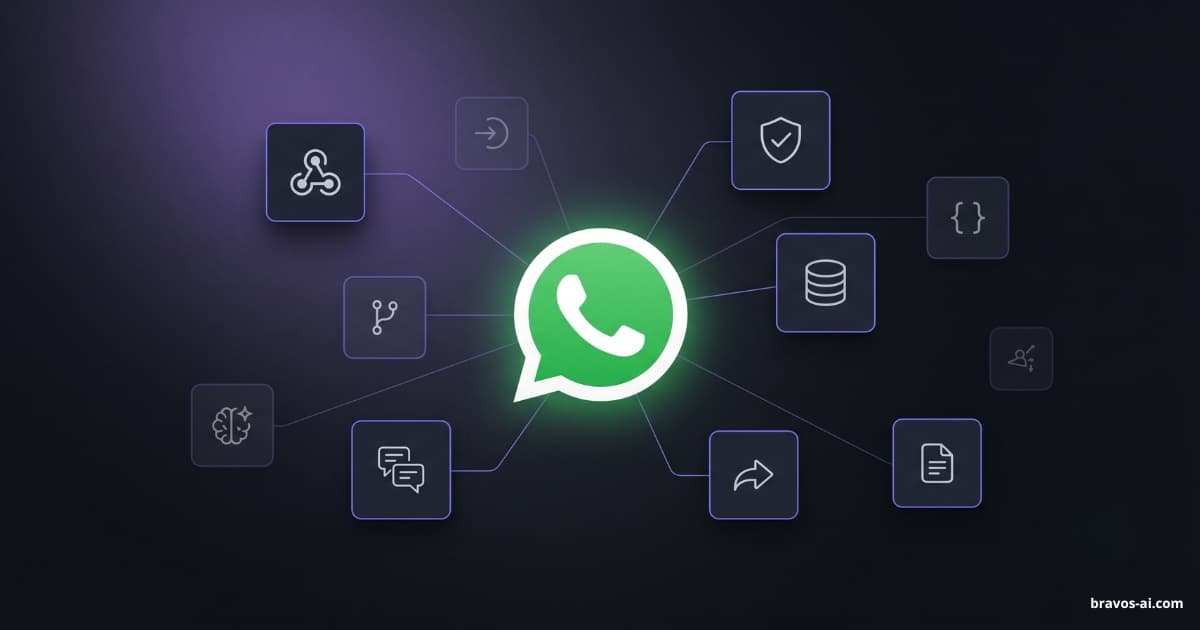
The DIY route. You connect WhatsApp Business to an automation tool (n8n, Make, Zapier) through a middleware provider (Twilio or a Meta-authorized BSP), wire the conversation flow by hand, plug in a call to a language model (OpenAI, Anthropic), and keep the whole thing running. If you are technical and enjoy the build, fine. For a normal business that just wants better customer service, it is laborious, brittle, and the bill is split across multiple subscriptions (the automation tool, the AI model, the WhatsApp middleware, hosting if you need it).
2. The technical way: Meta's Cloud API plus your own code
The full-engineering route. You register as a developer with Meta, set up the WhatsApp Business Cloud API, run your own server, manage thread state, template approvals, webhooks, the LLM conversation, retries, error handling, the lot. Only makes sense for large companies with very specific use cases. Most small and mid-size businesses do not want to be in this lane.
3. The short way: a purpose-built WhatsApp AI platform with direct Meta integration (this is what we recommend)
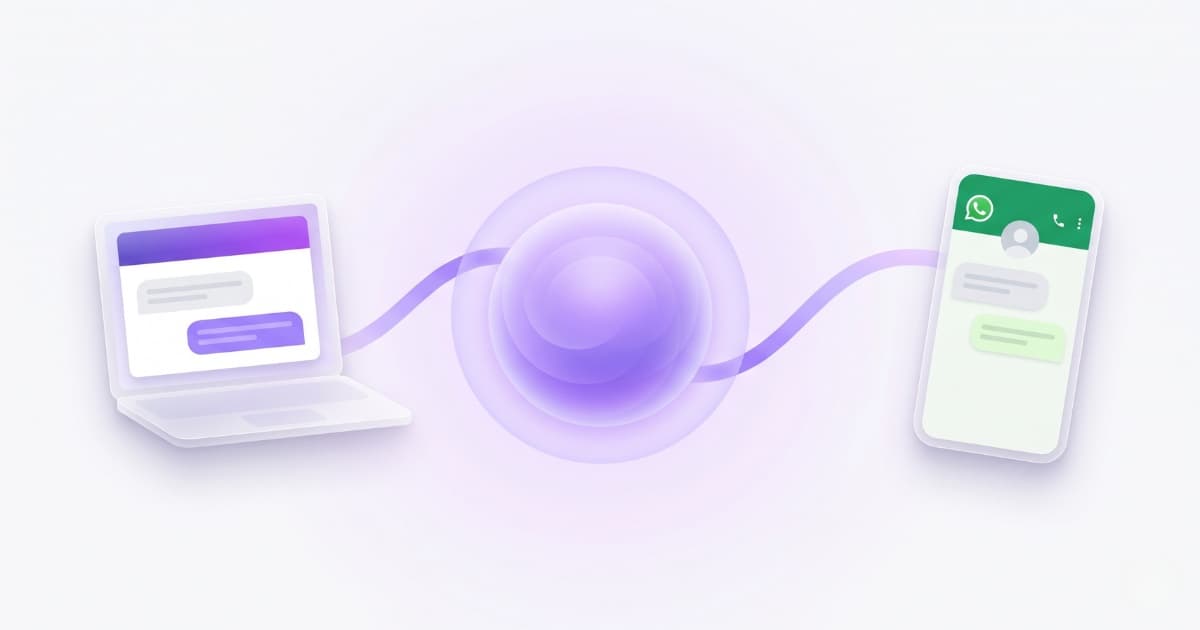
This is what we do at Bravos AI. You upload your business knowledge (website, PDFs, a product spreadsheet, or you connect Shopify), then plug your WhatsApp Business number into Meta straight from the dashboard. From that moment, any message that hits your number is answered by an AI agent that actually understands what the customer is asking and replies with real data from your business: pricing, hours, products, return policy, anything you have loaded. And if you use Claude or ChatGPT, with our MCP connector the assistant helps you get that bot ready the way our team would: what content is missing, how to word the answers better and what tone to give it.
The difference with most of the market is that we are a Meta Tech Provider: the integration is direct, no Twilio, no third-party fees per message. Plans start at $23/month (around €19) with unlimited messages. Step-by-step setup below.
Quick comparison: time, money, effort
| Path | Time to live | Monthly cost | Needs a developer | Answers with your data |
|---|---|---|---|---|
| n8n / Make / Zapier + AI | Days to weeks | Stacked subscriptions (~$40-120/mo) | Yes, or many hours of your own time | Yes, if you wire it well |
| Meta Cloud API + custom code | Weeks to months | Engineering time + hosting | Yes, mandatory | Yes, if you code it |
| Bravos AI + WhatsApp | ~10 min (no middleware) | From $23/month | No | Yes, with real AI |
ChatGPT on WhatsApp vs a real WhatsApp AI chatbot for business
A lot of people search for «ChatGPT WhatsApp» thinking they can drop the same chatbot you use in a browser into their business number. That is a different product with different limits. ChatGPT on WhatsApp (or a generic LLM plugged into WhatsApp through Zapier) does not know your business: it does not have your prices, your stock, your delivery policy, your opening hours, or your last terms of service. It can chat in a friendly tone and that is about it.
A real WhatsApp AI chatbot for business does three things a vanilla ChatGPT cannot:
- Grounded answers. Every reply is based on the content you loaded (website, PDFs, product feed). Less hallucinations, no «I do not know about that company».
- Live product data. If you sell, the chatbot can answer «do you have running shoes under $80 in size 10?» with real, in-stock results from your Shopify or your CSV.
- Lead capture inside WhatsApp. Native forms (Meta calls them Flows) so a buyer can leave name, phone and message without ever leaving the chat.
ChatGPT on WhatsApp is fine for personal use. For a business, you want the conversational quality of ChatGPT plus the business knowledge of your CRM. That is the gap purpose-built platforms fill.
Is there a free WhatsApp AI chatbot, really?
Short answer: not really. The official WhatsApp Business app on your phone is free and lets you set a static greeting and an out-of-hours auto-reply. That covers the bare minimum politeness, but it is not a chatbot: it does not understand the question, it does not pull from your knowledge, and it sends the same text to everyone.
Anything beyond that has a cost. We dug into this in another piece where we asked Tidio, Crisp and Freshchat's own chatbots whether their free plans include real AI. Their own bots admitted: no, or very little and very capped. The same applies to WhatsApp: today, no serious AI chatbot platform for WhatsApp is genuinely free in continued use.
One more thing worth knowing: Meta itself does not charge you when you reply to a customer. Since July 2025, service conversations (when the customer messages you first) are free with no monthly cap. Meta only charges if you message first using an approved template (reminders, shipping updates, marketing). For a business that just answers incoming messages — which is the typical use case — your Meta bill is $0.
What you need before you start
A dedicated phone number
A number that can receive SMS or a voice call for verification, and that is not already active in the regular WhatsApp app. Most businesses buy a new number for this (a cheap second SIM, an eSIM, or a Twilio-style virtual number); your business landline also works if it has never been on WhatsApp.
A Meta Business account
The hub where Meta groups your Facebook, Instagram and WhatsApp accounts. It is free at business.facebook.com. If you have a Facebook business page, you already have one linked. Worth knowing: you do not need to verify your business with Meta to start replying to customers — verification is only required for advanced features (in-chat lead forms or high-volume marketing sends).
Content for the AI to learn from
This is the step most people skip. A WhatsApp AI chatbot is only as good as the information you feed it. If you want it to answer questions about pricing, hours, products, services or returns, you need to upload that information: your website, a PDF, a product CSV, an FAQ. In Bravos AI you drop it all in the dashboard and the AI learns on its own — no flow builder, no manual Q&A pairs.
A product source if you sell things
The cleanest path is connecting your store directly. Bravos AI has native integration with Shopify and PrestaShop: one click and your catalog syncs daily. That lets the chatbot answer real, in-stock questions like «do you have running shoes under $80 in size 10?». No store? Upload a CSV or Google Sheet — see the different sync paths we support.
How to set it up with Bravos AI, step by step
1. Sign up at app.bravos-ai.com and create your first bot. Load it with your business information: website, PDFs, a product spreadsheet, or connect Shopify/PrestaShop. The AI learns on its own, no flow building, no scripted answers. At this point you already have a working chatbot for your website.
2. Activate the Starter plan (around $23/month), which is where the WhatsApp channel lives. The 7-day PRO trial also lets you test WhatsApp at no cost before deciding.
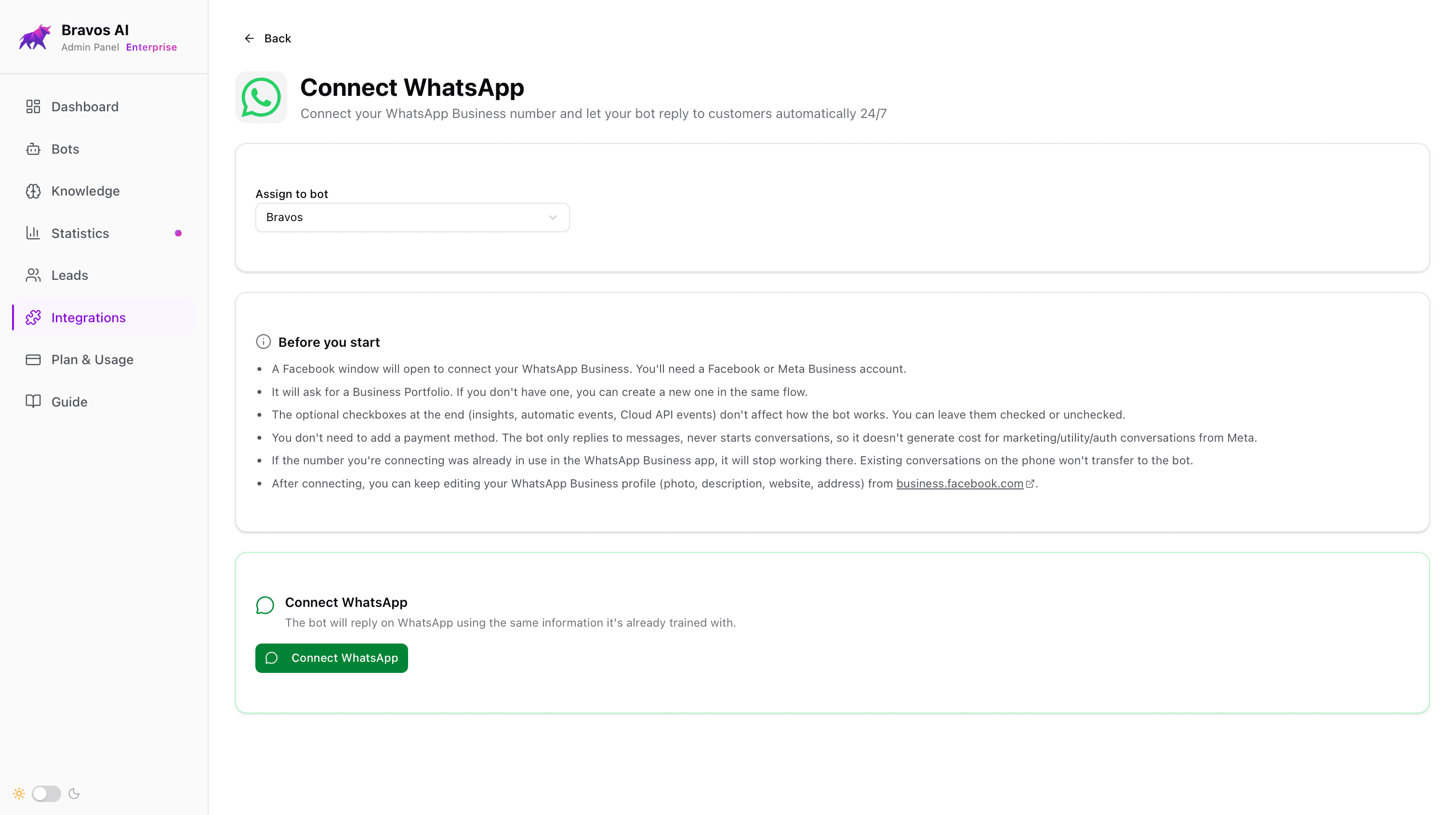
3. Go to Integrations in the sidebar, open the Available tab and click the WhatsApp card. Pick the bot you want WhatsApp wired to, then a Meta popup opens: you sign in with your Facebook account, pick (or create) your Meta Business account, choose the phone number, and confirm with an SMS code. The whole flow takes about 60 seconds.
Here is the key part: we are a Meta Tech Provider, so the integration is direct and single-step. No Twilio, no middleware, no extra per-message fees. Most other platforms in the market do go through middleware — that means days of extra setup and a surcharge on every message.
4. Done. From this point on, every message that hits your WhatsApp Business number is answered by the same bot you have on your website, with the same knowledge. One agent, two channels: update prices in the dashboard once and they update everywhere. And in either channel the customer can send photos (a label, an error code, a product picture), voice notes or a PDF — the bot understands them and answers about them.
What you get out of the box
Lead capture inside the chat. When someone shows real interest (a property, a service quote, a treatment), the bot can pop a native WhatsApp form right there (Meta calls them Flows) with the fields you choose (name, phone, message). The customer fills it in without leaving WhatsApp and the lead lands in your dashboard and, if you want, in your inbox. Zero external form, zero copy-paste.
Multilingual answers, no retraining. You load your content once (in any language) and the bot replies in the customer's language automatically. Spanish in, Spanish out. German in, German out. No duplicate bots, no translated documents.
Automatic catalog sync. Connect Shopify or PrestaShop and your catalog syncs daily. New product live this morning, the bot answers about it on WhatsApp the same morning.
Every conversation visible from one dashboard. You see every conversation (web and WhatsApp) in a single panel and can read them at any time. If at some point you want to handle a customer yourself, you need to disconnect the integration, which returns the number to your WhatsApp Business app on the phone so you can reply from there. There is also a pause option, but it only silences the bot: any messages that arrive while paused stay unanswered until you re-enable the bot or disconnect.
How Bravos AI compares to Manychat, Wati and others
A lot of people land here after searching for «Manychat WhatsApp» or «Wati alternative», so a quick reality check:
- Manychat: strong on Instagram and Facebook Messenger; on WhatsApp it goes through Meta as well but the bots are flow-based, not AI-grounded on your knowledge by default. Plans from around $15/month for basic, more for AI tools.
- Wati / AiSensy: WhatsApp-first platforms popular in India and the Middle East. Strong on marketing broadcasts. AI conversational quality varies; plans typically $40-80/month.
- Respond.io: multichannel inbox plus its own AI agent. Aimed at mid-market, plans from around $99/month.
- Bravos AI: AI-first, grounded on your business content (RAG over your PDFs, website, catalog), direct Meta Tech Provider integration (no middleware fees), same bot on web and WhatsApp. From $23/month.
The honest summary: if you want flow-builders and broadcast campaigns, Manychat or Wati fit that brief. If you want an AI chatbot that answers like ChatGPT but with your business knowledge, on WhatsApp, without paying middleware fees, that is what we built.
Common mistakes (and how to dodge them)
Meta's business verification (only when you actually need it)
To start and reply to customers, you do not need to verify your business with Meta. You only need it for advanced features (in-chat lead forms, high-volume marketing sends). When the time comes, most rejections happen because of the wrong document or a bad scan. Upload a clean, high-res PDF, and make sure the legal name on it matches exactly what you put in Meta Business. If they keep rejecting, open the Meta Business support chat and ask for the specific reason.
Loading messy content and blaming the bot
This is the most common mistake, by far. You upload five outdated PDFs, a half-organized spreadsheet and a website URL that is also out of date, and then complain the bot «answers vaguely». The bot is only as good as the information you feed it. If your current pricing lives only in your sales rep's spreadsheet, upload that spreadsheet. If your catalog changes weekly, plug Shopify or PrestaShop in so the sync is automatic. Thirty minutes of cleaning your sources before the upload makes the difference between a useful bot and one that hedges.
The 24-hour window nobody warns you about
This is the most surprising Meta rule. You can reply freely to a customer for 24 hours after their last message. After that window closes, if you want to message them again you have to use an approved template and Meta bills you as a marketing or utility conversation. It is by design — Meta does not want WhatsApp turning into spam. If your bot answers instantly (which is normal when AI is doing the work), you will rarely notice this rule, but it pays to know.
Settling for static auto-replies
The WhatsApp Business app gives you a static greeting and a static away message. That is fine as a courtesy, but it is not customer service, it is an auto-receipt. The difference between a static reply and an AI chatbot is the difference between a customer getting the answer they need to buy from you and getting nothing. If you are going to set up WhatsApp at all, set it up so it does something useful.
Frequently asked questions
What is a WhatsApp AI chatbot?
A WhatsApp AI chatbot is a system that automatically replies to messages sent to your WhatsApp Business number. It can be basic (a static text) or it can use artificial intelligence to understand what the customer is asking and answer with information from your business: pricing, hours, products, returns. The gap between the two is huge.
How do I build a WhatsApp chatbot without code?
Sign up on a purpose-built platform, connect your WhatsApp Business number through Meta's direct flow (in Bravos AI, a 60-second popup where you log in with Facebook and pick the number), upload your business information, and from that moment the bot answers on its own. There is nothing to install on your phone.
Is there a free WhatsApp AI chatbot?
Only if you settle for a static greeting and an away message, the two free features in the official WhatsApp Business app. A real AI chatbot, with answers grounded on your business data, has a monthly cost starting around $23/month for the platform, plus whatever Meta charges per conversation (which is $0 if you only reply to customers, not initiate). Watch out for platforms that advertise as "free": they usually have a 50-message cap, a trial that bills after 7-14 days, or locked-out AI features.
Can I use ChatGPT on WhatsApp for my business?
You can plug ChatGPT into a WhatsApp number, but for a business it falls short. ChatGPT does not know your prices, your stock, your hours or your terms. You want the chat quality of an LLM plus grounded answers from your own business data. That is what a purpose-built WhatsApp AI chatbot gives you and a vanilla ChatGPT does not.
How long does it take to go live with a WhatsApp chatbot?
In Bravos AI it is 5-10 minutes because the Meta integration is direct, no Twilio or middleware. Platforms that route through middleware usually add 1-3 days of extra setup. If you also need Meta business verification (only for advanced features like marketing sends or in-chat lead forms), add another 2-7 business days. Most small businesses can be answering messages the same day they sign up.
Bottom line
Building a WhatsApp AI chatbot in 2026 is not the multi-week engineering project it used to be. With a purpose-built platform that integrates directly with Meta, you can be live in 10 minutes at a predictable monthly cost — $23/month with Bravos AI if you are only answering inbound messages, which is the case for most small and mid-size businesses.
The other two paths (assembling it yourself with n8n, Make or Zapier; or coding straight against Meta's API) still exist and still make sense if your team is technical and has the bandwidth. For everyone else, they cost more, take longer and break more often.
What actually matters when you pick: that the bot answers with the real information from your business (not invented), that the Meta connection is direct (no Twilio fees), and that the same agent works on your website and on WhatsApp with the same knowledge. If that fits your case, the next step is trying it on your own business.
Sources
- Pew Research Center — Americans' Social Media Use 2025 — Survey of 5,022 US adults: 32% now use WhatsApp, up from 23% in 2021
- Meta — WhatsApp Business Platform documentation — Official technical reference: API, 24-hour window, templates, business verification
- Meta — WhatsApp Business Pricing (2025) — July 2025 update: replying to a customer-initiated conversation is free with no monthly cap
- Meta — Business Verification on Meta Business — Requirements and accepted documents for verifying your business with Meta
Ready to let WhatsApp answer on its own?
Create your bot in Bravos AI, connect it to WhatsApp Business from the Starter plan, and let AI answer with the real information from your business.
Try PRO free for 7 days