You run a PrestaShop store and your customers keep asking the same things: “Is this available in size M?”, “How much is shipping?”, “Do you have this in black?” You want an AI chatbot that handles these questions 24/7 — and actually understands your product catalog.
We built a direct integration between Bravos AI and PrestaShop for exactly that. The chatbot connects to your catalog, syncs automatically, and filters products by any attribute: price, size, color, material, stock — whatever you have. This article covers what it does, how to set it up, and how the pricing compares to the alternatives.
What AI for PrestaShop actually means, and why stores are adopting it
AI on a PrestaShop store comes down to an assistant that lives on your website and answers customer questions automatically, in natural language. Not a button menu or a contact form — the customer types what they need and the chatbot responds like a person would.
Modern chatbots use AI models (from OpenAI, Google, etc.) that can understand open-ended questions, keep track of the conversation, and respond with real information about your business. That’s why more and more online stores use them to handle after-hours inquiries, answer repetitive questions, and take pressure off their support team.
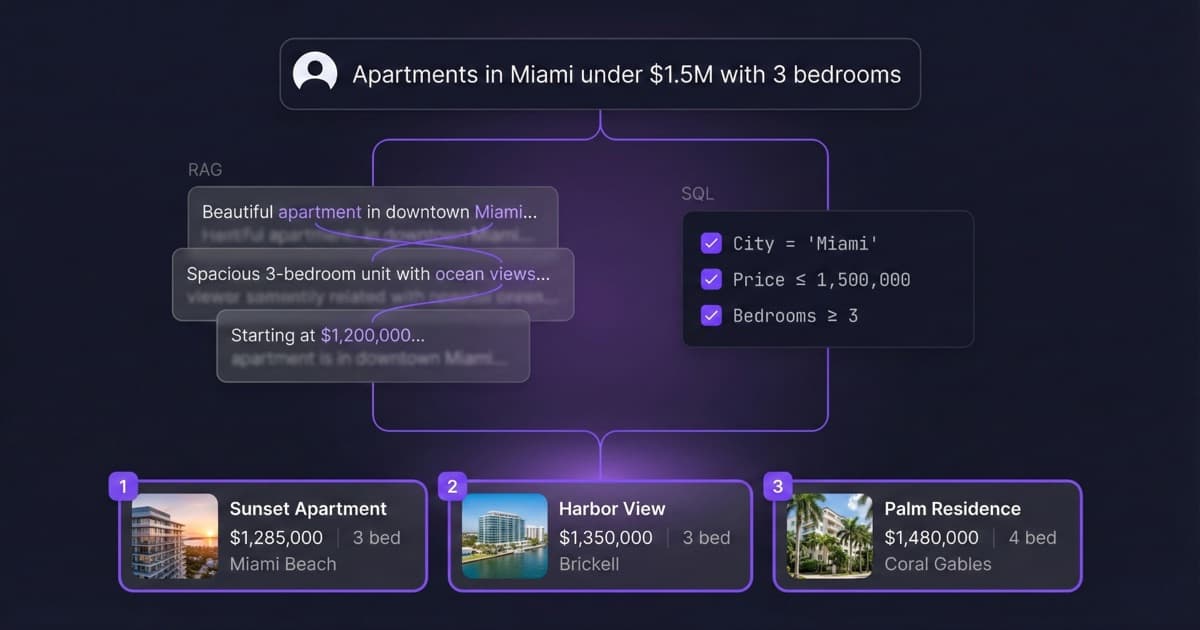
But there’s an important distinction for ecommerce: most AI chatbots are built to answer text-based questions (opening hours, policies, FAQs). If you have a product catalog with prices, sizes, and stock levels, you need a chatbot that can work with structured data — not treat your catalog like loose text. That’s what our PrestaShop integration is built for.
What the Bravos AI PrestaShop chatbot does
Connects to your store without modules
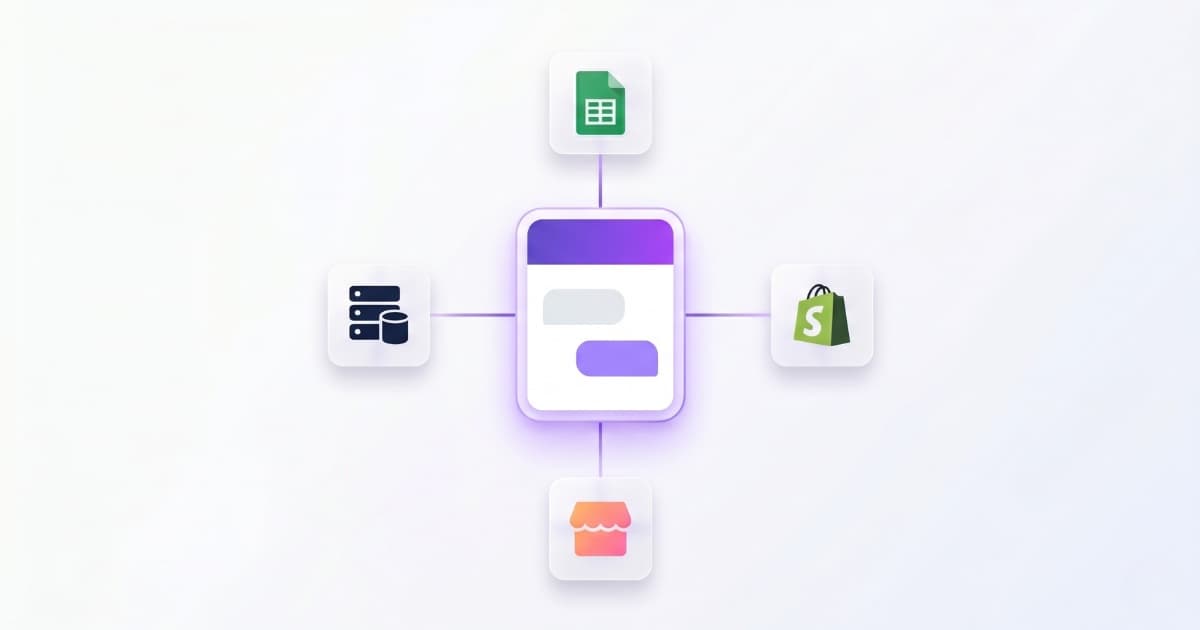
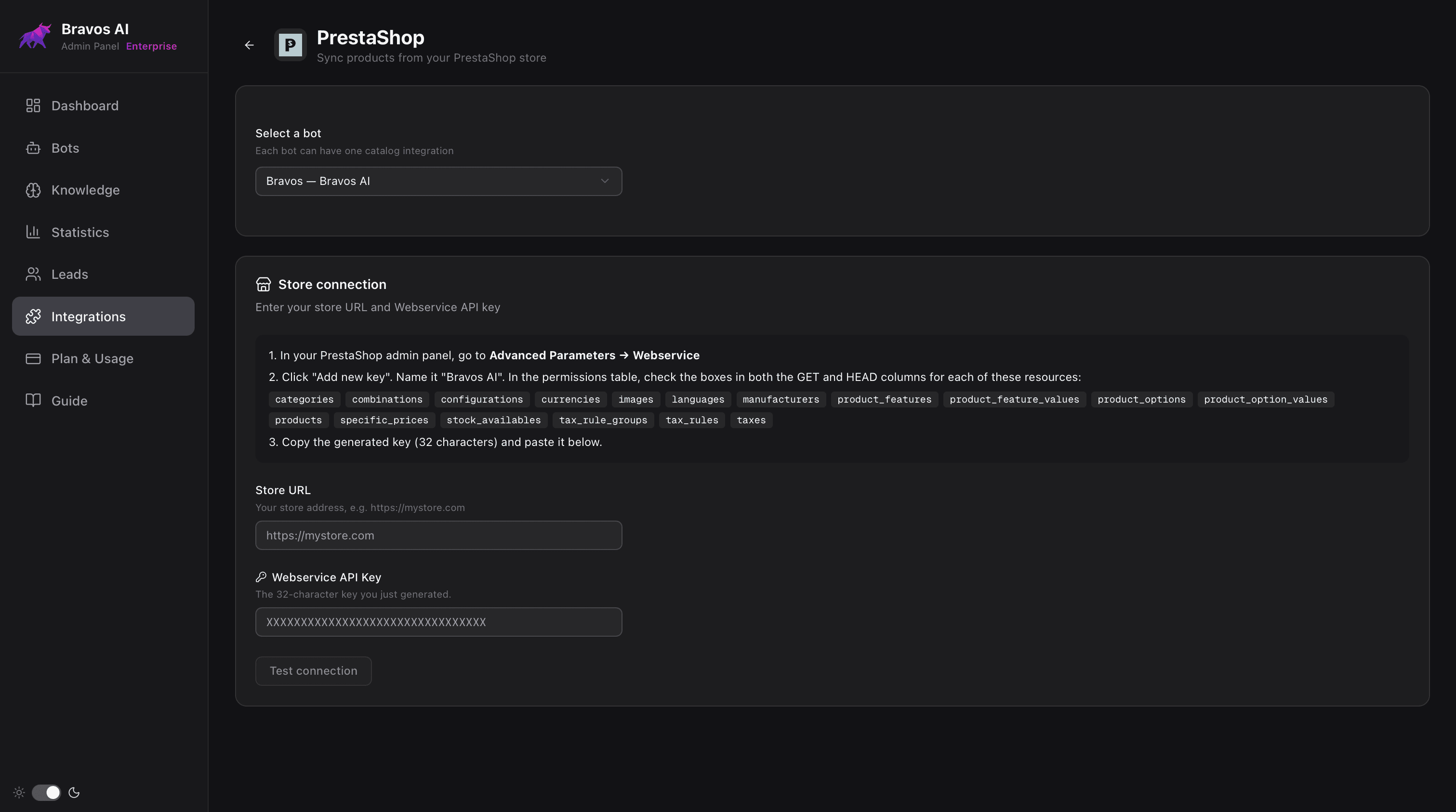
PrestaShop comes with a built-in system that lets external apps read your store data (the Webservice). Bravos AI connects through it: you enter your store URL and an access key you generate from your PrestaShop back office. No modules to install, no code to touch, and if you ever disconnect Bravos AI, your PrestaShop stays exactly as it was.
Imports your full catalog and keeps it updated
All your products are imported with their combinations: sizes, colors, prices, images, and descriptions. If you sell t-shirts with Color and Size variants, the chatbot understands these are independent filters and groups them automatically. When you update a price or add a product in PrestaShop, the chatbot picks it up on the next daily sync. No file exports, no manual work.
Filters products for real, not by approximation
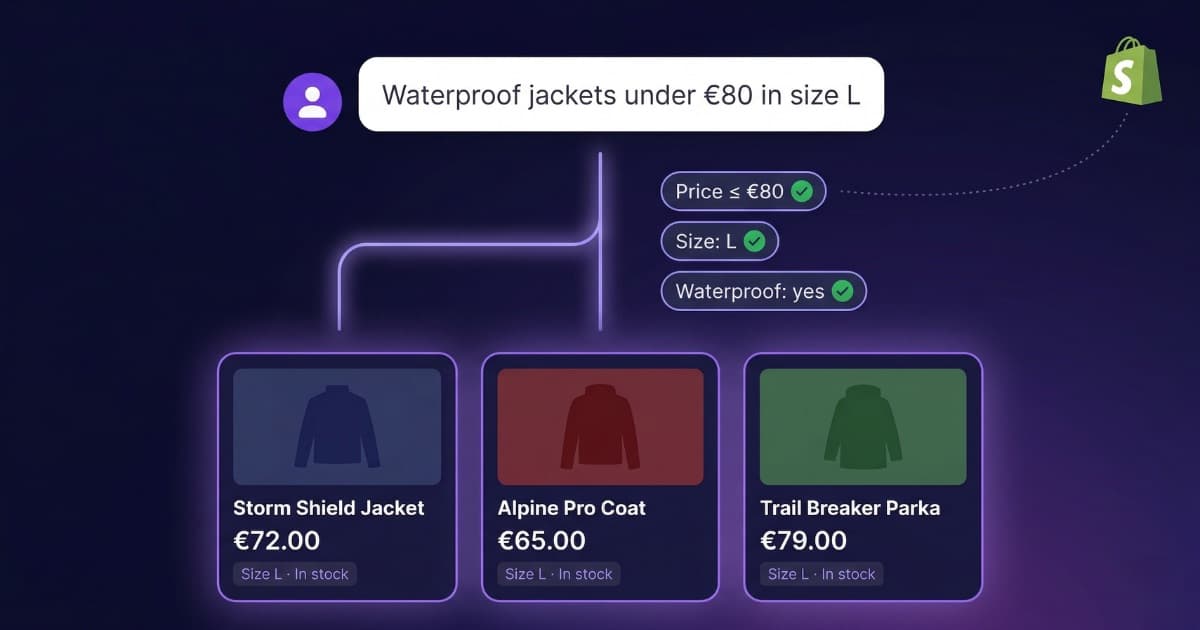
When a customer asks “leather bags under €90 in black,” the chatbot applies exact filters: material leather, color black, price under 90. It only shows what matches everything. If a bag costs €95, it won’t appear. If nothing matches, it says so — it doesn’t make things up. This works with any combination of attributes, all at once. Most chatbots can’t do this because they treat your catalog as text, not as structured data with real filters. We explain this in detail in our article on why AI chatbots fail with product catalogs. The same technology we use in our Shopify chatbot, adapted for PrestaShop.
You control what stock information customers see
You choose how the chatbot handles availability:
- Hidden: doesn’t mention availability at all
- Available / Sold out: just says if it’s in stock or not
- Exact stock: “3 units left”
Responds in 15 languages automatically
It detects the visitor’s language and responds in that language. One catalog, no translations needed. Especially useful if you sell across Europe: 76% of consumers prefer buying in their own language according to CSA Research. More in our multilingual chatbot guide.
Captures leads with context
Not every visitor buys on the first visit. The chatbot can ask for an email during the conversation and saves it along with what the customer was looking for. If someone asks about standing desks under €400 in walnut and leaves their email, you know exactly what they want. More in our article on how to capture leads with a chatbot without being invasive.
How to set up your PrestaShop chatbot in 4 steps
No technical background needed. The Bravos AI dashboard walks you through it:
1. Connect your store. In your PrestaShop back office, go to Advanced Parameters → Webservice and create a new key. Bravos AI tells you exactly which permissions to enable. Copy the key, paste it along with your store URL, and click “Test connection.”
2. Upload company information. Return policy, shipping costs, business hours, locations, contact details, company history — anything you want the chatbot to know beyond products. Upload it as documents or free text.
3. Customize the chatbot. Pick a name, tone (formal, friendly, technical...), colors, and welcome message. On advanced plans you can write a full system prompt to control exactly how it behaves. Language detection is automatic based on the visitor.
4. Add the widget to your site. One line of code in your PrestaShop theme. The chatbot is now live on your store, answering questions about products and your business, 24/7.
The whole process takes less than half an hour.
How much does a PrestaShop chatbot cost in 2026
Search “PrestaShop chatbot” and you’ll find marketplace modules, generic SaaS platforms, and a few specialized options. The advertised price and what you actually end up paying are very different things:
AI modules from the PrestaShop marketplace
Modules like FME Modules (€119) or Webkul ($299). They install directly in your PrestaShop. The module price looks cheap, but all of them require you to create your own OpenAI or Google Gemini account and pay per conversation. Depending on traffic, that’s an extra €20–100/month with unpredictable costs. And setting up an OpenAI account and connecting it to the module isn’t straightforward if you’re not technical.
Tidio
Advertised: Starter at $29/month. What you pay: the AI (Lyro) is billed separately, from $39/month for 50 conversations. Plus Flows (visual chatbot builder): from $29/month. Real minimum with AI: $97/month. Doesn’t connect to your PrestaShop catalog. Source: Tidio Pricing, Desk365 analysis.
Zendesk
Advertised: from $19/agent/month. What you pay: each AI resolution costs $1–2. The advanced AI add-on: $50/agent/month. 500 resolutions/month = $500–1,000 extra. Built for large enterprises, not small businesses. Source: Zendesk Pricing.
Crisp
Advertised: Mini at €45/month. What you pay: AI is limited to 50 uses/month on the Essentials plan (€95). For unlimited AI you need the Plus plan: €295/month. Has a PrestaShop module, but doesn’t filter products from your catalog. Source: Crisp Pricing.
Bravos AI
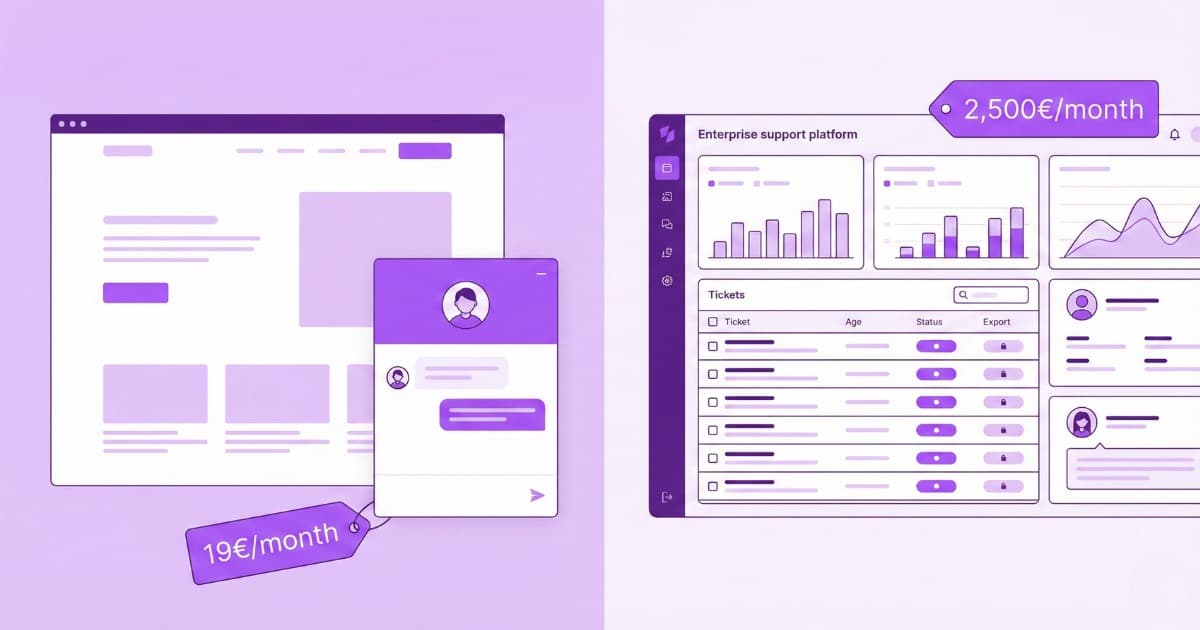
7-day free trial of the full PRO plan to test it. Starter: €19/month (1 bot, unlimited messages, direct PrestaShop integration). Pro: €49/month (3 bots, unlimited messages, lead capture). AI is included in every plan — no per-conversation charges, no external accounts to set up.
| Platform | Advertised price | Actual cost with AI | Filters your catalog |
|---|---|---|---|
| PS modules (FME, Webkul) | €119–$299 (one-time) | + €20–100/mo (OpenAI account) | Partial |
| Tidio | $29/mo | $97/mo minimum | No |
| Zendesk | $19/agent/mo | $219/agent + $1–2/resol. | No |
| Crisp | €45/mo | €295/mo (unlimited AI) | No |
| Bravos AI | €19/mo | €19/mo (everything included) | Yes (auto-sync) |
For a broader comparison (not just PrestaShop), we have a full AI chatbot pricing breakdown for 2026.
Limitations of this PrestaShop chatbot
- No cart management or checkout. It recommends products and links to the product page in your store, but doesn’t add to cart.
- No order or return processing. It can explain your return policy if you’ve given it that information, but doesn’t access your order system.
- Syncs once a day, not in real time. If you change a price at 10am, the chatbot will reflect it on the next sync. You can trigger a manual sync anytime.
- Doesn’t replace human support. Complaints, damaged shipments, and complicated situations still need a person.
Frequently asked questions
Do I need to install a module to add a chatbot to PrestaShop?
No. Bravos AI connects to the Webservice that comes built into PrestaShop. You just need your store URL and an access key. To show the chatbot on your site, you paste one line of code in your theme.
Can a PrestaShop chatbot search products or only answer general questions?
It does both. If a customer asks “I need a wooden desk for a small space, max €300,” the chatbot filters your catalog and shows only what matches. And if you’ve also given it information about shipping or your company, it answers those questions too.
How much does a PrestaShop chatbot cost?
You get a 7-day free trial of the full PRO plan to test it. Starter (€19/month) includes direct PrestaShop integration, 1 bot and unlimited messages. Pro (€49/month) adds 3 bots and lead capture (also with unlimited messages). AI is included in every plan.
Does the PrestaShop chatbot support multiple languages?
Yes. It detects the visitor’s language automatically and responds in that language. It works in 15 languages without you having to translate anything.
Does the chatbot update automatically when I change prices or add products in PrestaShop?
Yes. It syncs your catalog automatically once a day. If you need it updated sooner, you can trigger a manual sync from the dashboard.
Conclusion
If you’re looking for a PrestaShop chatbot that actually understands your catalog, Bravos AI connects directly to your store, syncs your products automatically, and filters by any attribute. It takes less than half an hour to set up, starts at €19/month with AI included, and you can start with 7 days free on the full PRO plan with the PrestaShop integration included.
Not on PrestaShop? We also have a native integration and a dedicated guide for Shopify and WooCommerce.
Sources
- Tidio Pricing — Starter: $29/mo. Lyro AI: from $39/mo extra. Verified April 2026
- Desk365 — Tidio Pricing Complete Guide 2026 — Breakdown of Lyro AI + Flows real cost
- Zendesk Pricing — From $19/agent/mo. Advanced AI: $50/agent. Resolutions: $1–2. Verified April 2026
- Crisp Pricing — Mini: €45/mo. Plus (unlimited AI): €295/mo. Verified April 2026
- FME Modules — Advance AI Chatbot — €119 one-time + your own OpenAI account
- CSA Research — “Can’t Read, Won’t Buy” (2024) — 76% of consumers prefer buying in their native language
Want to see how it filters your catalog?
Connect your PrestaShop store and test the filtering on your own catalog. After that, plans start at €19/month.
Try PRO free for 7 days