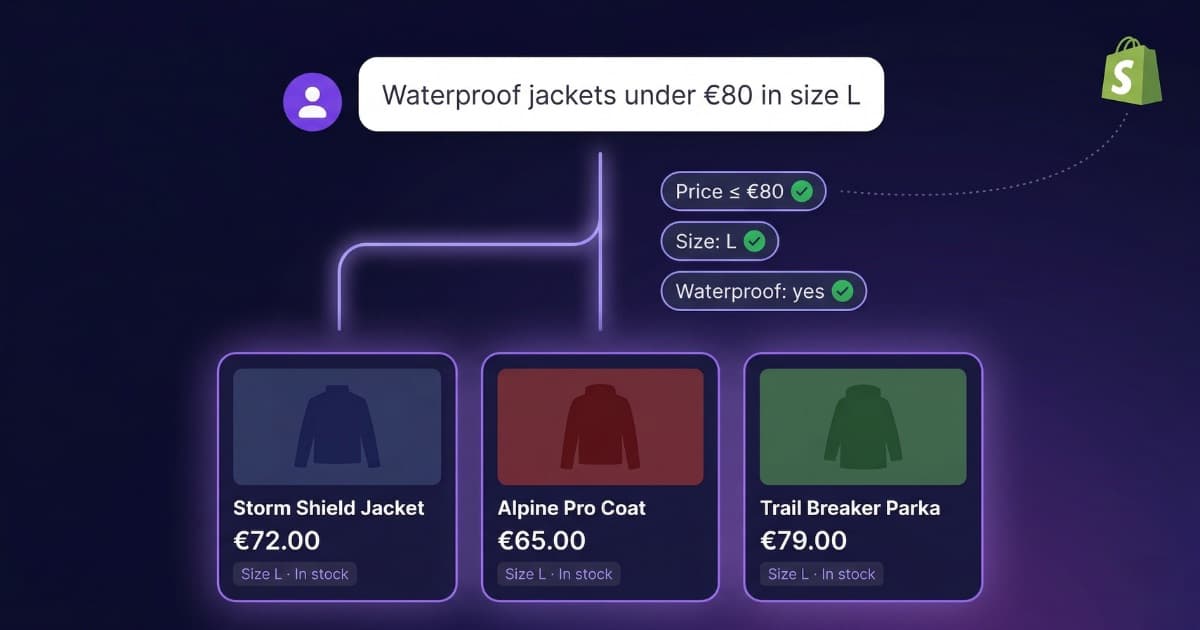
We built a Shopify chatbot that works like your store’s own filter: a customer asks “waterproof jackets under $80 in size L” and only sees products that match all three criteria. If nothing matches, it says so. It doesn’t guess, doesn’t hallucinate, doesn’t show a $150 jacket because it’s “also a jacket.”
Most Shopify chatbots don’t do this. They work more like a Google search: you give them some words and they return whatever seems closest. Sometimes they get it right. Often they don’t — especially when a customer combines price, size, color, or material in the same question.
This article breaks down how our Shopify integration works, how it compares to Tidio, Gorgias, Rep AI, and other options, and what each one actually costs — with pricing verified in April 2026, not the number they put in large font on their homepage.
The problem: FAQ bots disguised as shopping assistants
Search “chatbot” in the Shopify App Store. You’ll find dozens of options promising the same things: “AI-powered,” “boost your sales,” “24/7 support.” Install any of them and ask something specific about your catalog:
“Do you have waterproof jackets under $80 in size L?”
Most return vague or irrelevant results. A $150 jacket. A vest that isn’t waterproof. Or worse: a confident-sounding answer that has nothing to do with your actual inventory.
Why? Because they’re not built to search products. They’re support bots in disguise. They can tell customers your return policy or shipping times — and they do that well. But when someone wants to combine filters (price + size + material + availability), they fall short.
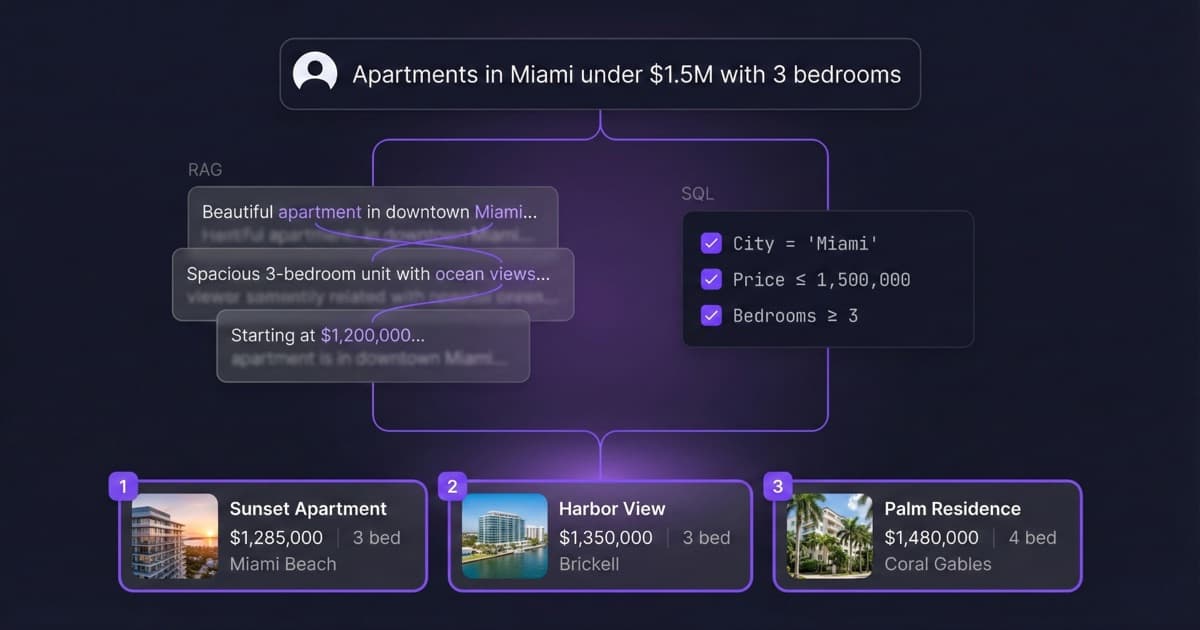
The technology behind most of them is RAG (Retrieval-Augmented Generation): it converts your products into text fragments and finds the most “similar” ones to the customer’s question. The problem is that “similar” isn’t the same as “exact.” $95 is “similar” to $80 for an algorithm, but not for your customer. We explain this in detail in our article on why AI chatbots fail with product catalogs.
This isn’t a niche problem. According to Grand View Research, the global chatbot market reaches $11.775 billion in 2026, with ecommerce as the largest segment (~30% of spend). There’s a lot of money in chatbots — and a lot of smoke to filter through.
Two types of Shopify chatbot (and why the difference matters)
Not all chatbots do the same thing, even when they use the same words to sell themselves.
Support chatbot (FAQ): Answers general questions. Shipping policy, business hours, returns, payment methods. Searches relevant text fragments and generates a natural response. Gorgias, Zendesk, and Tidio fall here. They work well for what they’re designed to do.
Catalog chatbot (real product search): Searches products by applying combined filters on structured data. Price, size, color, material, availability — all at once. Doesn’t search for similar text; runs real queries. The difference between “finding something close” and “finding exactly what the customer asked for.”
| Support chatbot | Catalog chatbot | |
|---|---|---|
| “What’s your shipping policy?” | Yes | Yes |
| “Waterproof jackets, size L, under $80” | No (or imprecise) | Yes, exact filtering |
| Combines 3+ filters at once | No | Yes |
| Real-time stock | No (or outdated) | Yes |
| Price accuracy | Approximate | Exact ($81 won’t show if you ask for < $80) |
| Technology | RAG (semantic) | SQL + RAG combined |
Most options in the Shopify App Store are the first type. They’re not bad — they’re just designed for a different problem. If you need a bot that answers “how long does shipping take?,” any of them will do. If you need one that actually recommends the right products, you need the second type.
How a Shopify chatbot that actually understands your catalog works
When we built the Bravos AI integration with Shopify, the goal was clear: the chatbot queries your real store data, not an approximate text copy.
1. Direct connection via OAuth
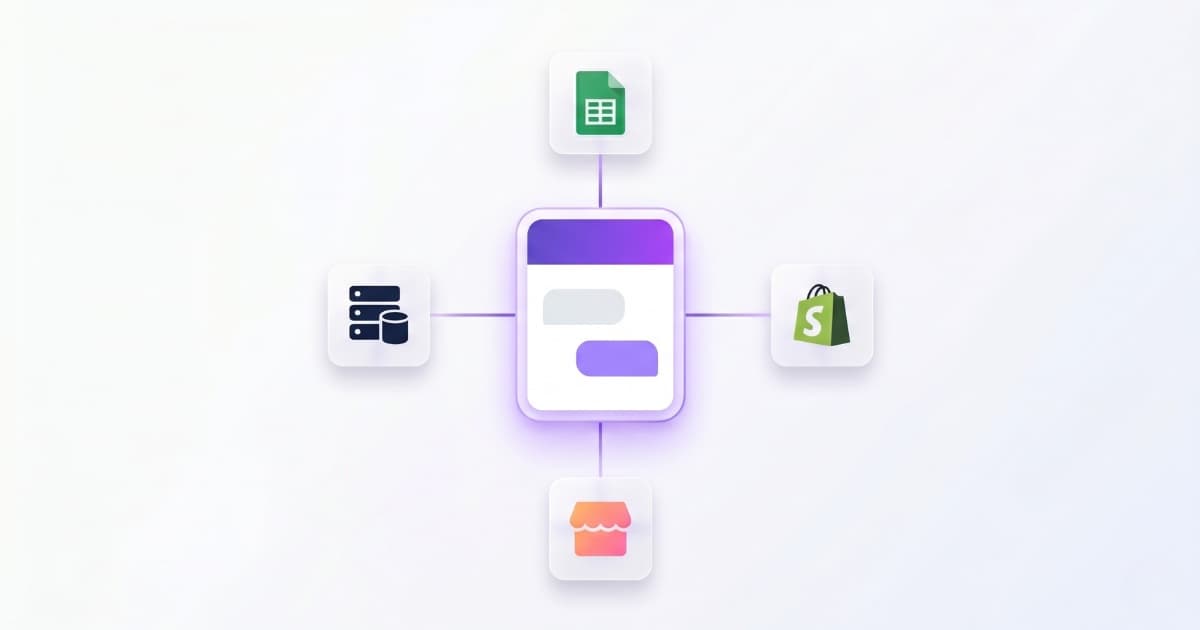
You connect your store in one click. OAuth — the same system used by Klaviyo or Mailchimp — asks for authorization and you’re done. No CSV exports, no copy-pasting. The chatbot has direct access to your Shopify catalog.
2. Your full catalog, always up to date
All your products are imported with every variant: sizes, colors, prices, SKUs, stock, images, descriptions. If you use Shopify metafields (material, weight, certifications), those too. If you change anything in Shopify — a price, a new product, stock running out — the chatbot updates itself in seconds. You don’t have to touch anything.
3. Real filtering, not guessing
When a customer asks “organic cotton t-shirts in size M under $30,” the chatbot doesn’t look for similar things. It filters: organic cotton, size M, price under $30. Only shows what matches everything. If a product costs $31, it doesn’t show up. If nothing matches, it says so — it doesn’t hallucinate.
This works with any combination of filters in your catalog: price, size, color, material, availability — whatever you have. All at once.
4. You control what customers see
You can choose whether the chatbot shows exact stock (“3 units left”), just availability (“in stock” / “sold out”), or nothing about stock at all. Your call.
What Shopify chatbots actually cost: verified pricing (April 2026)
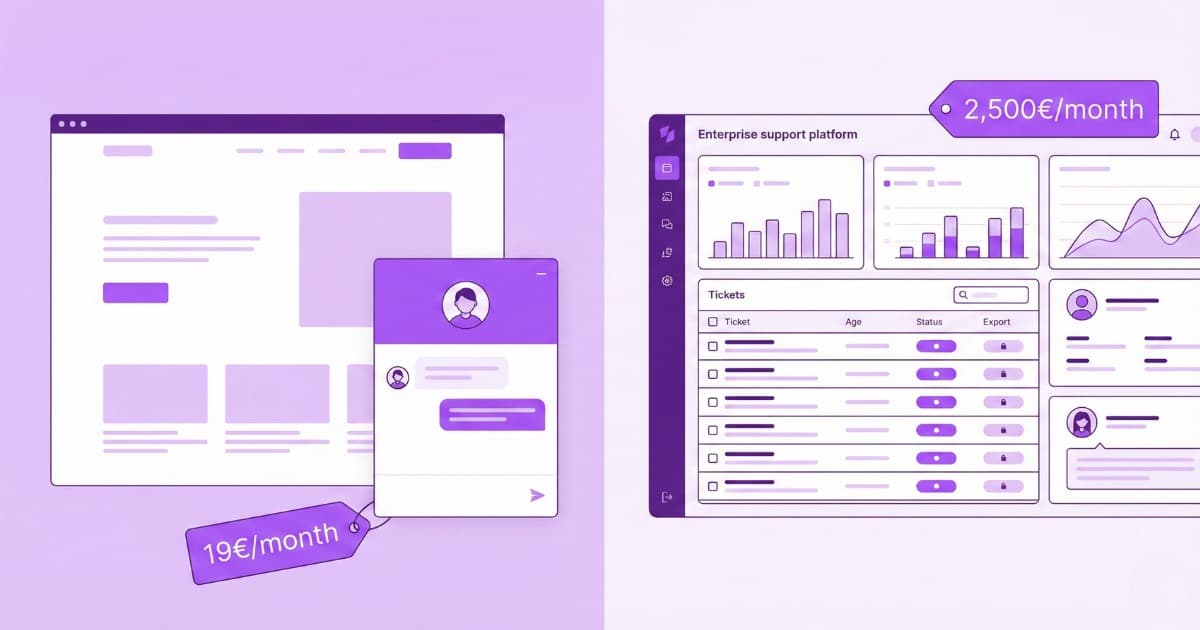
Chatbot pricing for Shopify is a minefield. Nearly every platform advertises an entry price that doesn’t include AI, or charges per resolution so the bill spikes with volume. We verified all these prices directly on official pricing pages:
Tidio
Advertised price: Starter at $29/month.
What you actually pay: The AI chatbot (Lyro) is billed separately: from $39/month for 100 AI conversations. Need 500? That’s $79/month. 1,000 conversations: $149/month. AI conversations don’t count toward your base plan limit — you pay for both. The unlimited plan (Plus) starts at $749/month. Source: Tidio Pricing and Featurebase analysis.
Gorgias
Advertised price: Starter at $10/month (50 tickets).
What you actually pay: AI is always an add-on: $0.90–$1.00 per conversation resolved. 500 resolutions/month = $450–$500 extra. Plus overages if you exceed included tickets ($0.36–$0.40 per extra ticket). One Shopify App Store merchant reported paying over $13,500/year on the Advanced plan. Source: Gorgias Pricing.
Zendesk
Advertised price: From $19/agent/month.
What you actually pay: AI resolutions cost $1.50 each. 500 resolutions/month = $750 extra, on top of per-agent licenses. Source: Zendesk Pricing.
Rep AI
Price: From $99/month. Built for Shopify Plus stores with high traffic. Works as a proactive “sales assistant.” Good for large stores, but the entry price is already high for most merchants.
Bravos AI
Actual price: 7-day free trial of the full PRO plan to test it. Starter: €19/month (1 bot, unlimited messages). Pro: €49/month (3 bots, unlimited messages, lead capture). Direct Shopify integration included in all paid plans. No per-resolution charges. No AI add-ons. What you see is what you pay.
For a broader comparison (not just Shopify), we have a full AI chatbot pricing breakdown for 2026.
The hidden cost: keeping data up to date
Beyond the monthly fee, there’s a cost nobody mentions: the time you spend keeping chatbot data current. If your platform doesn’t auto-sync with Shopify, every price change, new product, or stock update means manually updating the chatbot. With a direct OAuth integration and real-time updates, that maintenance cost disappears.
What to look for in a Shopify chatbot
If you’re comparing options, ask yourself these questions:
Does it actually filter or just guess? Test it: ask for products under a specific price. If it returns more expensive ones, it’s not filtering — it’s guessing.
Does it update automatically? If you change a price in Shopify and the chatbot still shows the old one, you have a problem. Look for one that syncs on its own.
Is pricing predictable? Per-resolution pricing can spike during Black Friday or holiday season. If your store has traffic peaks, a flat rate is safer. Stores that respond quickly can increase conversion by up to 69%, according to Shopify Inbox. If your chatbot gets throttled when you need it most, you lose sales.
Does it support multiple languages? If you sell internationally, this isn’t optional. 76% of consumers prefer buying in their own language according to CSA Research, and 40% won’t buy at all if the site isn’t in their language. We go deeper in our multilingual chatbot guide.
Does it capture leads with context? Not every visitor buys on the first visit. A chatbot that captures an email along with what the customer asked about (“Gore-Tex jackets, size L, under $150”) gives you a qualified lead, not a cold email. More in our article on how to capture leads with a chatbot without being invasive.
Honest limitations
It would be hypocritical to criticize other platforms’ marketing and not be transparent about our own. Here’s what the Bravos AI Shopify chatbot does NOT do:
- No cart management or checkout. It’s a product discovery and recommendation assistant, not a checkout system. It can link directly to the product in your store, but it doesn’t add to cart.
- No returns or order processing. It can explain your return policy (if you’ve given it that information), but it can’t access your order system.
- No replacement for human support in complex cases. Complaints, damaged shipments, emotional situations — those need a person.
- No aggressive upselling. It doesn’t chase visitors with pop-ups or push products they didn’t ask about. It answers what it’s asked.
If anyone promises a Shopify chatbot that does all of this, be skeptical.
Frequently asked questions about Bravos AI for Shopify
Do I need technical skills to connect my store?
No. You authorize your Shopify store in one click and Bravos AI imports your catalog automatically. To install the widget, you paste one line of code in your Shopify theme (Online Store > Themes > Edit code > theme.liquid). No coding required.
Does the chatbot recommend products or just answer questions?
Both. If someone asks “I need a gift for a hiker, budget $50–$80,” Bravos AI filters your catalog and shows only what fits. These aren’t generic recommendations — they’re filtered results from your actual catalog.
How much does it cost?
7-day free trial of the full PRO plan to test it. Starter: €19/month (1 bot, unlimited messages). Pro: €49/month (3 bots, unlimited messages, lead capture). Direct Shopify integration is included in all paid plans. No extra per-resolution fees or AI add-ons.
Does it support multiple languages?
Yes. Bravos AI automatically detects the visitor’s language and responds without you having to translate anything. It supports 13 languages.
Is it better than Shopify Inbox?
They’re complementary. Shopify Inbox is live chat — it needs someone from your team to be available. Bravos AI responds 24/7 automatically, including product search. The ideal setup is using both: Bravos AI for automated queries and Shopify Inbox for what needs a human.
Conclusion
If your Shopify store sells products with filterable attributes — price, size, color, material, availability — you need a chatbot that actually filters, not one that guesses. And you need it to update automatically when you change something in Shopify, with predictable pricing, and multilingual support if you sell internationally.
We built the Bravos AI Shopify integration for exactly this. Direct integration is available from the Starter plan (€19/month). Want to test the filtering first? You get 7 days free on the full PRO plan with the Shopify integration included.
Not on Shopify? We also have a native integration and a dedicated guide for WooCommerce and PrestaShop.
Sources
- Grand View Research — Chatbot Market Size, Share & Growth (2026–2033) — Global chatbot market: $11.775B in 2026, CAGR 19.6%
- CSA Research — “Can’t Read, Won’t Buy” (2024) — 76% of consumers prefer buying in their native language
- Shopify Inbox — App Store — Faster responses can increase conversion by up to 69%
- Tidio Pricing — Starter: $29/mo. Lyro AI: from $39/mo extra. Verified April 2026
- Featurebase — Tidio Pricing 2026 — Breakdown of Lyro AI real cost by usage tier
- Gorgias Pricing — Starter: $10/mo. AI: $0.90–$1.00/resolution. Verified April 2026
- eesel AI — Gorgias AI for Shopify — Merchant reporting >$13,500/year on Advanced plan
- Zendesk Pricing — From $19/agent/mo. AI resolutions: $1.50 each. Verified April 2026
Want to see how it filters your catalog?
Connect your Shopify store and test the filtering on your own catalog. After that, plans start at €19/month.
Try PRO free for 7 days