ChatGPT Business Hub is the dashboard where a company claims its business profile in ChatGPT, corrects its details, uploads its product catalog and sees how often ChatGPT mentions it and how many clicks it sends. OpenAI launched it in beta on November 10, 2026 as part of a program called Businesses in ChatGPT, which comes with a second piece: Business Agents, a company’s own assistant that answers customers without leaving ChatGPT.
Claiming a profile is free and open to businesses in any country where ChatGPT is available. Business Agents are narrower: for now only ecommerce and online service businesses in the United States can publish one. And none of this is ChatGPT Business, the paid plan for teams. The names are close enough that people are already mixing them up.
This guide covers what each piece is, who is eligible, how to claim your business on ChatGPT step by step, what the insights show and what they hide, what Business Agents can and cannot do, and whether any of it makes ChatGPT recommend you more often. It also walks through the terms you accept on the way in, which almost nobody is reading and which include a perpetual license over your basic business details and a waiver of certain claims. Everything comes from OpenAI’s documentation and from our own checks on November 13, 2026. Sources, with dates, are at the end.
What Businesses in ChatGPT and Business Hub are
Until now, whatever ChatGPT said about a company came from its website and from what others had published about it. The company had nowhere to correct it and no way of knowing how often it came up. Businesses in ChatGPT is the first official channel for that. OpenAI pitches it as a way to reach the 1.2 billion people who, by its own count, use ChatGPT every week. It has three parts:
- The business profile. A listing with your website, description, category, logo, delivery and return policies and, if you sell products, your catalog with prices and availability. Once you are verified it carries a blue check.
- Insights. How often ChatGPT cites your website, how many clicks it sends you and which conversation themes you show up in.
- The Business Agent. An assistant that answers customers using information you provide, in a separate conversation inside ChatGPT. It is optional and currently US-only.
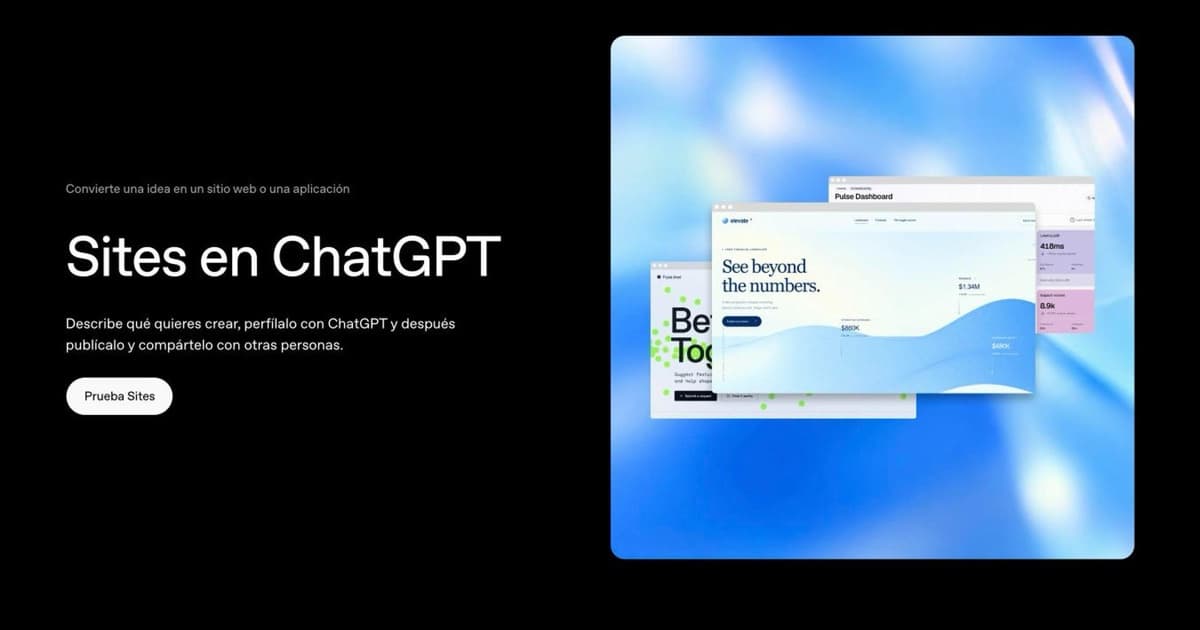
Business Hub is where you manage all of it. Three other OpenAI products are easy to confuse with this one. ChatGPT Business is the per-seat subscription that lets a team work with ChatGPT. OpenAI Dots are agents that work for the user who sets them up, whereas a Business Agent speaks for a company to that company’s customers. And ChatGPT Sites builds and publishes a web page from inside ChatGPT; it does not manage how your business appears in its answers.
Is Business Hub the Google Business Profile of ChatGPT?
It is the comparison everyone reaches for, and it only half works. The basics match: one listing per business, you claim it, you verify it, and the platform may have created it before you did anything. What you can see and do is different. There are no individual queries here, only aggregate themes. The documentation says nothing about reviews or replying to them. And the listing does not decide whether you appear: ChatGPT builds each answer from many sources, and yours is only one of them.
What a business profile looks like in ChatGPT
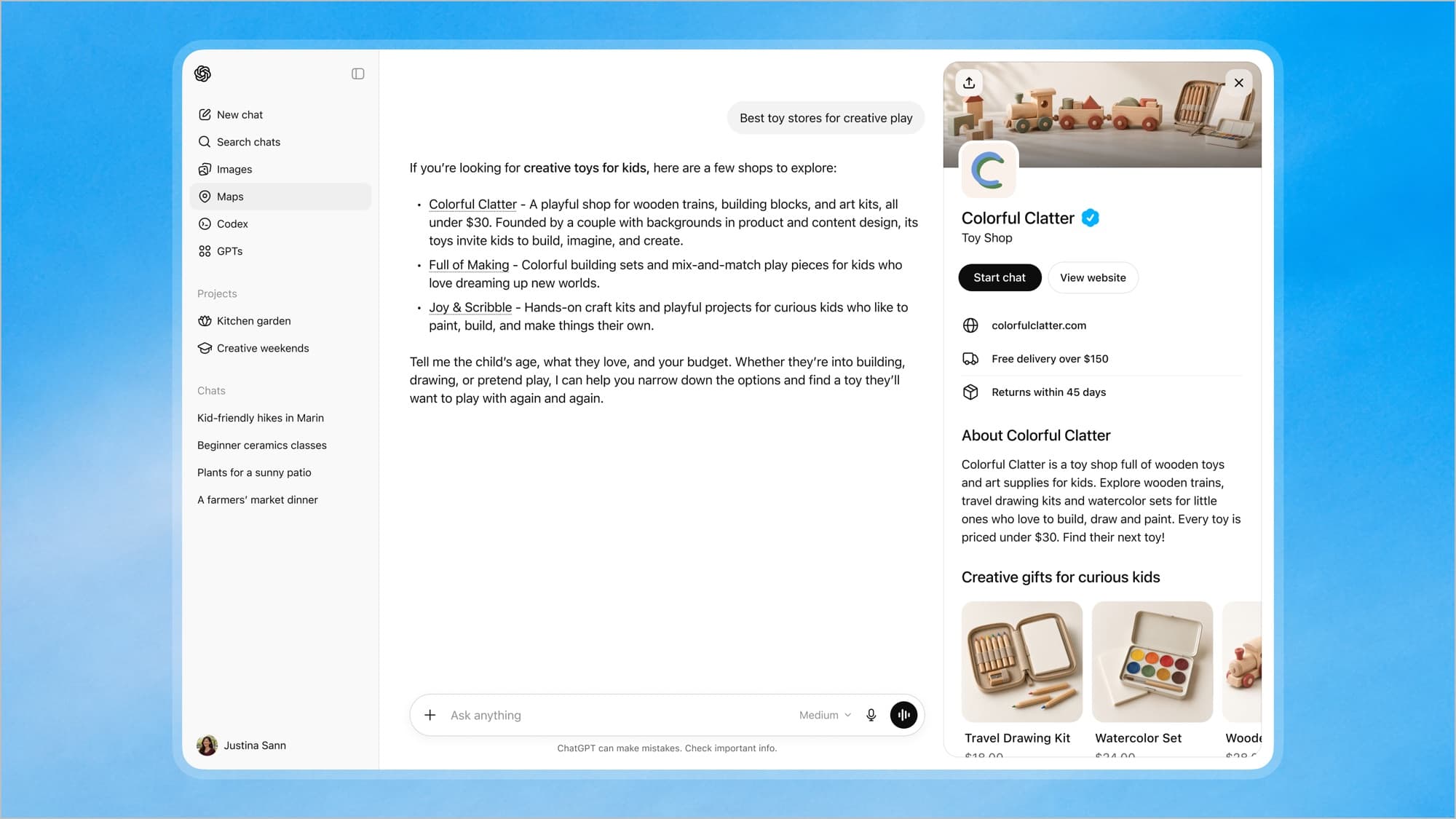
When a business appears in an answer, the user can click its name and the profile opens in a side panel. In OpenAI’s example, someone asks for toy stores for creative play, ChatGPT suggests three, and opening the first shows its name with the blue check, its category, a link to the website, free delivery above a certain order value, the return window, a description and a row of products with prices.
The profile has two buttons: view the website and, if the business has published an agent, start a chat with it. That chat opens separately. OpenAI stresses that it is “clearly labeled, separate from the customer’s original ChatGPT conversation, and distinct from ChatGPT’s independent answers.” In other words, ChatGPT still decides on its own which businesses to mention, and whatever a company’s agent says stays out of that answer.
Who can claim a business on ChatGPT and who can have a Business Agent
These are two different lists, and the second is much shorter. According to OpenAI’s Help Center and its product page:
| Type of business | Profile and insights | Business Agent |
|---|---|---|
| Online business with a website, in a country where ChatGPT is available | Yes. It can claim its listing or add one if none exists | Only ecommerce or online service businesses located in the US |
| Local store or restaurant | For now it can only claim a listing that already exists in the US | No |
| Shopify store | Yes, and connecting the store doubles as verification | If it meets the first row, it finds a draft agent already set up |
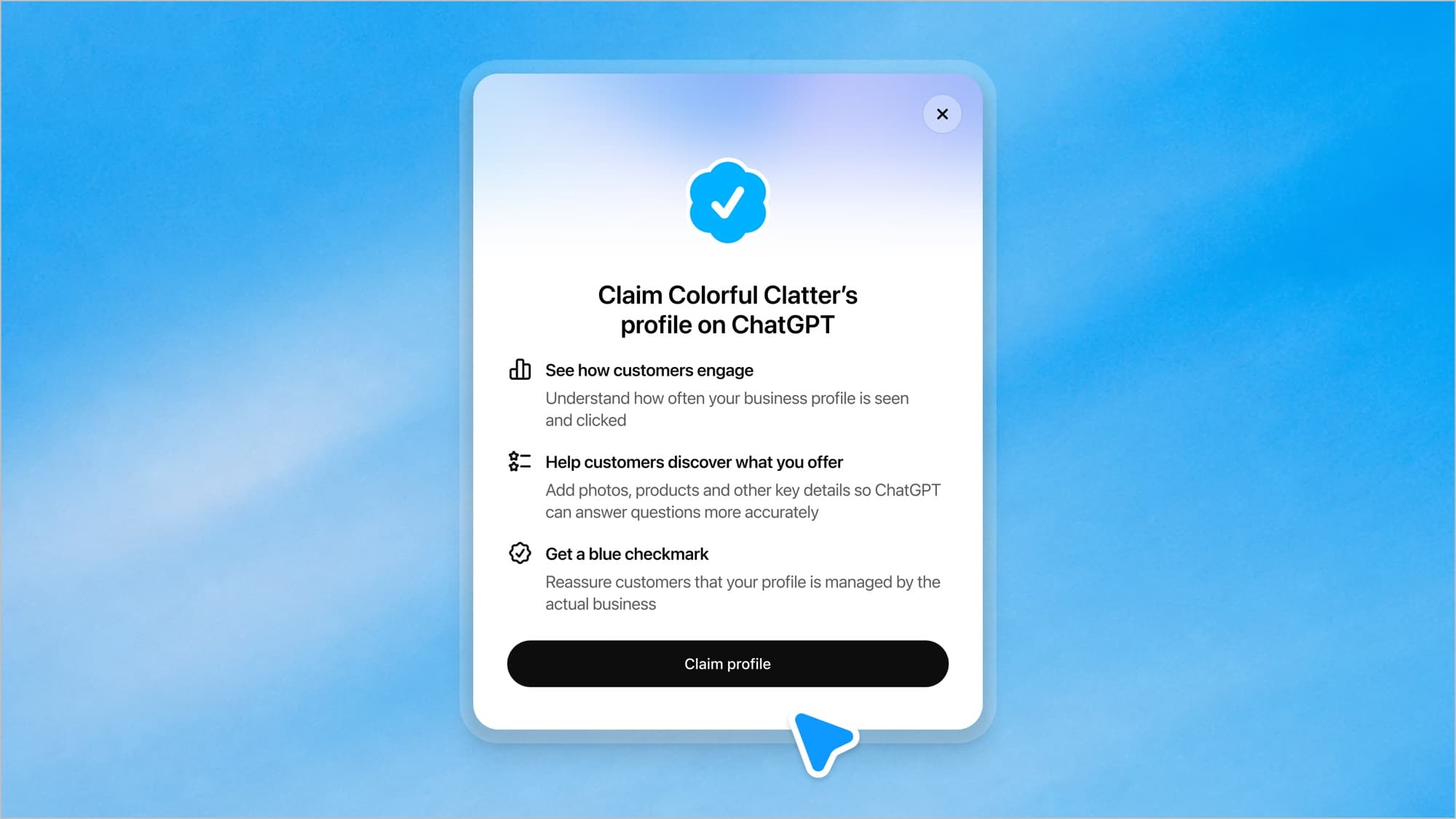
In every case you must own the business or be authorized to represent it. You do not need an Ads account or a ChatGPT Enterprise agreement, although existing Enterprise customers and advertisers can go through their OpenAI representative. One filter is out of your hands: OpenAI’s policy says that “not every business can create or claim a profile,” that it may decline businesses that raise safety or integrity concerns, and that it may hold off on whole categories. The documents we read contain no list of accepted categories.
Business Hub outside the US: what we checked
The announcement says any eligible business “located where ChatGPT is available” can claim its profile. We tested that on November 13, 2026 from Spain, on a personal account on the Go plan:
- Business Hub was not in the sidebar. OpenAI’s help article says it opens from there, but it was missing on our account. Going straight to chatgpt.com/business-hub does load it, with a business search box.
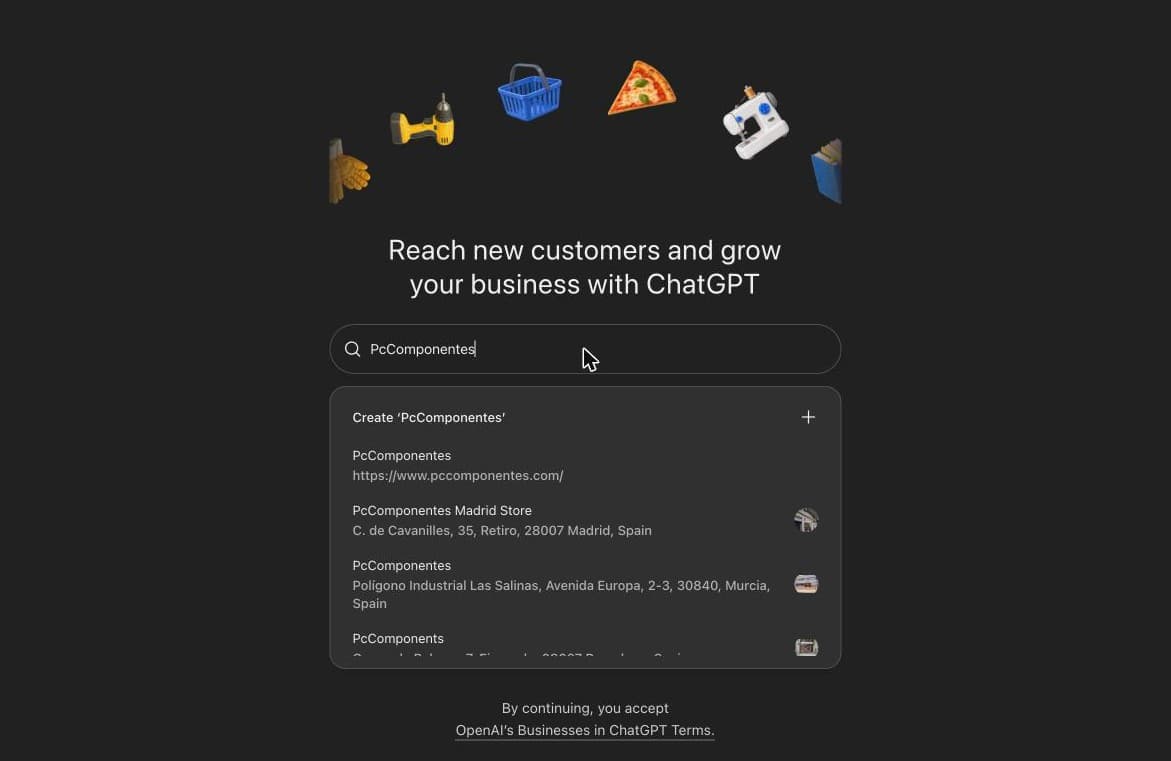
- Listings for non-US businesses already exist. Searching for a well-known Spanish electronics retailer returned eleven matches: the listing for its website, several of its physical stores with street addresses and other shops in the same sector. The terms explain why they are there: OpenAI can create a listing from information it already has, without the business doing anything.
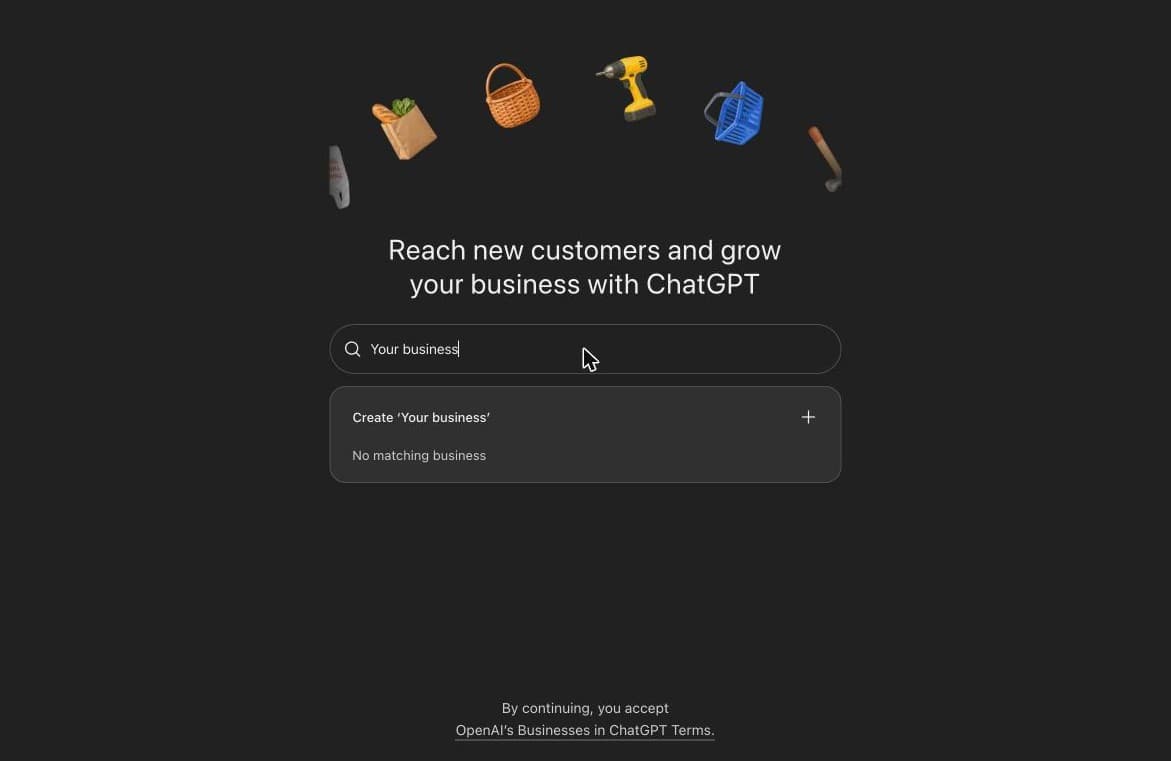
- If your business has no listing, you can create one. When the search finds no match, it offers to create a listing with the name you typed.
- What we did not test. We have not completed a claim yet, so we cannot say which verification methods a European business is offered or how long the review takes. We also do not know whether the non-US local store listings that show up in search can be claimed: the help article says local stores and restaurants can currently claim only an existing US listing.
How to claim your business on ChatGPT, step by step
The process involves two separate verifications, and most guides blur them together. The first proves the business is yours and gives you access to the listing. The second checks your identity and is what unlocks almost everything else.
- Pick the right account. Sign in to ChatGPT with the account that will manage the listing. If you claim from a company workspace, you may later be able to invite only members of that workspace.
- Open Business Hub and search for your business by name. If it appears, select the listing that matches. If it does not and you run an online business, you may be offered the option to add it.
- Prove the business is yours. ChatGPT shows the methods available for your case: a code by text message or automated call to the business phone, a code to the business email, a TXT record you add to your domain’s DNS settings, or connecting your Shopify store.
- Wait for the review. OpenAI reviews the claim and emails you its decision or a request for more information. It gives no timeline.
- Verify your identity with Persona. Persona is the identity verification provider OpenAI uses. You may need a government-issued ID, business registration information and proof that you are authorized to represent the business. The business name, address and any registration or tax number must match your official records.
- Fill in the listing. Once your identity is approved you can publish changes, connect a product feed, view insights and, if your business is eligible, set up an agent.
Three details worth knowing before you start. The blue check does not come with the claim; it appears once Persona verification is approved. If you use Persona to create a brand-new profile, OpenAI’s approval publishes it automatically, with no separate step, so do not continue until you know what you are submitting. And if someone has already claimed your business, its profile has a “Dispute ownership” option, which also runs through Persona.
What you can edit on your ChatGPT business profile and what you do not control
You can update your website, business description, product or service category, logo, delivery policy and return policy, and add a cover photo and other optional details. If you sell products, you can connect a product feed in three ways: through Shopify, by uploading a CSV that follows OpenAI’s specification, or by linking to a hosted feed file. You can also give teammates or an agency access, each with their own ChatGPT account.
What you do not control matters more than it seems:
- Changes do not go live on their own. OpenAI reviews and publishes them, and warns that updates can take time to appear in a listing or in an answer.
- Your listing is not the only source. In the help article’s words, ChatGPT “may also use other sources when answering questions about your business.” If your website, reviews and third-party coverage say something different from your listing, the listing will not paper over it.
- A product feed guarantees nothing. Connecting one does not publish an agent or guarantee that ChatGPT recommends your products.
- A published profile cannot be deleted. Only unpublished drafts can. OpenAI Support will not delete, unpublish or hide a published profile.
- Each brand is managed separately. There is no central management for a parent company’s brands and locations, and claiming the main brand does not claim its locations.
Business Hub insights: mentions, website clicks and discovery topics
For any business outside the US this is the most useful part today, because it does not depend on having an agent. Insights show aggregate activity over the past 28 days:
- Mentions. For an online business, a mention counts only when ChatGPT references its website. The brand name alone does not count. For a local business, it counts when ChatGPT shows a result for that location, even if the user never opens it.
- Website clicks. How often people click through from ChatGPT to your site.
- Discovery topics. Common themes in the answers that mentioned or cited you. In OpenAI’s example, a toy store shows up mostly in conversations about affordable kids’ activities and gifts for kids.
The dashboard in OpenAI’s announcement also shows profile views, a separate tab for agent insights and a 7-day or 28-day toggle.
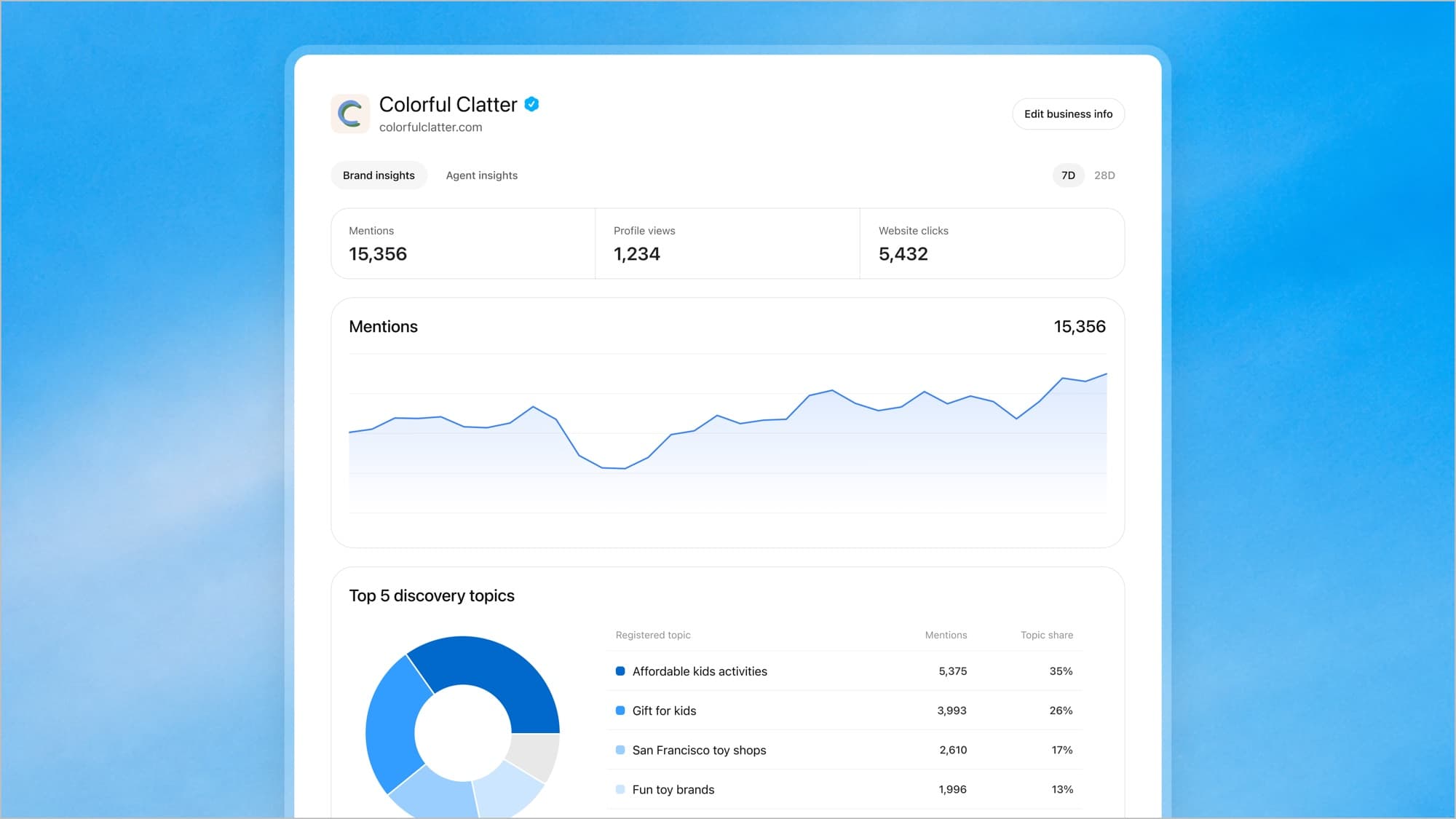
What you will never see is the questions. OpenAI does not share users’ prompts or conversations with businesses, including chats with the business’s own agent, and discovery topics are aggregate categories that, per the help article, do not “directly measure customer intent.” Two more caveats: a blank metric does not mean zero, only that activity has not reached the reporting threshold, and the terms treat these insights as OpenAI’s confidential information, which you may share only with service providers acting on your behalf.
ChatGPT Business Agents: what they do and what they are not allowed to do
A Business Agent answers a customer’s questions using the company’s own information: its products, prices and policies. In OpenAI’s example, someone asks for a gift under $30 for a six-year-old niece who loves drawing, and the store’s agent suggests two products from its catalog, with prices.
You set it up in Business Hub: you review the information it will use, write the instructions for how it should answer, preview it with questions your customers actually ask and publish it once the answers are right. Nobody can chat with it until you press Publish.
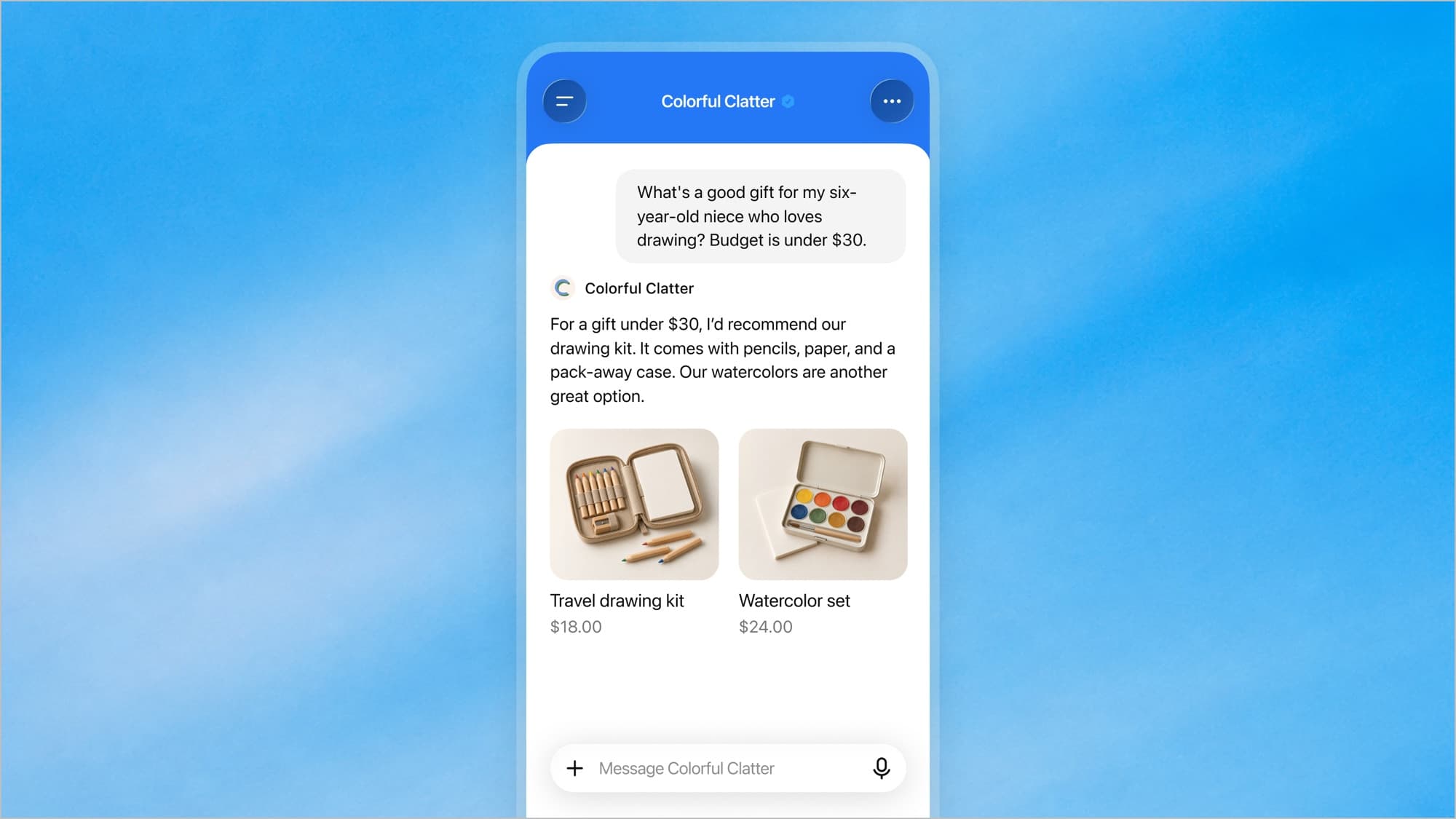
What it cannot do is spelled out in the help article with a flat “No”: it cannot complete purchases, make bookings or check a customer’s order. It explains products and policies and links to your website, where the customer finishes the job. If your business also has a plugin in ChatGPT, the agent does not use its data or its capabilities. Despite the name, today it behaves more like a chatbot than an agent: it answers, it does not act.
The Business Agents Policy adds what a business may not do when configuring one:
- Pass it off as something else. It must be clear that it is AI representing the business. It cannot appear to be an independent adviser, a human, or endorsed by OpenAI.
- Make things up. No instructing it to invent offerings, prices, availability, credentials, reviews, guarantees or results, or to hide material fees or conditions when they matter to the question.
- Pressure people. No false urgency and no pushing a sale or follow-up after someone has declined.
- Ask for sensitive data. No health details, government IDs, financial or authentication credentials. It may offer an optional follow-up and collect necessary contact details, but only through an approved feature and when the user chooses to provide them.
- Play the professional. It must not give advice that legally requires a professional license or automate high-stakes decisions without human review.
OpenAI looks at both the business category and the agent’s intended use before allowing publication, and states that business verification alone does not guarantee agent eligibility. Afterwards it can suspend or remove the agent.
The fine print: the Businesses in ChatGPT Terms you accept when you claim
Under the Business Hub search box there is one line: by continuing, you accept the Businesses in ChatGPT Terms. They were last updated on November 9, 2026, and we read them in full. We are not lawyers and this is a summary, not legal advice, but there are eight points a business owner should know before clicking:
- The listing exists whether you claim it or not. OpenAI may create, maintain and display a business listing using information it already has, “regardless of whether you claim, manage, or cease managing it.” Claiming does not give you exclusive control: OpenAI may supplement, edit or replace what you submit using other sources, or decline to display it.
- Your basic details stay. The license over basic business information you submit for public display (name, address, contact details, category, opening hours and website) is “perpetual and irrevocable.”
- An AI may call you. By using Business Hub you agree that OpenAI’s AI assistant may make calls to your business on behalf of its users. The terms link to an opt-out form.
- A product feed opens your site to its crawlers. If you provide one, you commit to letting OpenAI’s crawlers and agents access your websites and to not exercising any text and data mining opt-out against OpenAI. If your site blocks those crawlers today, that is a decision to revisit first.
- You answer for the agent. You are responsible for its content, its safety testing and its outputs, “whether or not you provided, reviewed, or approved them.” OpenAI does not warrant that the agent will always follow instructions or that its answers will be accurate, and may modify, suspend or remove it at any time, for any reason, without notice. It is the same principle we cover in our guide to chatbot legal liability: what your company’s assistant says, your company says.
- OpenAI may have an agent waiting for you. It may create and configure a Business Agent for your business before you elect to use it. It is not published unless you choose to publish it.
- You waive certain claims. The terms include a covenant not to sue and a release covering claims related to the data you provide and also to content published on websites owned by you or your affiliates, plus an indemnity if a third party brings a claim over your listing, your agent or your products. This is the part most worth reading with your lawyer.
- Nothing is guaranteed. Not that the program stays available, not placement, ranking, visibility, traffic or sales, and no preferential treatment in other OpenAI products.
None of this is unusual for a free product in beta, and claiming your listing may still be worth it. But it is not the same as filling in a form: it is a contract between your company and OpenAI, and whoever accepts it is stating that they have the authority to sign.
Shopify and ChatGPT: the fast lane, with a rough start
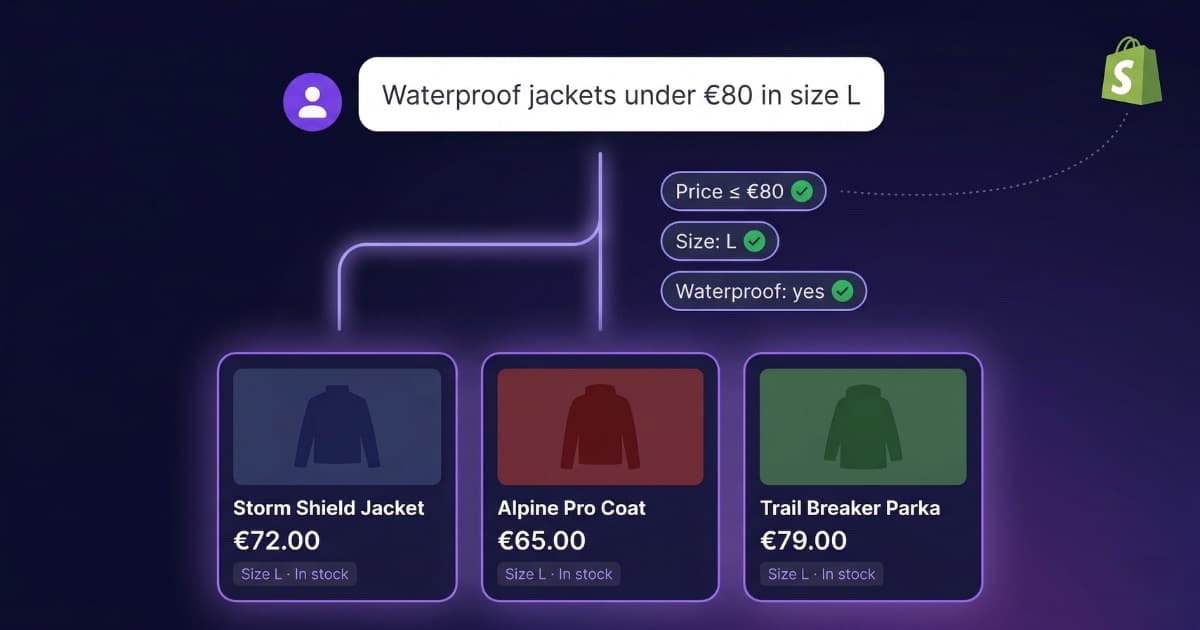
Shopify stores get the shortest path. They connect from Business Hub or from the Shopify admin, the connection counts as proof that the store is theirs, and product details, pricing and availability are shared automatically through Shopify’s catalog. If the store qualifies for an agent, a draft is already waiting to be reviewed and published. Shopify is not required: OpenAI says in two places that you can claim your business and create an agent without a Shopify store. All of this is about showing up in ChatGPT. Serving the shopper who is already on your storefront is a different job, the one a Shopify chatbot that understands your catalog does.
The start has not been smooth. On November 13, 2026, OpenAI’s official ChatGPT app in the Shopify App Store was rated 1.5 out of 5 across 81 reviews, 70 of them one-star. That week’s reviews complain that verification never completes or that products do not sync. The Business Hub side has been live for three days and will likely improve, but if it happens to you, you are not alone.
Does claiming your business make ChatGPT recommend you more?
No, and OpenAI says so in every document. The help article: claiming “doesn’t guarantee increased visibility or give you direct control over ChatGPT’s independent recommendations.” The product page: “ChatGPT continues to make independent recommendations and comparisons. Claiming does not guarantee higher placement or sales.” And if your business has no claimed listing and no agent, ChatGPT may still show information about it, just as it did before.
What you gain is something else: the details ChatGPT shows on your listing are the right ones, your prices and availability are current and, for the first time, you get an official number for how often you appear and around which topics. That last part is what makes it worth doing even if you cannot have an agent yet.
Advertising runs on a separate track. Claiming your business, publishing an agent and advertising are three separate things, and you can stop at the first. Advertisers can use their agent as the destination for their ads, which OpenAI labels and shows only to users on the Free and Go plans. ChatGPT Ads is now sold in 89 countries, according to OpenAI’s October 21, 2026 announcement. OpenAI states that advertising does not influence ChatGPT’s independent answers.
A Business Agent in ChatGPT or a chatbot on your website: different jobs
We have a stake here, because we build chatbots for businesses. So what follows is the facts on each side and then our opinion, labeled as such.
| Business Agent in ChatGPT | Chatbot on your website (Bravos AI) | |
|---|---|---|
| Who it serves | People who are in ChatGPT and open your profile | People already on your website or messaging you on WhatsApp |
| Who can have one today | Ecommerce and online service businesses in the US | Any business with a website, in any country |
| What it answers with | The listing, product feed and instructions you add in Business Hub | Your website, your documents and your catalog |
| The conversations | You do not see them. Aggregate insights only | You read them in full in your dashboard |
| Contact details | Only if the user chooses to share them through a feature approved by OpenAI | The chatbot asks for them and they come to you |
| Who decides whether it keeps running | OpenAI may modify, suspend or remove it without notice | You do |
| Price | Free during the beta | From $23 a month |
Our opinion: they do not compete, because they serve different people at different moments. The agent in ChatGPT talks to someone who is still comparing and may never reach your website. The AI customer service chatbot on your website talks to someone who has already arrived, and that is where the purchase, the booking or the quote request happens, including when the customer came from ChatGPT, because the agent ends by linking to your page. If you sell online in the US, it makes sense to have both. If you do not, the decision today is simpler: claim the listing for the insights, after reading the terms, and take care of what happens when the customer lands on your site.
ChatGPT sends you the customer. Who answers them on your website?
Bravos AI answers with your website, your documents and your catalog, in 15 languages, on your site and on WhatsApp, and the conversations are yours. Try PRO free for 7 days, no credit card.
Try PRO free for 7 daysFrequently asked questions
What is ChatGPT Business Hub?
ChatGPT Business Hub is the dashboard where a company claims its business profile in ChatGPT, corrects its details, uploads its product catalog and sees insights on how it appears in answers. It is part of Businesses in ChatGPT, launched in beta on November 10, 2026, and it opens at chatgpt.com/business-hub with a regular ChatGPT account.
How much does it cost to claim your business on ChatGPT?
Claiming your business on ChatGPT is free. You do not need an Ads account or a ChatGPT Enterprise agreement, and in our test Business Hub opened on a Go plan account. The only paid part is advertising: sponsoring a Business Agent through ChatGPT Ads is a separate product.
Does claiming my business make ChatGPT recommend it more often?
No. OpenAI says so in its Help Center and on its product page: claiming lets you manage the information you provide, but it does not guarantee increased visibility, higher placement or sales, and advertising does not influence ChatGPT’s independent answers either. The terms add that no tool entitles you to preferential treatment.
What are ChatGPT Business Agents and who can use them?
A Business Agent is a company’s own assistant that answers customers inside ChatGPT using the product catalog, policies and instructions the company provides. For now only eligible ecommerce and online service businesses in the United States with a website can publish one, after OpenAI reviews the business category and the intended use.
Can businesses outside the US claim a ChatGPT business profile?
Yes. OpenAI lets any eligible business located where ChatGPT is available claim its profile. On November 13, 2026, Business Hub opened from Spain and its search already showed listings for Spanish businesses. What is not available outside the US is Business Agents, and local stores and restaurants can currently claim only an existing US listing.
Can I see what people ask ChatGPT about my business?
No. Business Hub only shows aggregate insights: mentions, website clicks and discovery topics. OpenAI does not share users’ prompts or conversations with businesses, and that includes chats with the business’s own agent.
Is Businesses in ChatGPT the same as ChatGPT Business?
No. ChatGPT Business is the paid per-seat plan that lets a team use ChatGPT at work. Businesses in ChatGPT is the free program that lets a company manage how it appears to ChatGPT users. Buying the first does not give you the second, and you do not need the first to use the second.
Do I need a Shopify store to claim my business or create a Business Agent?
No. Shopify is just one of four ways to verify that the business is yours, alongside business phone, business email and website domain, and a convenient way to sync your catalog. OpenAI confirms in its help article that eligible businesses can set up an agent whether or not they use Shopify.
Can I delete my business profile from ChatGPT?
Only if it is an unpublished draft. OpenAI’s Help Center says its support team cannot delete, unpublish or hide a published profile, and the terms let OpenAI keep a business listing whether or not you claim it. On top of that, the license over the basic details you submit for public display is perpetual and irrevocable.
Does a Business Agent in ChatGPT replace the chatbot on my website?
No, because they serve different people in different places. A Business Agent answers people who are already inside ChatGPT and open your profile; the chatbot on your website answers people who have already reached your page. You also cannot see the agent’s conversations, it cannot complete purchases or bookings, and today it exists only for US businesses.
Sources
- OpenAI, “Introducing Businesses in ChatGPT” (November 10, 2026): openai.com . Beta announcement, who can claim, insights, agents, sponsorship and expansion plans.
- OpenAI Help Center, “Setting up your business on ChatGPT” (updated November 11, 2026): help.openai.com . Eligibility, verification methods, Persona, profile editing, product feed, insights, agent setup and FAQ.
- Businesses in ChatGPT Terms (November 9, 2026): openai.com . Listings, data license, product feed, Business Agent, insight data, no guarantees, indemnification and release.
- Business Agents Policy (November 10, 2026): openai.com . What an agent may and may not do, review and enforcement.
- Businesses in ChatGPT policy (November 10, 2026): openai.com . Profile rules and eligibility.
- Product page, “Your business, in ChatGPT”: openai.com . Shopify steps and FAQ on visibility.
- OpenAI, “ChatGPT Ads expands to 26 new countries” (October 21, 2026): openai.com . Countries, plans where ads are shown and advertising principles.
- ChatGPT app in the Shopify App Store (checked November 13, 2026): apps.shopify.com . Features, rating and reviews.
- Our own checks (November 13, 2026): access to Business Hub from Spain on a Go plan account and business searches in its search box.