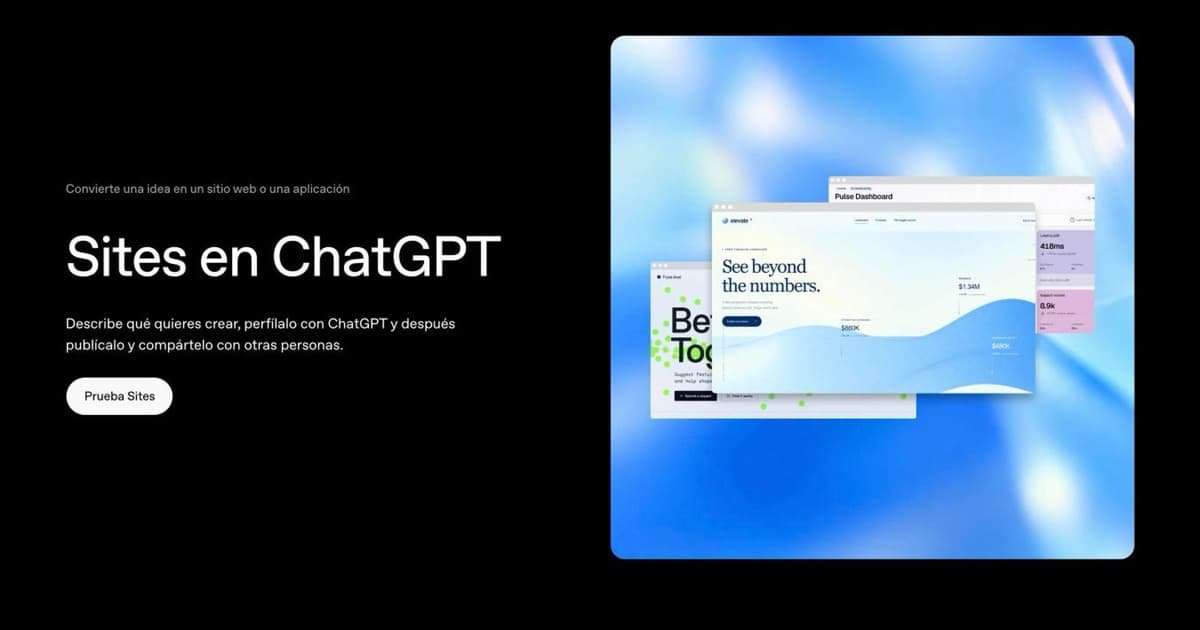
ChatGPT Sites is the ChatGPT feature that turns a conversation into a published website, with its own address, hosting and database, without leaving the chat. You describe what you want, review it in a preview, ask for changes and publish. OpenAI opened it as a public beta on July 9, 2026 and, according to the official ChatGPT account on X, more than five million sites had been created within three months. You will also see it called Codex Sites or OpenAI Sites: it is the same feature, which first appeared inside the Codex app for business customers.
The idea is not new: ChatGPT has been writing HTML pages for a long time. What is new is that it now hosts them too. Before, it handed you the code and you had to find somewhere to put it; now it hands you a link. That difference, which sounds small, is why a law firm in Mallorca, a hardware store in Argentina and a counseling practice in North Carolina now have their websites at an address ending in chatgpt.site.
This guide explains what ChatGPT Sites is, what you can build with it, who can use it and what it really costs, how a site is created and published, what its limits are, whether it works as a business website, where it is available and what happens to your data and your visitors’ data. Everything comes from OpenAI’s documentation and from our own checks on published sites, as of October 16, 2026. OpenAI changes something about Sites every two or three weeks, so the sources, with their dates, are at the end.
What ChatGPT Sites is, and how it differs from asking ChatGPT for a website
A site is a website or a lightweight app that ChatGPT builds, hosts and publishes for you. What sets it apart from asking any chat for the code is what comes included:
- Hosting and an address. When you publish, the site lives at a chatgpt.site subdomain with the name you choose, or at your own domain if you connect one. Underneath, it runs on Cloudflare’s infrastructure, according to OpenAI’s technical documentation.
- Database and file storage. Each site can store records (up to 10 GB) and files uploaded by visitors, with no fixed cap. That covers forms that do not lose submissions, user progress, catalogs or scoreboards.
- Sign-in. A site can ask visitors to sign in with their ChatGPT account to save their work or see personalized content.
- Access control. You decide whether only your team sees it, specific people, or anyone on the internet.
- Ongoing editing. You go back to the conversation, ask for the change, review it and publish the new version. Other people in your workspace can edit alongside you.
Technically it is Codex, OpenAI’s coding agent, working behind the scenes: it reads your request, sets up the project, deploys it and hands you the URL. That is why the feature was born in June inside the Codex app for business customers and reached regular ChatGPT in July, when OpenAI brought Codex into ChatGPT Work. And that is why building a site uses the Codex quota of your plan, not the chat quota. It is the same logic behind OpenAI Dots: ChatGPT stops answering and starts delivering finished work.
What you can build with ChatGPT Sites: OpenAI’s examples
OpenAI describes it as a tool for “purpose-built websites and lightweight apps”, and its own Academy page warns that a site is not a full software product. The examples in its documentation fall into six patterns:
- Resource hub. Documents and links organized by topic, with search. The typical case: a project’s materials, so the team stops digging through ten folders.
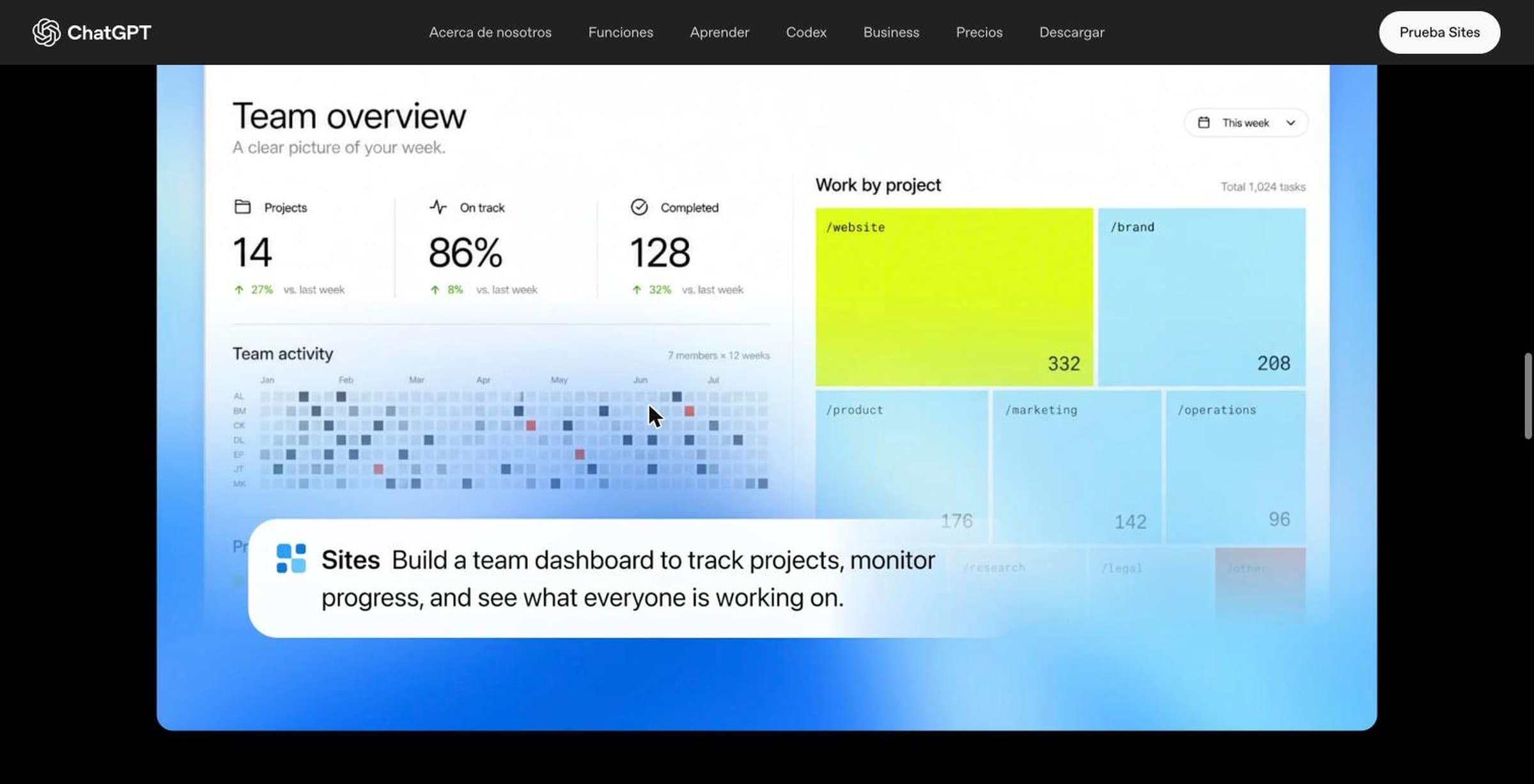
- Dashboard. Summary figures, charts and filterable tables built from a data export.
- Tracker. A table of tasks or orders with owner, date and status that visitors can update.
- Intake form. Fields, options and attachments saved to the site’s database.
- Calculator. Inputs, assumptions and a result: a quote, a comparison of options.
- Guided workflow. A process split into steps, with questions that depend on earlier answers.
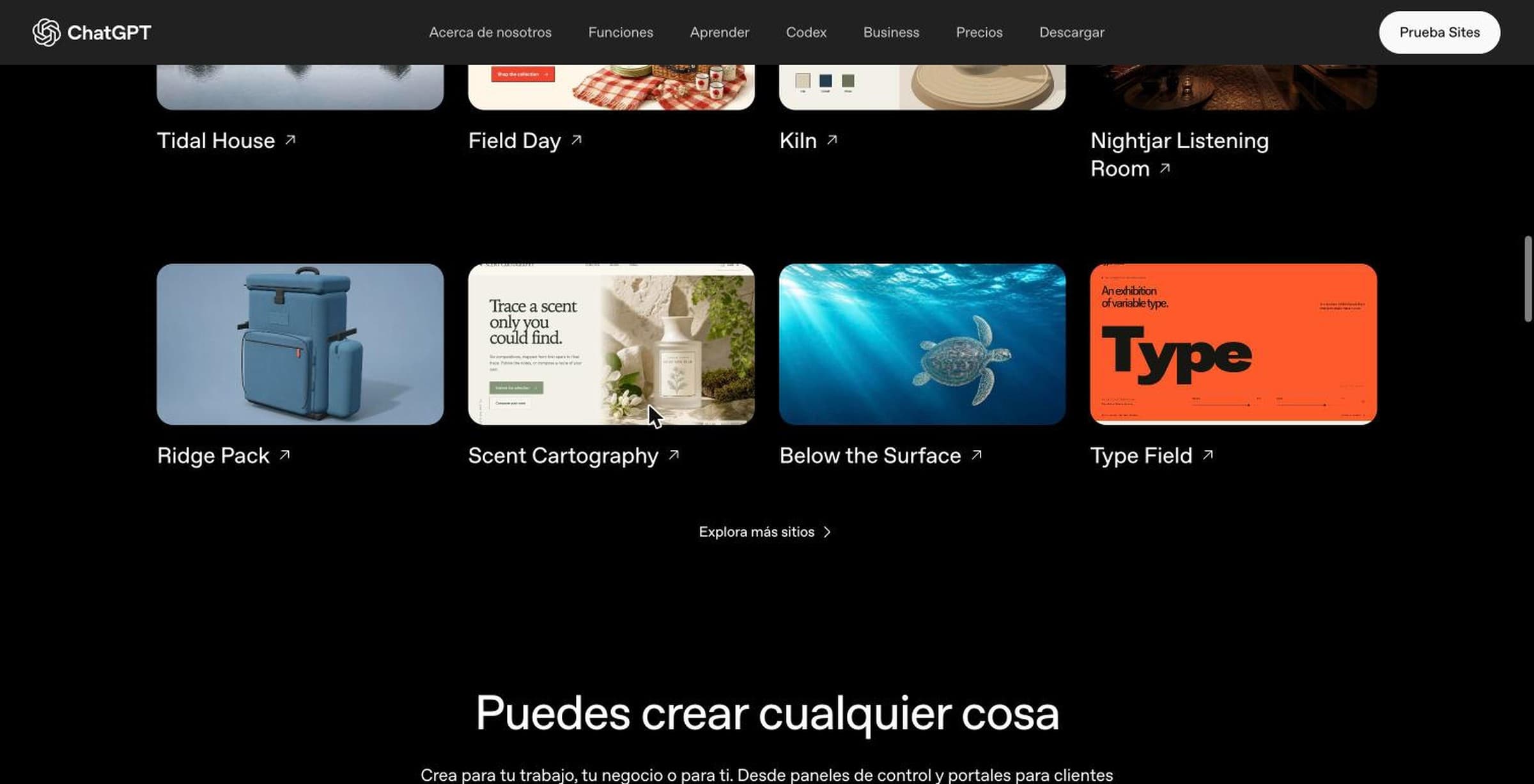
It also works for client portals, landing pages, portfolios, prototypes, interactive reports, launch calendars, live data dashboards and even simple games. The official gallery, linked from the Sites page, goes beyond internal tools: there is a picnic gear store with an interactive basket, a backpack store with a packing guide, a ceramics brand, a botanical perfumery, the page of a coastal retreat and a 3D walkthrough of a house with a courtyard. All of them are fictional and made by OpenAI staff, but they show how far the design can go.
Who can use ChatGPT Sites and what it costs
Sites has no price of its own: it is included in the paid plans for as long as the public beta lasts. What you need to understand is what it consumes and what it does not. According to OpenAI’s Help Center, building or editing a site uses the Codex quota of your plan, like a ChatGPT Work task, and a long build uses more than a short question. Hosting, traffic and storage are separate, with their own limits, which OpenAI does not publish as numbers: it warns you inside the product when you get close. Prices in US dollars from the ChatGPT pricing page in October 2026:
| Plan | Price | Sites | What changes |
|---|---|---|---|
| Free | Free | No | — |
| Go | $8 a month | No | — |
| Plus | $20 a month | Yes | Hosting included, no fixed limit on the number of sites, custom domain and analytics |
| Pro | From $100 a month | Yes | Same as Plus, with more Work and Codex quota |
| Business | $25 per seat a month ($20 billed annually) | Yes, on by default | Private workspace sites that read each visitor’s connected apps |
| Enterprise and Edu | On request | Yes, if the admin turns it on | Public publishing off by default, no custom domain or analytics at launch, tunnels to internal services. Hosting charges waived for now |
Two details OpenAI puts in writing. First: since October 15, 2026 there is no fixed limit on the number of sites on Plus and Pro, but usage and storage limits are shared across all of yours, and if you hit the ceiling you may be unable to create a new one “even if it would not use storage”. Second: Sites is not available in the old desktop app, now called ChatGPT Classic. You need the new app or the web.
How to create a ChatGPT Site, step by step
The process, as described in OpenAI’s Help Center and developer guide:
- Go into Work. On the web, pick Work instead of Chat; in the desktop app, Work or Codex. Sites does not work in regular chat mode.
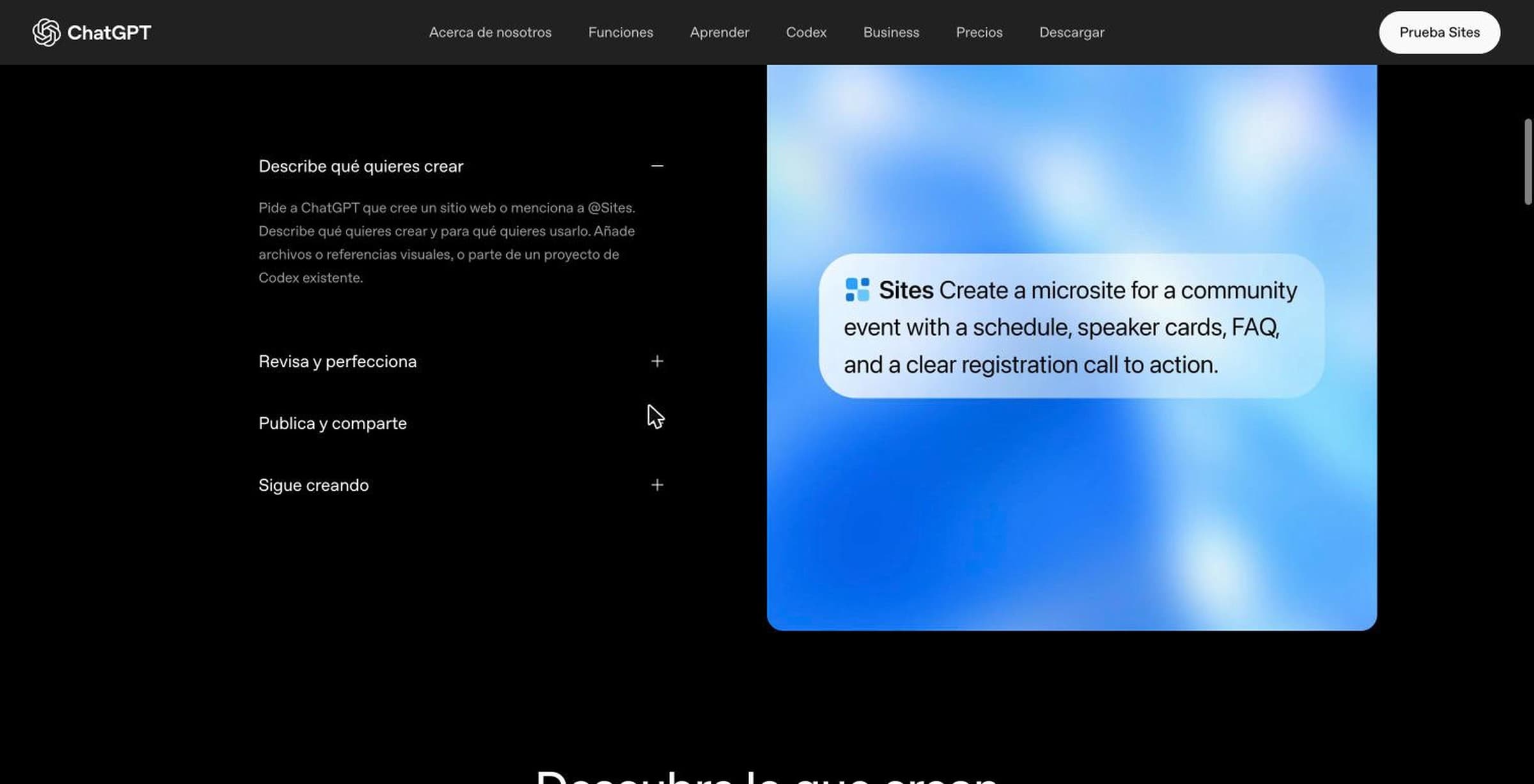
- Describe the site. Include the word “website” or type @Sites in your message. Say who it is for, what people need to be able to do, and attach the material: files, data, links, a reference screenshot, your brand colors. OpenAI recommends asking it to flag what is missing instead of making it up.
- Review the preview. ChatGPT opens the site in its built-in browser before publishing. Test what you asked for: submit a form, filter a table, reload to see whether saved data is still there.
- Ask for changes. One at a time, saying what must stay the same. The documentation gives this as advice because a design change can wipe out saved data or access rules.
- Save a version before publishing. There is no test copy in Sites: every time you publish, the change goes live immediately at the address everyone sees. If you want to look at a change calmly without touching what is already live, ask ChatGPT to save a version instead of publishing, review it, and publish when it is right.
- Choose who sees it and publish. A new site is visible only to you and your workspace admins until you change the access. When you publish, you get the link and can copy or open it.
- Come back whenever you want. From Sites in the sidebar, from the original conversation or, since September 29, with the “Edit site” button on the published site itself, which takes you back to ChatGPT with the instructions.
The prompt OpenAI uses as an example in its help article gives an idea of the level of detail that works: “Use @Sites to create a searchable resource hub from the materials I provide. Add filters and a short description of when to use each resource. Use only supplied materials, ask me about missing details, and show a clear message when nothing matches. Keep links to the original resources. Save a version for review before publishing”.
Who can see your site: private, guests, public
When you share, ChatGPT offers up to five audiences, depending on the plan:
- Only you and the admins. The starting state of every site.
- Specific people or groups in your workspace. They sign in with their ChatGPT account.
- External guests. Since September 3 you can invite someone outside your organization by email; they sign in with the ChatGPT account that received the invitation. They can view only, not edit or publish.
- Anyone in your workspace. On business plans.
- Anyone on the internet. The site opens without a ChatGPT account, like a normal website. On Enterprise this option is off until an admin turns it on.
One thing does not exist: a public site with a password, or a link that expires. A site is either public or behind a ChatGPT login. For a client portal, that means your clients need a (free) ChatGPT account and you invite them one by one. Inside a public site you can add “Sign in with ChatGPT” so that whoever wants to can save their progress; the site then receives the visitor’s email and name, and you become responsible for explaining what you use them for.
For editing, the owner can grant edit access to active members of their workspace. OpenAI warns that an editor can inspect the database and, after the owner’s first publish, publish new versions without further approval. Only the owner manages access, the name, the URL, the secrets and the domain, and can transfer ownership to someone else.
Custom domain, URL and analytics
The default address is a chatgpt.site subdomain. Since August 20 you can change it from the settings without redeploying; the old one redirects to the new one, including paths and parameters. To use your own domain, choose “Add domain” in the site settings, type the domain or subdomain, copy the DNS records Sites gives you to your domain provider and wait for the status to change. Sites does not register domains: you need to own one already. Only the owner can connect it, and it was not available on Enterprise at launch.
Analytics are included without installing anything: unique visitors and page views, under “More actions” on the site. They are not available for sites owned by an Enterprise workspace. If you want Google Analytics or any other tool, you add it as on any website, and further down we explain why that works.
What a ChatGPT Site cannot do: payments, sensitive data and technical limits
This is where most of the articles out there get it wrong, because OpenAI’s own documentation says it two ways. The technical guide says not to use Sites to “enable financial transactions”; the ChatGPT Sites Terms, which are the text you actually agree to, spell it out: financial transactions are prohibited except for e-commerce activities processed by a third-party payment provider. In other words:
- Selling, yes. Taking the payment yourself, no. You can sell products or services if a third party such as Stripe or PayPal processes the payment. The site can never receive or store card data. You are responsible for orders, delivery, refunds, customer service and taxes.
- No health data in the sense of the US HIPAA law, and no card data outside the external processor.
- Nothing aimed at children under 13. And to create a site you must be 13, or 16 in the European Union.
- No impersonating people or organizations, and no presenting the site as if OpenAI endorsed it.
- Technically: a site speaks HTTP, HTTPS and WebSockets; it does not support direct TCP connections, background processes or access to private networks (except tunnels, which are rolling out to Enterprise workspaces). Some programming frameworks are not supported. Restoring an earlier version restores the code, not the database.
And there is one limit that is not technical: OpenAI can remove or disable a site “at any time and for any reason”, according to its terms, and the service is a beta. If yours is removed, there is an appeal form.
Does ChatGPT Sites work as your business website? What we checked
This is the real question for a small business, and OpenAI’s documentation does not answer it: Sites is meant for internal tools and purpose-built pages, but nothing stops you from publishing a business website. Since we could not wait for OpenAI to clarify, we looked at the sites that already exist.
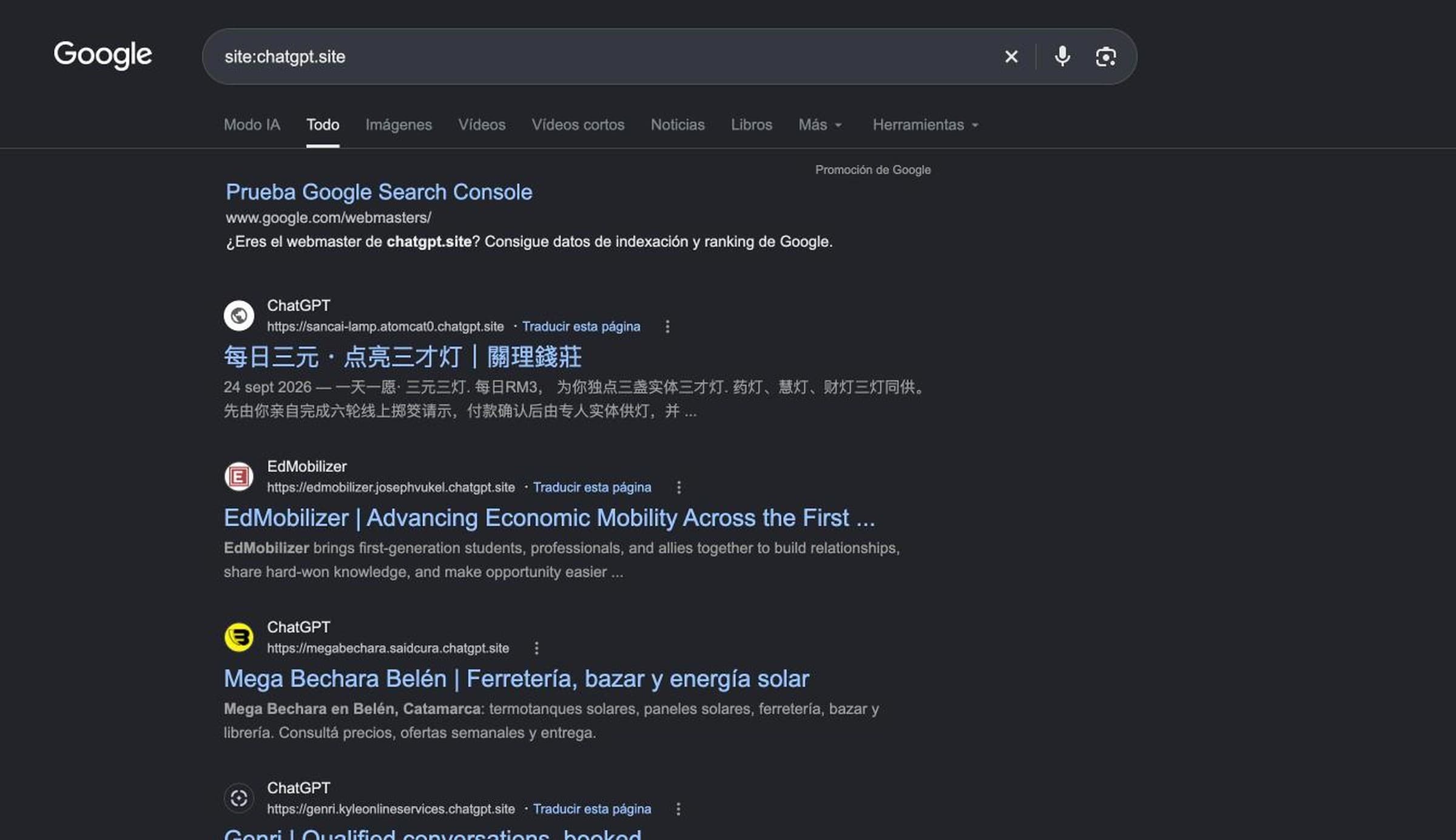
- Google indexes them. On October 16, 2026, a search for site:chatgpt.site returned about 184,000 results. Among the first: a tax law firm in Mallorca, a counseling practice in Jacksonville, North Carolina, a remodeling contractor in Massachusetts, a marketing agency in Barcelona, a florist in Malaysia, a hardware store in Catamarca, Argentina.
- They are ready for search engines. We inspected the Mallorca law firm’s site: its robots.txt allows crawling everything except the editor, the page carries a title, a description, a robots tag with “index, follow”, a social sharing image and a canonical tag pointing to its own domain. In other words, the site is used as the firm’s main website, on its own domain, and is served from Cloudflare like any professional website.
- No visible ChatGPT badge. The terms allow OpenAI to show a “powered by ChatGPT” notice in the footer; on the sites we opened, it does not appear.
- What OpenAI does not document: how to control indexing (there is no setting to mark a site as not indexable), how to submit a sitemap to Search Console, how many visits a site can take before hitting the usage limit, what happens to the site if you stop paying, and whether you can download the code. On that last point, the only documented path is the reverse: uploading a project you already have on your computer to Sites.
Our take, and this is an opinion: for a services page, a business profile, a client portal or a quoting tool, Sites is already a serious option and far cheaper than a custom-built website. For a store with many products, a website that lives on Google traffic or anything your revenue depends on, the unanswered questions weigh heavily: you do not control indexing, you do not know what happens if you cancel, and the service is a beta that OpenAI can withdraw.

Where ChatGPT Sites is available: the US, Europe and the UK
There is confusion because the dates overlap. The timeline, from OpenAI’s sources and one press report:
- June 2, 2026. Sites appears in the Codex app for Business and Enterprise customers, as an internal tool.
- July 9. Public beta in ChatGPT Work, first on Pro, Pro Lite and Edu, with Plus “in the coming days”. Business and Enterprise can publish publicly from that day. The release note says that public publishing and the expanded beta “are not available in the EEA, Switzerland or the UK at launch”.
- July 22. The Spanish outlet Silicon.es reports the launch of Sites in the UK and Europe, rolling out gradually to Plus, Pro and workspaces. We have not found a release note of its own for this rollout.
- August 20. URL changes without redeploying. September 3, external guests. September 11, OpenAI announces five million sites, team editing, database inspection and custom domains.
- September 29. At DevDay, OpenAI talks about eight million sites and says 70% of its employees have built one, according to Simon Willison’s live blog. Plugins inside sites, scheduled tasks and the edit button on the published site arrive.
- October 15. The fixed limit on the number of sites disappears on Plus and Pro.
As of today, OpenAI’s Help Center mentions no regional exclusion for Sites, and the product page only says that availability “varies by plan and region”. With Plus or Pro in the US, the UK or the European Union, Sites is available. What Europe does not get is data residency: the admin documentation says that Sites, in beta, does not support data or inference residency, and that includes the code, the database and the files of your sites.
Your data and your visitors’ data
A site mixes two different things: the conversations in which you create it and the data it collects once published. OpenAI treats them separately, and it is worth knowing before you publish a contact form.
- The conversations. On Free, Go, Plus and Pro, OpenAI may use them to train its models if you have the improve-the-model setting on, and that includes the conversations in which you create, edit or query a site. On Business, Enterprise and Edu it does not, by default. You turn it off in ChatGPT’s data controls.
- The site’s data. What your visitors type, upload or save is hosted by OpenAI, but you are the data controller. The terms say so in plain words: if your site collects personal data, you have to comply with the applicable privacy laws (the GDPR in Europe and the UK, state privacy laws in the US), publish a privacy policy, ask for consent for non-essential cookies where required and handle access or deletion requests. OpenAI acts as a processor under its data processing addendum.
- The content is yours. You keep your rights over what you publish and grant OpenAI a license to host and display it only to the extent needed for the site to work.
- What a site contains. According to the Help Center, it can include your prompts, the files you uploaded, the code, the generated artifacts, the addresses, the access configuration, the storage, the metadata and the operational and security logs.
The legal side is no different from any other website. What is new is that the tool makes it very easy to publish a form in five minutes without thinking about any of this.
Can you add an AI chatbot to a ChatGPT Site?
Yes, and it is a natural question: a site has a contact form, but the person answering your visitors’ questions is still you.
The way to do it is the same as on any other website: install an external chatbot, like ours, which is a snippet of code pasted into the site that loads the chat from the provider’s server. To find out whether a site allows it, we reviewed the code of two dozen published sites: they load Google Tag Manager, Calendly, cookie banners and YouTube videos without trouble, and the platform adds no content security header that would prevent it (only one of the 24 had one, set by its author). A chat script works by the same mechanism. The procedure is to ask ChatGPT to add the widget code at the end of every page of the site, publish again and, in the chatbot panel, authorize the site’s domain, whether the chatgpt.site one or your own. The chatbot learns from your website, your documents or your catalog, answers in the visitor’s language and lets you know when someone wants to talk to a person.
Your site is live. Who answers the people who visit?
Bravos AI installs on any website, including a ChatGPT Site, and answers from your catalog and your policies in 15 languages, on the web and on WhatsApp. Try PRO free for 7 days, no card.
Try PRO free for 7 daysFrequently asked questions
Is ChatGPT Sites free?
No. ChatGPT Sites is included in the paid plans Plus, Pro, Business, Enterprise and Edu for as long as the public beta lasts, and it is not available on Free or Go. There is no separate price, but building and editing a site uses the Codex quota of your plan, and hosting has usage limits that OpenAI does not publish.
Is ChatGPT Sites a website builder like Wix or Squarespace?
Partly. It builds, hosts and publishes a website for you, and it includes a database, file storage, sign-in, access control and custom domains. What it does not have, as far as OpenAI documents, is a template gallery or a drag-and-drop editor: you change things by asking ChatGPT in the conversation. It also does not sell or register domains, and OpenAI describes it as a tool for purpose-built websites and lightweight apps rather than full software products.
Are ChatGPT Sites public? Do visitors need a ChatGPT account?
It depends on how you share the site. A site published to anyone on the internet opens without a ChatGPT account, like any website. A site shared with specific people, with your workspace or with external guests requires signing in with the ChatGPT account that was given access. There is no password protection and no expiring link: a site is either public or behind a ChatGPT login.
Can I use my own domain with a ChatGPT Site?
Yes. You can connect a domain or subdomain you already own by adding the DNS records Sites gives you at your domain provider. OpenAI does not sell or register domains, only the site owner can set it up, and it was not available for Enterprise workspaces at launch. Without a custom domain, the site lives at an address ending in chatgpt.site.
Can I sell or take payments on a ChatGPT Site?
Yes, but only through an external payment processor such as Stripe or PayPal. The ChatGPT Sites Terms prohibit the site from handling card data or facilitating financial transactions, with one exception: e-commerce activities processed by a third-party payment provider. You remain responsible for orders, delivery, refunds and taxes.
Do ChatGPT Sites show up on Google?
Yes, ChatGPT Sites are indexed by Google. A search for site:chatgpt.site returned about 184,000 results on October 16, 2026, including real businesses. A published site has a robots.txt that allows crawling, and its HTML carries a title, a description and a canonical tag. What OpenAI does not document is how to control indexing or how to submit a sitemap to Google.
How many sites can I create with ChatGPT?
Since October 15, 2026 there is no fixed limit on the number of sites on Plus and Pro. What you do have are usage and storage limits shared across all your sites: each database holds up to 10 GB and file storage has no fixed cap. If you reach the shared limit, ChatGPT may stop you from creating a new site even if it would not use any storage.
Can I export the code of a ChatGPT Site?
OpenAI documents no option to export or download the code of a site. What it does document is the opposite direction: you can deploy a compatible local project to Sites, in which case the code is already on your computer. If you build the site from scratch in the conversation, the code lives on OpenAI’s infrastructure and there is no download button.
What happens to my site if I cancel my ChatGPT subscription?
OpenAI does not say anywhere in its documentation as of October 16, 2026. The ChatGPT Sites Terms do state that OpenAI can remove or disable a site at any time and for any reason, and that the service is a beta. If your business depends on the website, that question deserves an answer before you publish, and today nobody answers it.
Can you add an AI chatbot to a ChatGPT Site?
Yes. A published ChatGPT Site loads external scripts like any website: we have checked published sites running Google Tag Manager, Calendly and third-party cookie banners, and the platform adds no security policy that blocks them. A chatbot such as Bravos AI is installed by asking ChatGPT to add the widget snippet at the end of the page and authorizing the site’s domain in the chatbot panel.
Sources
- OpenAI Help Center, “Creating and using ChatGPT Sites” (updated October 16, 2026): help.openai.com . Plans, Codex quota, storage limits, creation, audiences, domain, deletion, training.
- OpenAI, “ChatGPT for your most ambitious work” (July 9, 2026): openai.com . Announcement of ChatGPT Work and the Sites public beta.
- ChatGPT release notes (entries for July 9, August 20, September 3 and 29, and October 15, 2026): help.openai.com . Regions excluded at launch, URL change, external guests, editing from the site, site count limit.
- Sites developer guide: learn.chatgpt.com . Usage patterns, infrastructure, technical limits, versions, secrets, analytics.
- ChatGPT Sites Terms (July 23, 2026): openai.com . Ownership, license, attribution, e-commerce, sensitive data, removal.
- OpenAI Help Center, “Managing ChatGPT Sites for your workspace” and “Complying with data protection laws for ChatGPT Sites”: help.openai.com . Enterprise controls, data residency, privacy obligations.
- Sites product page: chatgpt.com , and example gallery: developers.openai.com .
- OpenAI Academy, “ChatGPT Sites” (June 2, 2026): openai.com . What an internal site is, examples, scope limits.
- Official ChatGPT account on X (September 11, 2026): x.com . Five million sites and new features.
- Simon Willison, DevDay 2026 live blog (September 29, 2026): simonwillison.net . Eight million sites, plugins and scheduled tasks.
- Silicon.es, “OpenAI alcanza 10 millones de suscriptores y lanza ChatGPT Sites” (July 22, 2026, in Spanish): silicon.es . Rollout in the UK and Europe.
- Our own checks (October 16, 2026): site:chatgpt.site search on Google, robots.txt, tags and headers of 24 published sites.