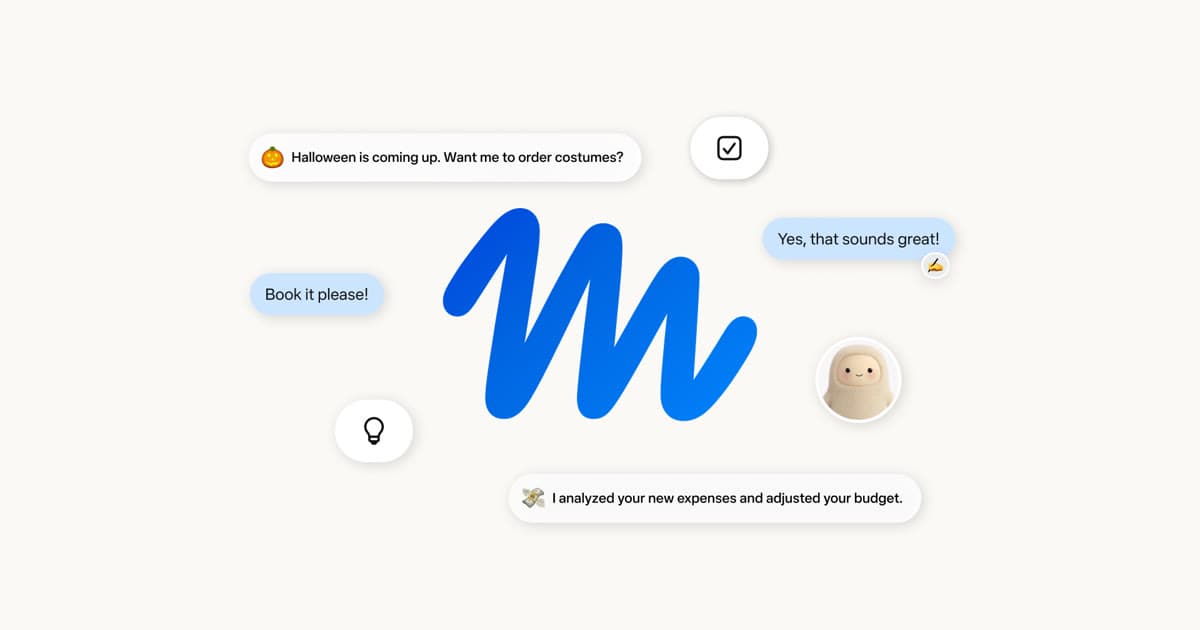
Meta Muse, often searched as Muse AI, is Meta’s personal AI agent. It does not just answer questions. It does tasks for you, such as sorting your email, booking a table, filling out a form or buying something, and it keeps working after you close the app. Meta launched it on September 8, 2026 in the United States.
Muse is free with a weekly usage limit, and there are two paid plans at $20 and $100 a month. It is available in seven countries so far: the US, Canada, Japan, Singapore, Mexico, Australia and the UK. It is not available in the European Union.
This guide covers what Muse is, how it works under the hood, what it costs, where you can get it, what Meta does with your data, and what changes for a business, whether it uses Muse or its customers do.
What is Meta Muse? Muse AI explained
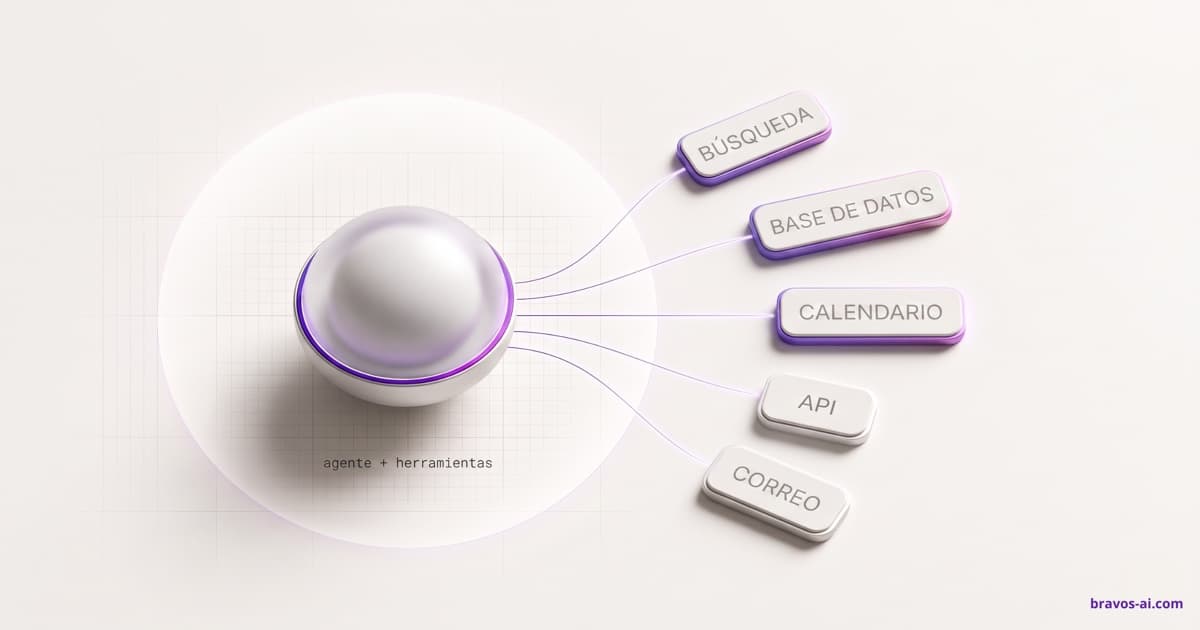
Muse is an agent, not a chat assistant. The difference is who does the work. You ask an assistant and it answers. You give an agent a goal and it carries it out: it opens a browser, goes into the apps you have connected, takes the steps needed and comes back when it is done or when it needs your permission. We cover that distinction in depth in what an AI agent is.
Three things set it apart from most agents released this year:
- It has its own computer. Every user gets a virtual machine in the cloud, with a browser, where their Muse lives and where their data is stored.
- It is proactive. It does not wait for you to write. If it spots something it thinks matters, it messages you. The example Meta’s own team gives is a Muse that found, buried in school emails, a sports tryout whose deadline was twelve hours away.
- It is built for anyone. You use it like a messaging conversation, with nothing technical to install. You can also talk to it directly in WhatsApp.
It has grown fast. On its October 21 earnings call, Meta said Muse had passed 10 million users and that about a quarter of the people who set it up use it daily, with shopping among the top activities, as TechCrunch reported.
Muse vs Meta AI vs ChatGPT: what is the difference?
Meta AI is the assistant built into WhatsApp, Instagram and Facebook. It answers questions and generates text and images inside those apps. Muse is a separate product, with its own app and website (muse.ai), designed to act on your behalf outside them.
Meta’s own product page draws the line in three steps: a chatbot responds to one question at a time, an AI assistant handles longer conversations and creates content, and a personal agent takes real actions across the web and your connected apps and keeps running in the background. ChatGPT as most people use it, a chat that answers and writes, sits in the second group. OpenAI is moving the same way with its own personal agents, which we cover in OpenAI Dots.
How Muse AI works: Secure VM, connectors and skills
Everything starts in a chat. You say what you need and Muse decides which tools to use. According to Meta’s help center and the post where its team explains how they designed it, these are the parts:
- Muse Secure VM. The dedicated cloud computer each user gets: an isolated Linux machine with a full browser, storage and memory, shared by you and your agent.
- Connectors. The links to your apps: Gmail, Google Calendar, Instagram, Spotify, Shopify and dozens more. You choose which ones to connect and whether Muse can only read or also act. Facebook, Instagram and Threads connect automatically if they are in the same Accounts Center.
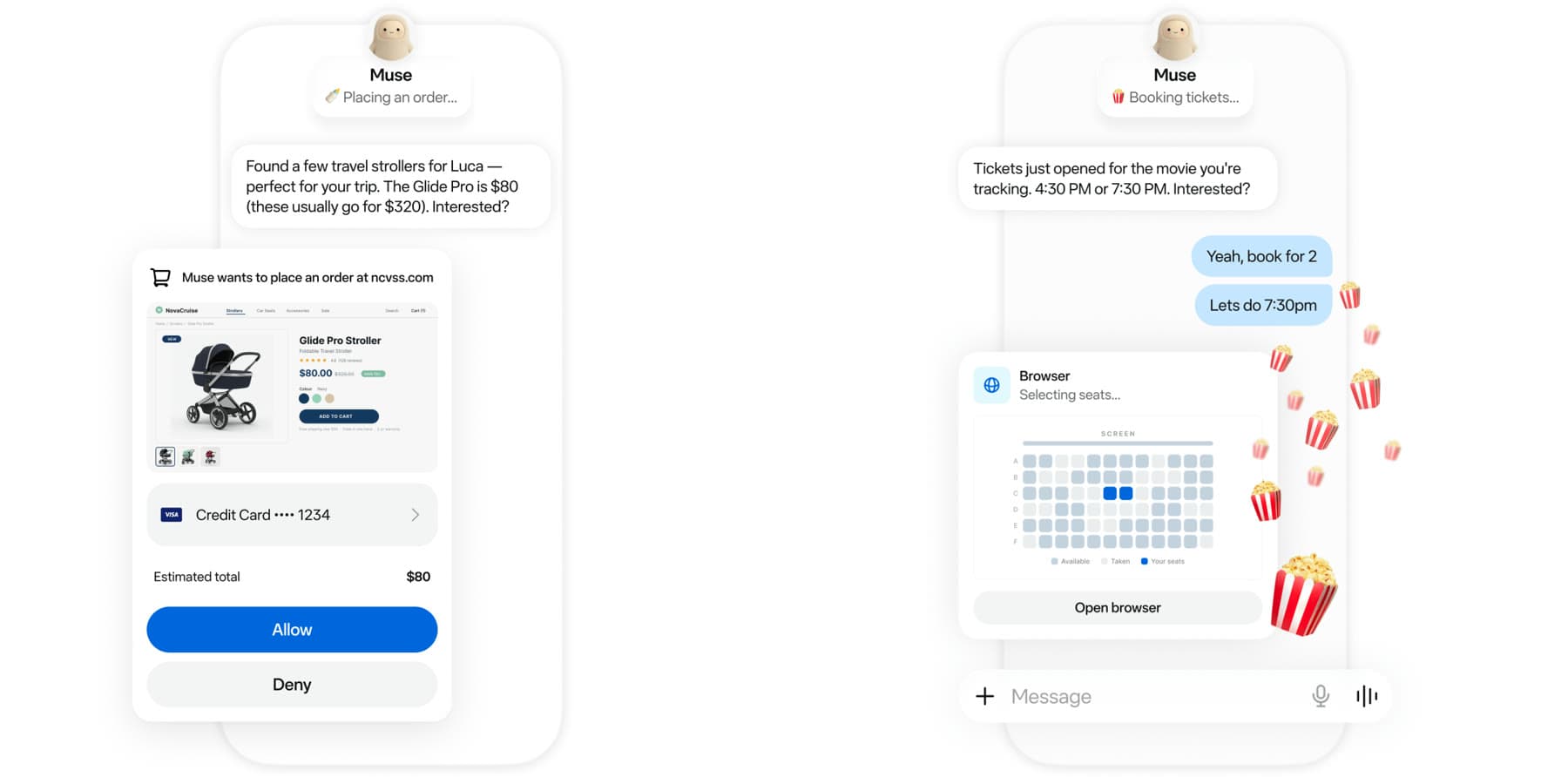
- Browser. When a service has no connector, Muse uses its website the way you would: it searches, fills out forms and gets to checkout. You can open that window, watch it work and take over at any time.
- Skills. Built-in capabilities: creating a PDF, generating an image, producing a podcast or scheduling a task.
- Artifacts. Meta’s name for what Muse produces when text is not enough: an itinerary, a spreadsheet, a spending dashboard. They are saved to a library.
- Memory. It remembers what you tell it so it does not ask twice. You can read what it has stored, edit it, or ask it to forget a topic or a person.
- Goals and ideas. Besides one-off tasks, it takes long-term goals, such as saving a set amount each month, and turns them into a plan it follows up on. A separate tab suggests things it could do for you.
- Scheduled tasks. It can repeat a job daily or weekly, such as a news digest or a price check.
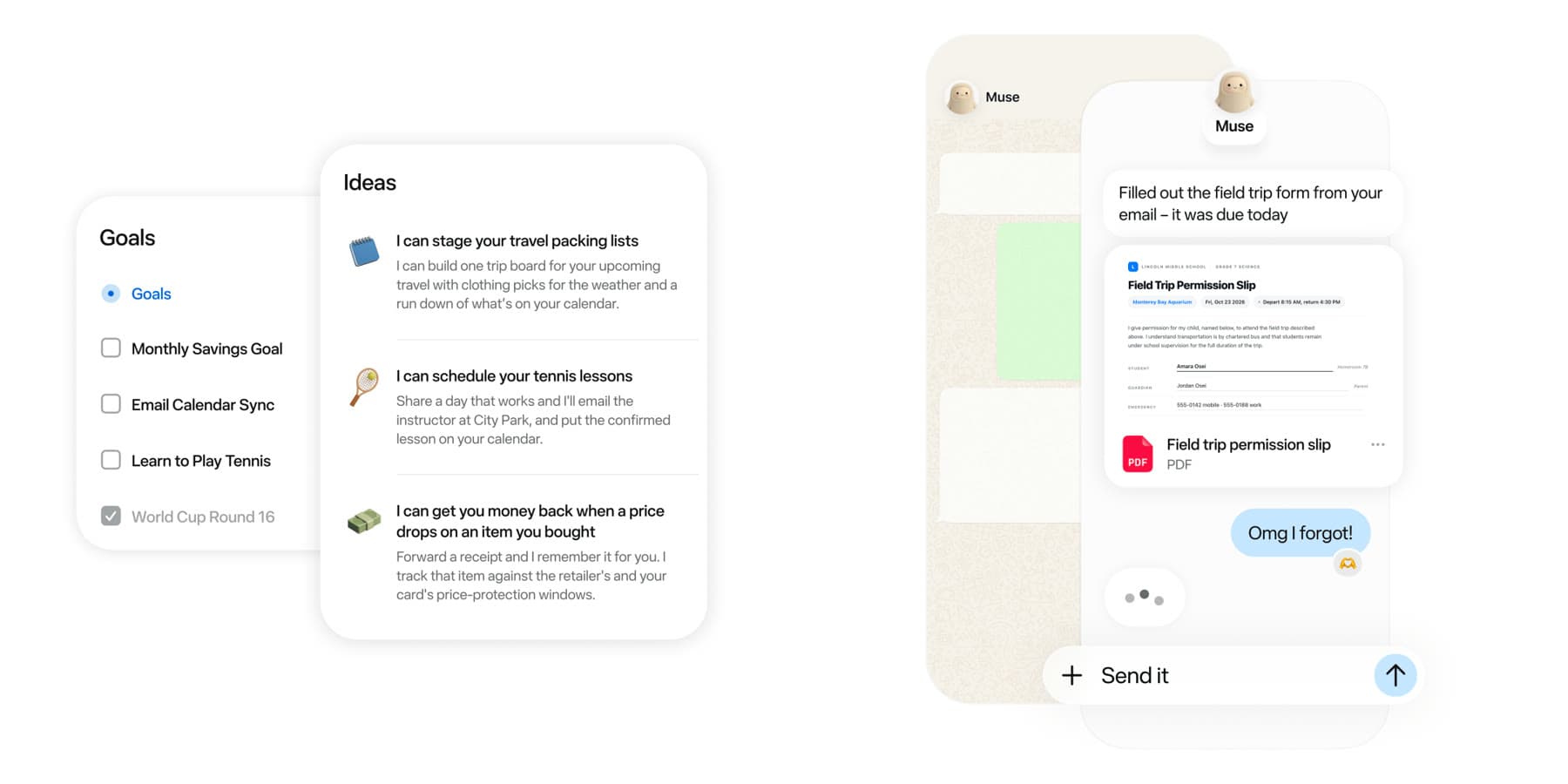
Since launch Meta has added real-time voice conversations, a Mac app that works with files on your computer, a Chrome extension, an iPad app and spaces, which are small custom screens inside the app, such as a trip planner or a school dashboard. Voice mode is only available in some countries.
What can Meta Muse do? Real use cases
These are cases Meta itself describes in its announcements, grouped by type of task:
| Type of task | Examples |
|---|---|
| Email and calendar | Review your inbox and flag what matters, move dates to the family calendar, draft replies |
| Shopping | Compare prices, fill a cart, alert you when a price drops, buy with your approval |
| Errands | Chase a refund, find a cheaper energy plan, renew car insurance, fill out forms |
| Travel and going out | Book a restaurant or tickets, turn the travel Reels you saved on Instagram into an itinerary |
| Home and cooking | Turn a saved recipe Reel into a grocery list and remember your guests’ dietary restrictions |
| Documents | Create a comparison PDF, an interactive study guide or a dashboard to track your spending |
Muse can also send email from its own address ending in @muse.ai and, as an experiment, make phone calls to businesses to ask about business hours or book a reservation. Both matter to companies, and we get to them below.
Muse Spark, Muse Wonder, Muse Code, Muse Image and Muse Charm explained
Meta has put the Muse name on half a dozen different products in 2026, and searches mix them up. Here is the map:
- Muse. The personal agent this guide is about. Its own app, muse.ai and WhatsApp.
- Muse Spark. The AI model Meta introduced in April 2026, which powers Muse. It is not an app.
- Muse Wonder and Muse Wonder Full. The newest models, announced on October 12. They are available to developers and will come to Muse, starting with subscribers.
- Muse Code. Meta’s AI coding tool. It has its own subscriptions, separate from Muse’s.
- Muse Image. The image generator Meta launched in July inside its apps. One feature let people create images from photos on public Instagram accounts, and Meta pulled it three days later after a backlash, according to TechCrunch.
- Muse Charm. A pocket-sized device for talking to your Muse, shown at Meta Connect in September. Meta has not announced a price or a release date.
Is Meta Muse free? Pricing, plans and Muse tokens
Yes, Muse is free to use, with a usage limit that resets every week. When you run out you have three options: wait for the reset, subscribe, or buy extra usage as a one-off. The prices are the ones published in Meta’s help center:
| Plan | Price | What you get |
|---|---|---|
| Free | $0 | A weekly usage limit. Meta does not publish the figure |
| Power | $20 a month | 500 million Muse tokens per week and 10 phone calls per day |
| Maximum | $100 a month | 3 billion Muse tokens per week and 20 phone calls per day |
Usage is measured in tokens, the units of text the model processes. They do not translate into a fixed number of tasks: a long errand that visits many pages uses far more than a short question. Meta states that it does not guarantee a given amount of tokens will produce a specific quantity of results. The app shows what percentage you have left.
Four details worth knowing:
- Plan tokens do not roll over. What you do not use in a week is gone.
- Tokens you buy separately never expire, even if you cancel your subscription, but they cannot be refunded or transferred to another account.
- You need a payment card to get started, even on the free plan, according to TechCrunch.
- The subscription renews automatically each month until you cancel, and you must be 18 or older.
These plans are unrelated to Meta One, the subscription Meta launched in September for extra AI features inside Facebook, Instagram and WhatsApp. Muse Code is billed separately too.
Where is Meta Muse available? Countries and the Muse app
Meta is opening Muse country by country. These are the dates from its official announcements:
| Country | Available since |
|---|---|
| United States | September 8, 2026 |
| Canada | September 2026 |
| Japan | October 23, 2026 |
| Singapore | October 27, 2026 |
| Mexico | November 5, 2026 |
| Australia | November 17, 2026 |
| United Kingdom | November 24, 2026 |
| European Union | No date announced |
For other markets, Meta says on the Muse for Small Business page that it is working to bring Muse to more countries, taking a measured approach in each one, and that it has no additional timing to share. In the UK it launched for adults only and says it engaged with the regulators beforehand.
Where it is available, you can reach your Muse in several places, and it is the same agent with the same memory in all of them:
- The Muse app for iOS, Android and iPad, and the Mac app.
- muse.ai on the web, where you log in with your Meta account.
- WhatsApp, by messaging your Muse directly.
- Instagram DMs, since November 24, in the US, Canada, Mexico, Japan and Singapore. You can share a post with Muse and ask it to act on it, TechCrunch reports.
- The Chrome extension, which puts Muse in a side panel and lets it work in your own browser.
A practical warning from Meta itself: only use Muse through official entry points. Fake Muse sites and apps asking for your login already exist, and Muse will never ask for your password through a link in a post or a DM.
How to use Muse AI: getting started
In the countries where Muse is live, getting started takes a few minutes:
- Log in with your Meta account in the Muse app or at muse.ai. If you do not have one, you can create it with a Facebook or Instagram account, an email address or a phone number.
- Give it a name, a look and a personality. Every Muse has an avatar and a tone that you choose.
- Connect what you need. Just ask in chat, for example “Connect my Gmail”, or go to Settings and Connectors. For each one you decide whether it can only read or also act.
- Give it a task with clear boundaries. Meta recommends saying what it may and may not touch, for example “Ask about availability, but don’t confirm a booking or share my phone number”.
- Review and approve. When it reaches a sensitive action it shows you what it is about to do and waits for your answer.
You do not have to wait for one task to finish before asking for another, and side chats keep separate topics apart. Meta’s advice for the first days is to start with low-risk tasks until you see how your Muse behaves.
Is Meta Muse safe? Privacy and what Meta does with your data
For Muse to be useful you have to give it access to very sensitive things, and Meta knows it. It published a fairly detailed technical post on how it protects that access. The essentials, in plain language:
- Every Muse lives in its own isolated machine. Your data and credentials are stored there, not in Meta’s other services, and nobody else’s Muse can reach it.
- A second agent watches the first. It is called Sentinel. Muse proposes actions, but only Sentinel can authorize them, and Muse cannot override it. When needed, it asks you.
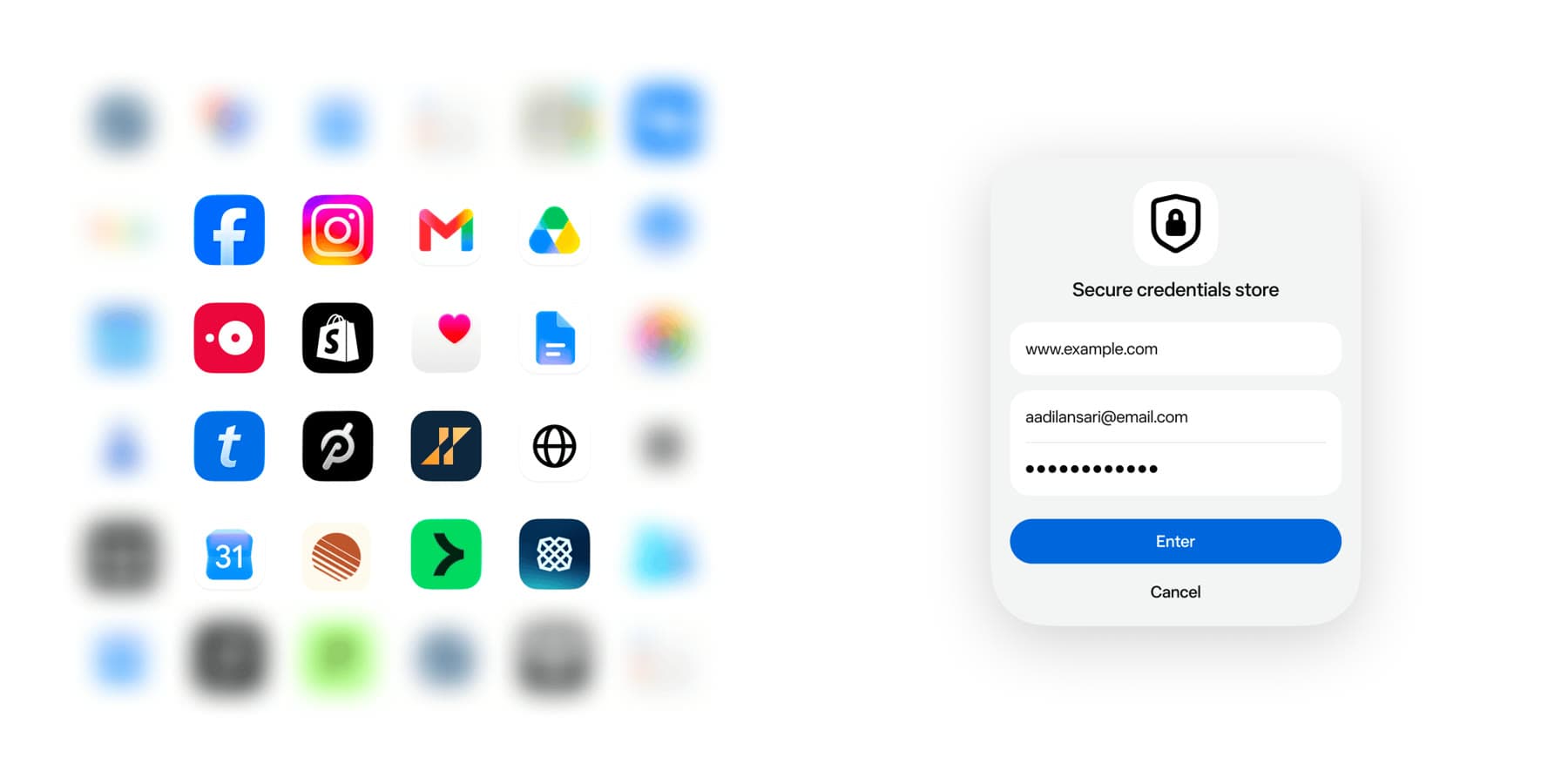
- Muse cannot see your passwords or cards. They sit in a separate store and are inserted at the last moment. The model works with stand-ins, so it cannot reveal them even if someone tricks it.
- Purchases are always approved one by one. Paying with Link, from Stripe, generates a single-use card number tied to that merchant and that amount.
- Email is filtered. The email connector hides one-time codes and password-reset links, so nobody can use Muse to get into your other accounts.
- Everything is logged. You can see what it has done, what it plans to do and every permission you have granted.
That is what protects you. This is what you should know before trusting it fully, and Meta says all of it too:
- Training on your data is on by default. Your interactions with Muse are used to improve Meta’s models unless you turn it off in Settings, under Data controls. Meta says it removes names, email addresses and phone numbers, and does not use interactions containing private messages.
- Meta can access your data when necessary to support, secure or operate the service. The version in which not even Meta can see it, called Muse Confidential VM, has been announced but has not shipped.
- It does not share your conversations with its ad systems, but what Muse does on the web counts as your activity. If you ask it to buy a shirt from a store, that store may later show you an ad on Instagram.
- It can make mistakes and it can be tricked. A website, an email or a file can hide instructions meant to manipulate an agent. Meta acknowledges that prompt injection is an unsolved problem across the industry and pays up to $300,000 to people who find flaws.
- You are responsible. Meta’s help center is blunt about it: it is on you to supervise your Muse, correct its mistakes and answer for the purchases it makes in your name.
Muse for Small Business: what it does for a company
On September 29, 2026, Meta introduced Muse for Small Business. It is not a separate app but the same Muse with connectors and skills aimed at people who run a small company. It is available in the US and Canada.
The idea is that the agent knows the business from day one. Once you connect your Facebook Page, your Instagram professional account analytics and your Meta ad account, Muse knows what you sell, what your brand sounds like and what customers keep asking. On top of that come connectors to business tools: Shopify, Stripe, QuickBooks, Canva, Notion, Slack, Klaviyo, Asana, Dropbox and Zoom.
The uses Meta suggests are back-office work:
- Analyze the year’s sales, campaigns and social activity and propose a growth plan.
- Review which ads and posts are working and draft next week’s campaign.
- Go through the month’s finances and flag expenses that look off.
- Read email and calendar, say what is urgent and write first drafts of replies.
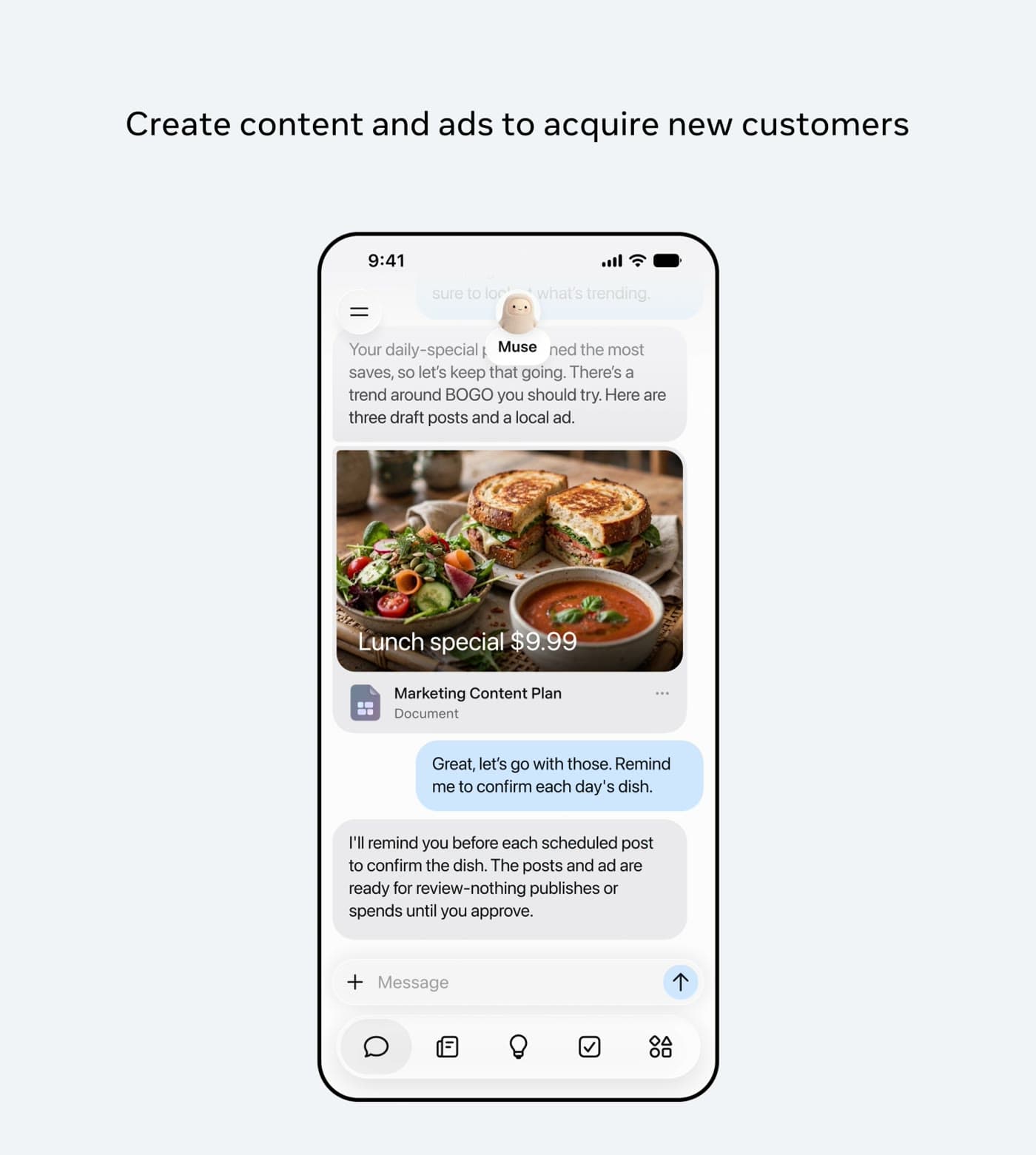
The rule is the same as for individuals: nothing publishes, sends or spends without your approval. Pricing is the same too.
What matters is what Muse does not do: it does not serve your customers. It can draft a reply for you to send, but it does not answer the people who write to you on its own.
Meta Muse vs Meta Business Agent
For customer conversations Meta has a different product that predates Muse: Meta Business Agent, announced in June 2026. They are easy to confuse because both are Meta agents and both involve businesses.
| Muse | Meta Business Agent | |
|---|---|---|
| Who it works for | A person, or the owner of a business | The business, facing its customers |
| What it does | Tasks and errands: email, shopping, bookings, analysis, campaigns | Answers customer questions, recommends products from the catalog, books appointments and closes sales |
| Where it lives | The Muse app, muse.ai and personal WhatsApp | WhatsApp Business, Messenger and Instagram |
| Price | Free with a limit, or $20 and $100 a month | Free to start. Meta said it would move to paid subscriptions |
According to Meta, more than one million businesses were already using a Business Agent on WhatsApp and Messenger when it was announced. It works inside Meta’s apps. It is not an assistant for your own website.
Personal Agent Protocol (Poppy): what changes when your customers use Muse
This is the part that gets the least coverage. Even if your company does not use Muse, your customers can, which means some of those who write to you, call you or visit your site will no longer be people but agents acting for them. Three things change in practice:
- An AI may call you. Meta is experimenting with Muse phoning businesses whose numbers are public, to ask about business hours or make a reservation. If you would rather not get those calls, there is an opt-out form linked from its help page for people who do not use Muse.
- An AI may email you. Muse sends email from @muse.ai addresses on behalf of its user. If a booking request or a complaint arrives from one, there is a real customer behind it. If you reply, Meta processes your message to provide the service.
- It may come to your website to buy. Muse browses, fills the cart and pays. Many sites block automated traffic and cannot tell an agent with a customer behind it from any other bot.
To bring order to this, on November 13, 2026 Meta published version 1.0 of the Personal Agent Protocol, or Poppy for short. It is an open standard for how personal agents and companies deal with each other, developed with Shopify, Stripe, Walmart, Sierra and others. It works like this:
- The company publishes a file at /.well-known/poppy.json. It says what the company offers and how an agent should reach it: its website, its APIs or MCP server, or its own agent.
- With that it can recognize agents that follow the protocol and let them through instead of blocking them.
- It can point them down the shortest path for each task, instead of leaving them to learn by trial and error.
- And it can have Muse talk to the company’s agent, or hand the customer over to it, so the authoritative answer comes from the business.
That last point is the one that interests us most. Meta sums it up by saying the company’s agent stays the expert. A personal agent knows a lot about its owner, but it does not know your prices, your delivery times or your policies. It has to ask. Mark Zuckerberg made the same point on Meta’s October earnings call: buying something will not only mean visiting a company’s website, but talking to its agent.
Your company’s agent: who answers when Muse asks
In Meta’s protocol, the thing that answers Muse is called the company agent. There is nothing exotic about it. It is a program that knows your business and answers for you, which most people still call an AI customer service chatbot. You give it your website, your documents and your catalog, and it uses them to answer whoever asks, at any hour.
There are two places to have one. Inside Meta’s apps, it is the Business Agent described above. On your own website, it is a chatbot you install yourself. That is what we do at Bravos AI: chatbots that answer with each company’s own information, on its website and on WhatsApp.
Today that chatbot talks to people. How many of those conversations will be held by agents like Muse instead, nobody knows yet. But what you need is the same either way: prices, business hours, delivery times and return policies that are clear and current, a website that does not turn away someone who came to buy, and something that answers with your data rather than with guesses.
Make sure your business always has an answer.
Bravos AI answers with your website, your documents and your catalog, in 15 languages, on your site and on WhatsApp. No card required.
Try Bravos free for 7 daysMeta Muse FAQ
What is Meta Muse?
Meta Muse, also called Muse AI, is Meta’s personal AI agent. Unlike a chat assistant, it does tasks on your behalf: it sorts email, makes bookings, fills out forms and buys things with your approval, and it keeps working after you close the app. Meta launched it on September 8, 2026 in the United States.
Is Muse free to use?
Yes. Muse has a free plan with a usage limit that resets every week. For more usage there are two subscriptions: Power at $20 a month, with 500 million Muse tokens per week, and Maximum at $100 a month, with 3 billion. You need a payment card on file to get started.
Can you use Muse without a subscription?
Yes. The free plan needs no subscription. When you hit the weekly limit you can wait for it to reset, subscribe, or buy extra Muse tokens as a one-off purchase. Tokens bought separately never expire, but they cannot be refunded or transferred.
What is the difference between Muse and Meta AI?
Meta AI is the assistant built into WhatsApp, Instagram and Facebook: it answers questions and generates text and images. Muse is a separate product with its own app and website that acts for you outside those apps: it browses, uses your connected accounts and completes multi-step tasks in the background.
What does Muse do in WhatsApp?
In countries where it is supported, you can message your Muse in WhatsApp as you would a contact and give it tasks there. It is the same agent as in the Muse app, with the same memory. It is different from Meta AI, the assistant that already appears in WhatsApp search and chats.
How do I turn off Muse on Instagram?
Muse only appears in Instagram DMs if you open a chat with it. If the concern is your photos being used by Meta’s AI image tools, the setting is in your profile menu under Sharing and reuse, where you can switch off the option that lets people use your content with AI features. Meta removed the Muse Image feature that used public photos in July 2026.
Where is Meta Muse available?
As of late November 2026, Muse is available in the United States, Canada, Japan, Singapore, Mexico, Australia and the United Kingdom, for adults aged 18 and over. It is not available in the European Union, and Meta says it has no additional timing to share for other markets.
Is Meta Muse safe?
Meta built it with several layers of protection: each Muse runs in an isolated virtual machine, it cannot see your passwords or card details, a separate agent called Sentinel authorizes every action and purchases always need your approval. Even so, Meta acknowledges it can make mistakes or be manipulated, and that supervising it is the user’s responsibility.
What is Muse Charm?
Muse Charm is a pocket-sized device for talking to your Muse by voice, which Meta showed at its Connect event in September 2026. Meta has said it will share more later, and has not announced an official price or a release date.
What is the Personal Agent Protocol (Poppy)?
It is an open standard Meta published on November 13, 2026 for how personal agents deal with companies. A company publishes a poppy.json file on its website saying what it offers and how an agent should reach it, and it can have Muse talk to its own customer service agent.
Can Muse answer my company’s customers?
No. Muse for Small Business helps the owner with internal work, such as analyzing sales, preparing campaigns or drafting replies, but it does not answer customers on its own. Meta has a separate product for that, Meta Business Agent, which works in WhatsApp Business, Messenger and Instagram. On your own website you need your own chatbot.
Sources
- Meta, “Introducing Muse: The World’s First Personal AI Agent Built for Everyone” (September 8, 2026): about.fb.com . Launch, how it works, payments with Link and protections.
- Meta, “The Future Is for Everyone: Muse for Small Business” (September 29, 2026): about.fb.com . Connectors and use cases for small businesses.
- Meta, “Introducing Muse in the UK” and “Muse Does the Work, You Stay in Control” (November 24, 2026): about.fb.com . UK launch, partner brands, controls and data use.
- Meta, launch announcements for Japan, Singapore, Mexico and Australia (October and November 2026): about.fb.com . Dates, local connectors, voice, spaces and the Mac app.
- Meta, “Introducing Muse Wonder and Muse Wonder Full” (October 12, 2026): about.fb.com . The new models and where they are available.
- Meta, “The Biggest News From Connect 2026” (September 2026): about.fb.com . Muse Charm, new connectors and Muse’s own email address.
- Meta, “Be There for Every Customer With Meta Business Agent” (June 3, 2026): about.fb.com . What Business Agent does, where it works and how it is priced.
- Muse, “How We Built Safety Into Muse” (September 8, 2026): muse.ai . Secure VM, Sentinel, credentials, purchases, training and Confidential VM.
- Muse, “How We Designed Muse” (September 8, 2026): muse.ai . Design decisions, proactivity, goals and artifacts.
- Muse, “More Ways for Muse to Work With Businesses” (November 13, 2026): muse.ai . Personal Agent Protocol, the poppy.json file and the first companies.
- Personal Agent Protocol: personalagentprotocol.org . How discovery, sign-in and conversations work.
- Meta Help Center, “About Muse subscriptions” and related articles (accessed November 28, 2026): meta.com . Power and Maximum plans, extra tokens, requirements and renewal.
- Muse Help Center (accessed November 28, 2026): meta.com . Getting started, connectors, browser, permissions, payments, skills and email.
- TechCrunch (September to November 2026): techcrunch.com . Card required to start, 10 million users, Instagram DMs and the Muse Image withdrawal.