«MCP» is one of those acronyms that in 2026 shows up everywhere —in headlines, in threads, in the Claude and ChatGPT docs— and that almost nobody bothers to explain from scratch. If you landed here looking for what an MCP is and what it's for, without anything taken for granted, this article is for you.
We'll explain it without the jargon: what an MCP is, what an «MCP server» is, and why it suddenly matters to so many people. We build AI chatbots and just launched our own, so at the end we land the idea on a very concrete example: what changes when a chatbot can be analyzed and fine-tuned from the same Claude or ChatGPT you already use. But first, the important part: what is an MCP.
What an MCP is, explained without the jargon
MCP stands for Model Context Protocol. It's an open standard that Anthropic —the company behind Claude— published in late 2024, and that ChatGPT and other tools now use too. It sounds very technical, but the idea is simple: it's a common language so an AI like Claude or ChatGPT can connect to an outside program and use it.
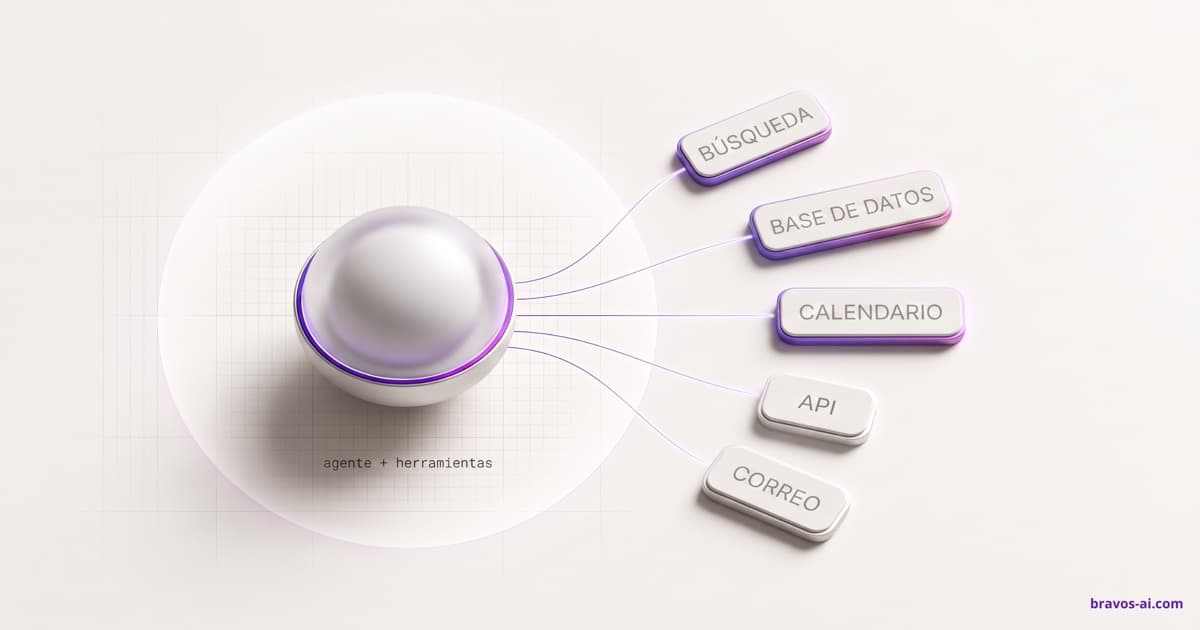
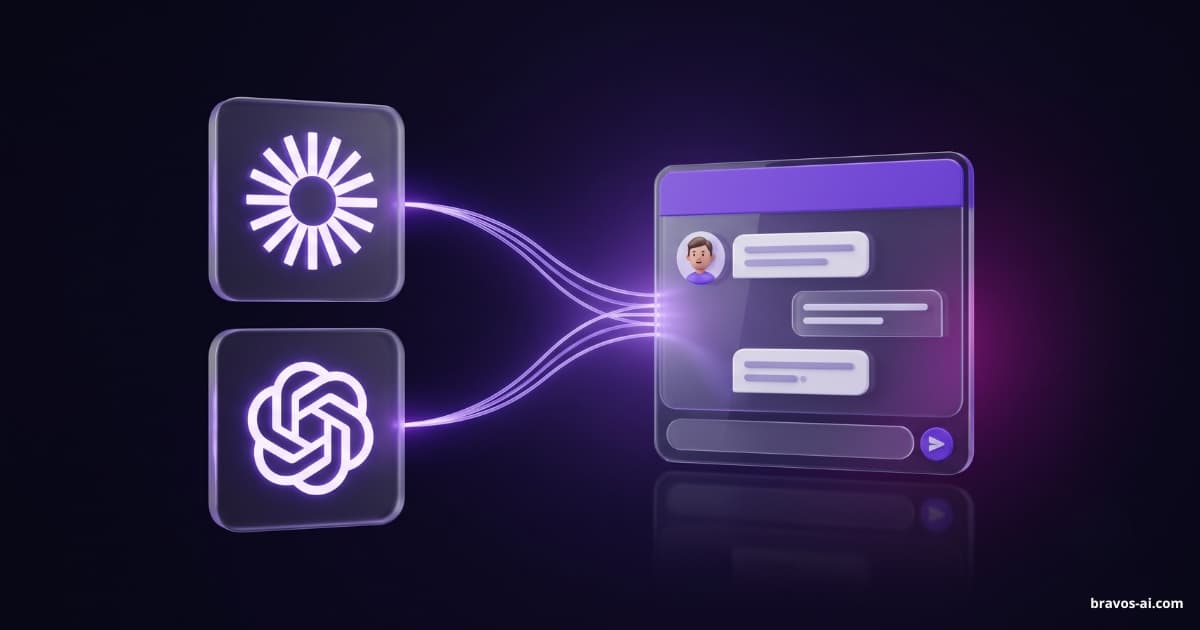
The comparison that captures it best is USB. Before USB existed, every device came with its own plug and its own cable, and connecting two things was a lottery. USB gave everything the same connector. An MCP is that, but for AI: one «socket» so any AI assistant can talk to any outside service —your email, your calendar, your store, or your chatbot— without building a custom cable for every combination.
There are already quite a few. There's an MCP for Gmail, which lets the AI read and draft your emails; one for Google Drive, which lets it search inside your documents; and there are ones for your calendar or your online store. Each one opens a specific service to the AI, without anyone having to program a custom connection for each case.
Before the MCP, if you wanted Claude to read your data from a specific tool, someone had to program a specific connection for that pair: Claude with that tool, ChatGPT with that tool, one by one. With the MCP, the service «introduces itself» once in this common language, and from then on any AI that speaks MCP understands it. That's why one connector works the same in Claude and in ChatGPT.
What an MCP server is and how it works
An MCP always has two sides. On one side is the client: the AI that wants to do something, for example Claude or ChatGPT. On the other is the MCP server: the program that opens the door to a specific service and offers the AI a list of actions it can request. When you read «Gmail MCP server», for example, that's exactly it: the door through which Claude or ChatGPT enter your email, with the permission you grant.
That server doesn't give the AI free access to everything. It offers a closed list of tools, which are specific, named actions: in an email MCP they'd be «find this customer's emails» or «draft a reply»; in a store's, «check this product's stock» or «list today's orders». The AI can only ask for things on that list; nothing more. It's the difference between handing someone the keys to the whole house or handing them a remote with specific buttons.
The flow, in three steps, is this:
- You connect once. In Claude or ChatGPT you add the connector for whichever service you want and sign in, just like when an app asks you to sign in «with your Google account». You authorize what it can see and do, and that's it.
- You ask for something in plain language. «Find this customer's unanswered emails and prep a draft for me.»
- The AI uses the tools for you. Under the hood, it calls the actions it needs on the server, gathers the data and does what you asked. You don't see the mechanics; you see the result.
What it's actually for (with examples)
The theory lands better with something concrete. With a chatbot connected via MCP, instead of opening the panel, clicking through menus and drawing your own conclusions, you talk to Claude or ChatGPT like you'd talk to a colleague who has all your data in front of them:
- «Go through last week's conversations and tell me where people get stuck the most.»
- «My bot answers oddly when people ask about delivery times. Look at what info it has loaded on that and tell me what's missing.»
- «Rewrite the bot's instructions so it's more to the point and doesn't ramble.»
- «Which leads came in yesterday and what did they want?»
- «Make the tone warmer and swap the welcome message for one that mentions this month's offer.»
And the AI doesn't just tell you: if you ask, it does it. It changes the text, rewrites the instructions, updates the tone. It stops being a panel you operate and becomes an assistant that works with you on your own chatbot.
What it changes for a business with a chatbot
The moment most people abandon a chatbot isn't when it fails spectacularly. It's when it answers so-so, the business owner senses something's off but doesn't know what, has no time to dig through conversation after conversation, and slowly lets it die. The problem is almost never that the tool is bad: it's that tuning a chatbot means looking at data and knowing what to change, and that takes effort.
That's where the MCP changes things. It turns that «something's off» into a diagnosis with the fix applied, done by the AI itself, in five minutes and in plain language: which questions go unanswered, what information is missing, which instruction is confusing the bot, and —if you give the go-ahead— the fix made on the spot. You don't need to be technical. You need to be able to describe your problem, which is something you already know how to do.
The Bravos MCP: what you can do from the chat
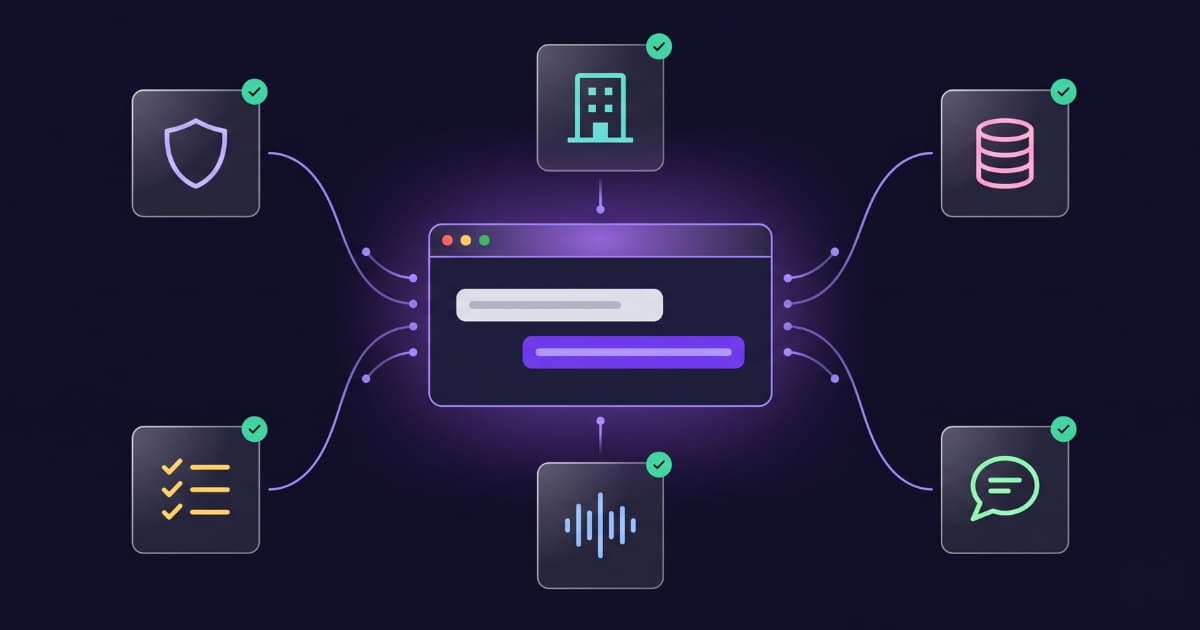
Our connector opens your Bravos account to Claude, ChatGPT and any other assistant that speaks MCP, with a list of actions built for three things: understanding how your bot is doing, improving what it answers and keeping it up to date. Specifically, from the chat you can:
- Analyze conversations and leads. Read and search the history, view stats, spot where your customers get stuck and which contacts the bot captured.
- Audit the knowledge base. Review everything the bot has loaded (texts, websites, documents, catalogs), and spot what's missing, what's redundant and what's out of date.
- Create, edit and delete content. Text entries and web pages in the knowledge base: the AI adds, corrects or removes them. Since all of that is recoverable, it can undo what it did with no trouble.
- Fine-tune the configuration. Rewrite the bot's instructions, adjust the tone, change the widget messages, the languages, the appearance or the domains where it runs.
- Keep integrations current. Check the status of your connected store (WooCommerce, Shopify, PrestaShop…) and trigger a catalog sync.
Every action that changes something returns the before and after right in the conversation, so you always see what was touched and can revert it. And since everything goes through your plan, the AI never proposes something your plan doesn't include.
How to set up your chatbot and connect it, step by step
Here it's worth being precise, because there's a nuance. The AI does almost all the work, but you create the bot in the panel. That's on purpose: creating a bot touches your plan and your billing, and those two things we want you to decide, seeing them, not have an assistant fire off. The rest the AI can do. The full path is like this:
- You create the bot in the panel. It takes thirty seconds: give it a name and you're done.
- You connect Bravos to your assistant. Whether it's Claude, ChatGPT or another that speaks MCP: in the panel, under Integrations → MCP, you have the connector's address and the steps. You paste it into your assistant, sign in with your account and authorize. Once.
- The AI gets it up and running. You tell it your website and it loads the content, writes the instructions, adjusts the tone and leaves the bot ready. You review and approve as you go.
- You test and install it. You check how it answers and copy the code to put it on your website, or connect it to your WhatsApp.
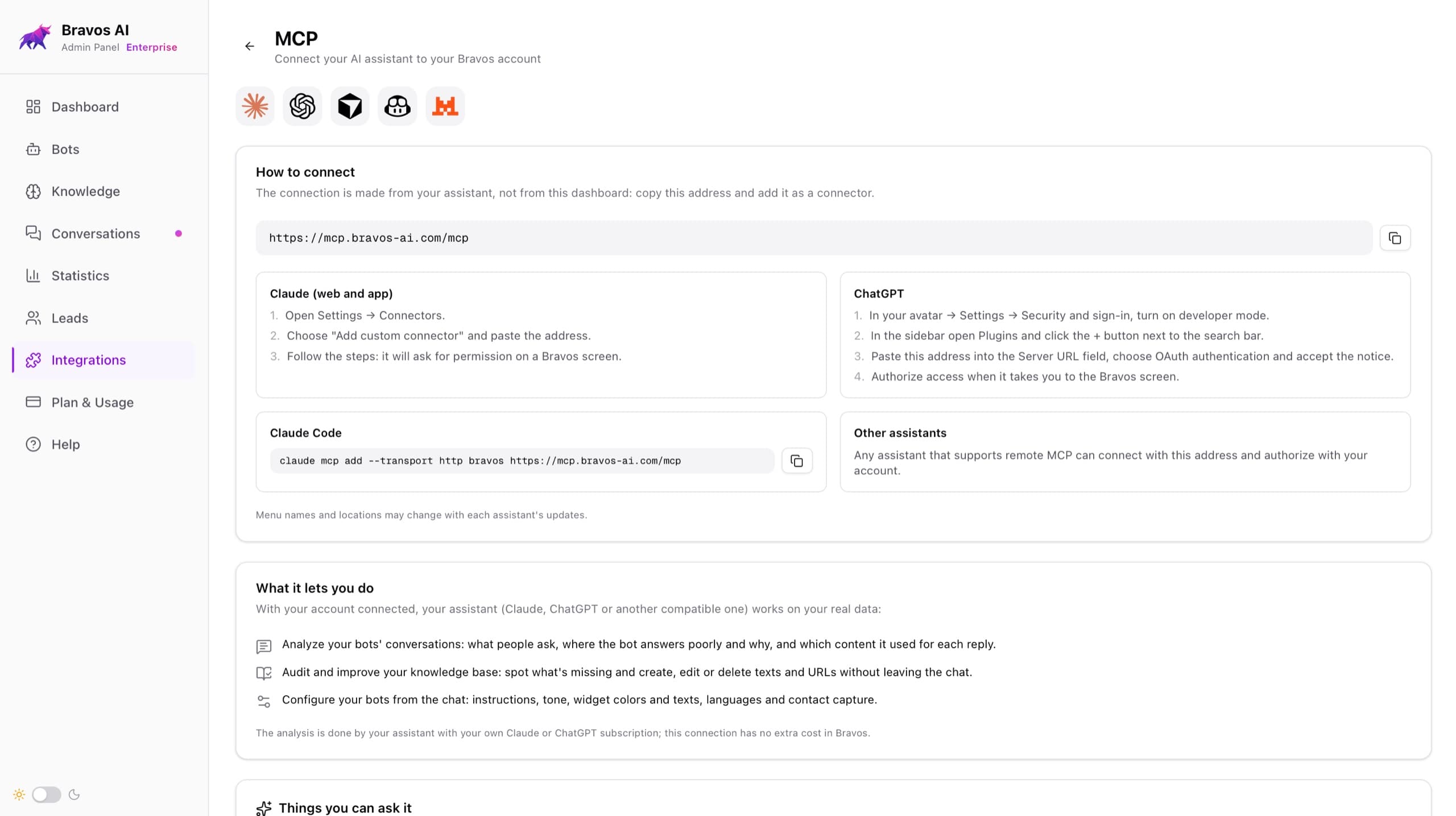
Put another way: you make the decision (create the bot) and describe what you want; the tedious part —loading information, writing, tuning— the AI does with you alongside.
What sets it apart
To be honest: we're not the only ones offering to connect a chatbot to Claude or ChatGPT, and we're not going to sell it as if we were. It's a new wave and there'll be more of them. What matters isn't having the connector, it's what it connects to and at what price. And that's where our package stands out:
- Real structured search. Bravos doesn't only search by similarity: it understands catalogs and column-based data and filters by exact values (price, size, reference, availability). It's the difference between a bot that «sort of» finds things and one that gives you the right value. We cover it in how a chatbot finds information and in a chatbot for product catalogs.
- Price. All of this capability isn't locked in a high-end, enterprise-named plan; it comes with plans built for regular businesses. You can see how much a business chatbot costs.
- Trilingual from birth. The bot, the panel and support all work natively in English, Spanish and Portuguese —it's not a single-language tool translated on top—, and the bot itself serves your customers in many more.
- WhatsApp included. The same bot you manage from Claude serves on your website and on your WhatsApp.
- No extra cost for the MCP. The connector comes with your plan from Starter, and it's available during the 7-day PRO trial too — exactly when you want to check whether this is for you.
What it does NOT do (honesty first)
So you decide with the full picture, here's what the connector doesn't do, on purpose:
- It doesn't create the bot from the chat. You take that first step in the panel, because it touches your plan and your billing.
- It doesn't upload or delete files. Texts and URLs it does manage, because they're recoverable; files it doesn't. The AI reads what's inside your documents (PDF, images, audio) and recommends what to keep or remove, but deleting a file is something you do in the panel. It's a no-going-back action and we'd rather you be the one to run it.
- It doesn't touch your credentials. It can trigger a sync of your store, but it never sees or connects the keys to your WooCommerce or your Shopify.
Why we built it
For a long time, when a customer didn't know why their bot answered so-so, the help was us: we'd look at their conversations, tell them what to load, rewrite their instructions. We did it well, but it depended on us: on our time and on us being available. The customer with a question on a Sunday night, or the one who doesn't dare write in, was left waiting.
The MCP was what we needed without knowing we needed it. It flips that help around: it no longer has to come from us. We built it so that any customer gets support just as professional as what we give by hand —to be exact, the same— but 24 hours a day and without waiting for anyone, because it's their own AI that delivers it, with all their data in front of it. That, for us, was the missing step.
In short
An MCP is the standard that lets an AI like Claude or ChatGPT use outside services —your email, your store, your chatbot— without a custom integration for each one. It's the piece that gets the AI out of its bubble and lets it work with your stuff.
Applied to a chatbot, it turns «I don't know why it answers badly» into a diagnosis with the fix made, from the same assistant you already use. And if you don't work with one yet, you lose nothing: all of this is still in the usual panel. The MCP just puts it one message away.
Your chatbot, ready from your own AI
Create your bot in the panel and let Claude, ChatGPT or whichever assistant you use get it into shape: it loads the content, writes the instructions and fine-tunes it, in English, Spanish and Portuguese. The MCP connector comes with your plan from the first tier and during the 7-day PRO trial too, which needs no credit card.
Try PRO free for 7 daysFrequently asked questions
What is an MCP in simple terms?
An MCP (Model Context Protocol) is an open standard that lets an AI assistant connect to outside services and tools and use them. It works like a USB for AI: one socket for everything, instead of building a custom cable for each connection.
What does MCP stand for?
It stands for Model Context Protocol. Anthropic created it in late 2024, and today it's an open standard adopted by much of the industry.
What is an MCP server?
An MCP server is the program that opens the door to a specific service and offers a closed list of actions the AI can request. A Gmail MCP server, for example, lets it read or draft your emails; a store's lets it check your orders. The AI can only ask for what's on that list.
What is an MCP for?
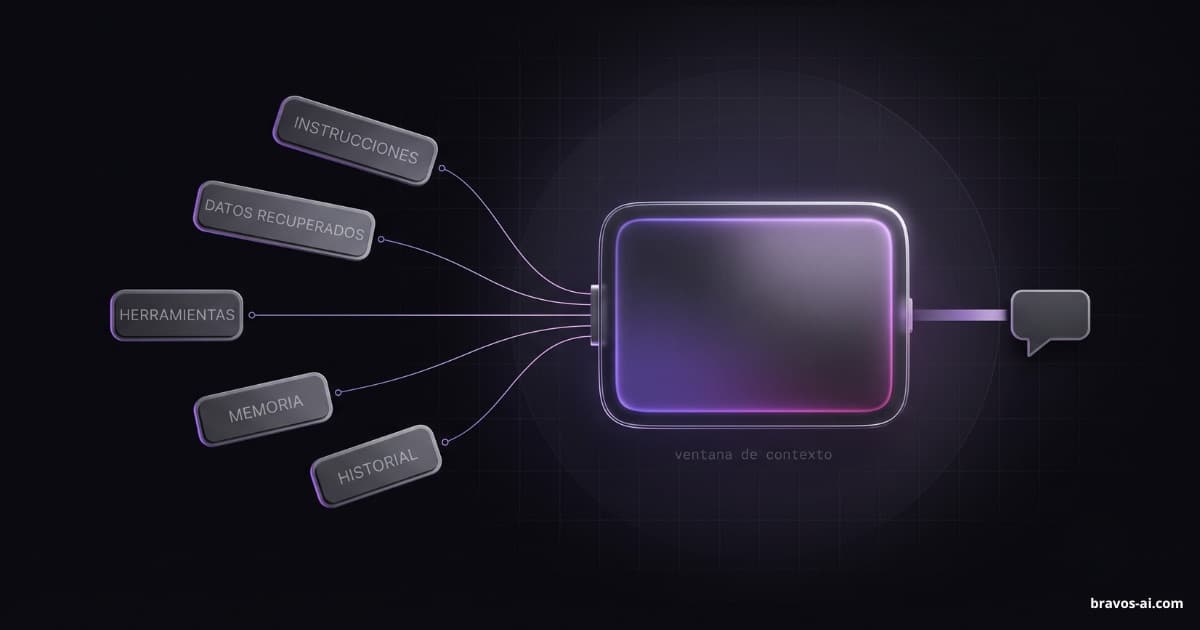
To get the AI out of its bubble. Without an MCP, it only knows what it learned in training; with one, it can look at your data and act in your tools in real time: your email, your store, your chatbot. And without building a different integration for each.
Is an MCP the same as an API?
No. An API is the technical way two programs talk to each other, and it's been around for decades. The MCP is a layer on top, designed so the AI discovers and uses those actions on its own, in natural language. In fact, many MCP servers are just a regular API wrapped so a model can understand it.
Does MCP work with ChatGPT and Claude?
Yes, and with more. Being an open standard, it doesn't depend on a single company, so one server works for any assistant that supports it. Claude and ChatGPT are the best known, but not the only ones.
Do I need to know how to code to use an MCP?
To use one that already exists, no: you connect with a sign-in, no code and no keys to copy, and you talk to the AI in plain language. Coding is only needed to build a new MCP server, not to use one.
Sources
- Anthropic (original announcement): anthropic.com — introducing the Model Context Protocol, November 2024.
- Official MCP documentation: modelcontextprotocol.io — the standard explained by its authors.
- Connectors in Claude: support.claude.com — subscription requirements for using MCP connectors.
The Claude and ChatGPT plan conditions for using connectors are set by Anthropic and OpenAI and may change; check the current one before subscribing.