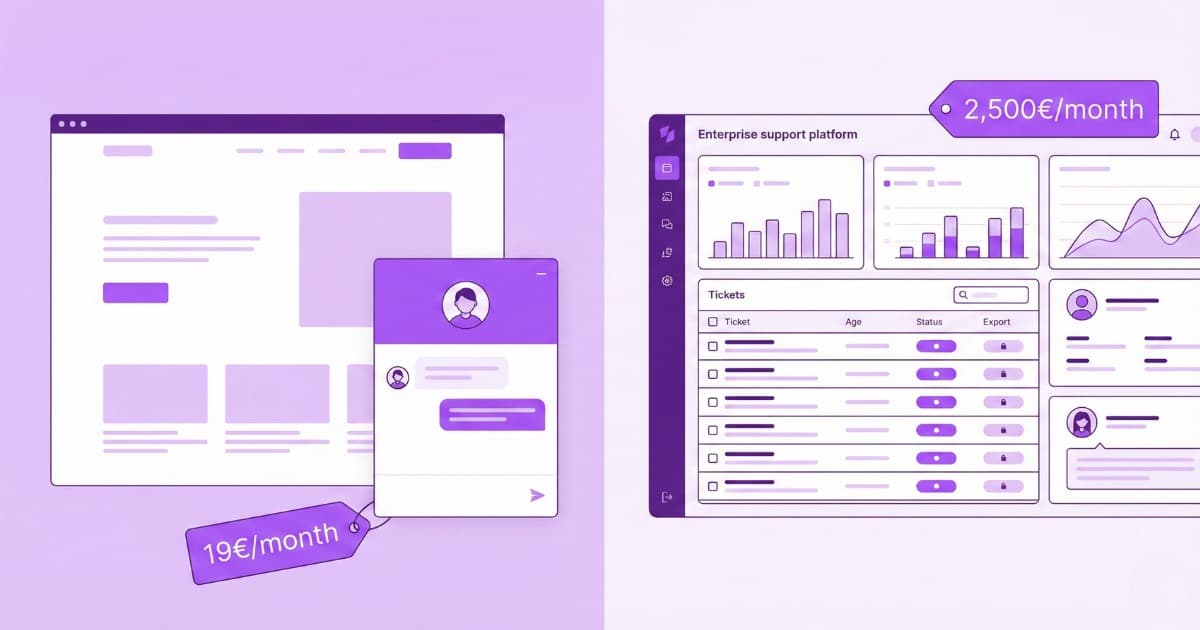
Nobody leaves Zendesk because it is bad. They leave because of the bill and the weight. In 2026 a Suite Team seat runs $69 per agent per month and Professional $149, and then the AI arrives on a separate invoice: Zendesk’s AI agents are charged per resolved case (just 5 to 10 resolutions are included per agent, after that it is $1.50 to $2.00 each), and the Copilot that assists your human agents is an add-on of roughly $50 per agent. Turn everything on and a single seat is three charges stacked on top of each other, which is how Zendesk ends up the priciest tool in its own category. Add a platform built for a hundred-agent operation when you have five, and the search for something simpler makes sense. These are the ten Zendesk alternatives worth a real look, compared on monthly price, how each one bills for AI, channels, and the question that comes before all of it: do you even need everything Zendesk does?
One disclosure up front: Bravos AI is ours, and we are blunt about where it does not belong. Every tool gets a plain “pick it if / skip it if”. All prices are the month-to-month rate (not the discounted annual one), checked in October 2026; where a vendor hides the number, we say so.
First: do you actually need everything Zendesk does?
Answer this before you compare a single price, because switching for cost and then discovering you cut a muscle you needed is the expensive mistake. Zendesk earns its reputation on depth: a ticketing engine that routes work across teams and enforces SLAs, true omnichannel that pulls email, chat, phone and social into one record, an app directory in the thousands, and analytics a data team can actually build on. If you are running a mid-size or large support operation that leans on any of that, your shortlist is other heavyweight helpdesks (Zoho Desk and Freshdesk below), and you should decide on capabilities and total cost, not headline price.
The catch is how many teams pay for that depth and use a sliver of it. If most of what hits your inbox is the same handful of questions, asked over and over, you may not need a ticketing platform at all. You need an AI chatbot: software whose only job is to reply to customers on your site and on WhatsApp, in their language, from your own content, so those repeat questions never become tickets. It is a different category of product, and it costs a fraction of a helpdesk. As you read, sort each tool into one of three buckets: full helpdesk, AI chatbot, or something trying to straddle both.
What to check before you switch
Feature lists all look the same. Five questions actually decide the cost and the fit:
- Which category is it? A ticketing helpdesk (queues, SLAs, routing, agent dashboards) or an AI chatbot that answers your customers. Getting this one right eliminates half the list before you look at a price.
- How is the AI metered? This is the exact spot where Zendesk hurts. Per resolution (Zendesk, Intercom, HubSpot, Gorgias), per conversation (Freshdesk’s Freddy, Front’s Autopilot, Tidio’s Lyro), or simply included (Bravos, Hiver). Metered AI is a bill that climbs on your worst week.
- Can the bot use your own data? Most now read your help centre and answer from it, the approach known as RAG. The harder, rarer thing is answering straight from a catalog or price list, finding the exact items that match by price, size or stock, instead of paraphrasing an article.
- Where does it reach customers? A web widget is the floor. WhatsApp is where a lot of real conversations live, and Zendesk (like most helpdesks) only gets there through a paid integration.
- What does a human handover cost? When the bot should step back, a person needs to step in cleanly, and on a per-agent helpdesk every one of those people is another seat on the invoice.
Zendesk alternatives at a glance
| Tool | Type | From (monthly) | How it bills AI | |
|---|---|---|---|---|
| Zendesk (for reference) | Full helpdesk | ~$69/agent | Per resolution + Copilot add-on | Via integration |
| Front | Collaborative inbox | ~$33/seat | Autopilot ~$0.05/conversation | Add-on (Meta + fee) |
| Hiver | Gmail-based helpdesk | ~$35/user | Included (AI agents + Copilot) | In-platform |
| Help Scout | Simple helpdesk | $30/user | AI answers billed on top | Via integration |
| Tidio | Chat + AI | $29/mo | Lyro, by conversation blocks | Yes |
| Bravos AI | AI chatbot + live chat | $23/mo | Flat (included) | Native |
| Gorgias | Ecommerce helpdesk | $60/mo (300 tickets) | ~$1 per AI resolution | Yes |
| HubSpot | CRM + Service Hub | ~$20/seat* | $0.50 per resolution (Pro+) | Yes |
| Intercom | Messaging + AI | $39/seat | $0.99 per resolution | Add-on |
| Zoho Desk | Full helpdesk | $20/agent | Zia, bundled by plan | Via integration |
| Freshdesk | Full helpdesk | ~$23/agent | Freddy: per session + Copilot | Via integration |
Every “From” number is the monthly rate you pay month to month. Most vendors cut 15-20% for an annual commitment, which is only a saving once you are certain the tool sticks. * HubSpot does not publish a clean seat price, so treat that one as an estimate.
What you’d actually pay per month
The sticker price is not the real price, because a helpdesk charges per agent and then meters the AI separately on top. So take one honest scenario and run every tool through it: a team of 5 agents, about 500 conversations a month, of which AI handles roughly 350 on its own. These are order-of-magnitude monthly totals, not quotes; the base prices are verified and the AI maths applies each vendor’s own published rate to those 350 resolutions.
| Tool | ~ Total per month | Why |
|---|---|---|
| Bravos AI | $59 flat | Does not move with agents or volume (PRO; Starter $23) |
| Zoho Desk | ~$100 | Standard $20/agent × 5 (Zia bundled) |
| Tidio | ~$100–175 | Starter + a Lyro block for ~500 conversations |
| Help Scout | ~$150+ | Standard $30/user × 5 (AI answers extra) |
| Hiver | ~$175 | Growth $35/user × 5 (AI included) |
| Front | ~$185+ | Starter ~$33/seat × 5 + 350 × $0.05 Autopilot |
| HubSpot | ~$275+ | Professional (~$100) + 350 × $0.50 |
| Freshdesk | ~$330 | Pro $66/agent × 5 (Freddy Agent within free sessions) |
| Intercom | ~$540 | $39 seat × 5 + 350 × $0.99 resolution |
| Gorgias | ~$675 | Pro $360 (2,000 tickets) + ~350 × $0.90 AI |
| Zendesk | ~$830+ | Suite Team $69 × 5 + ~325 resolutions × $1.50; +$250 with Copilot |
Illustrative, on monthly billing. The pattern is the real lesson: per-agent helpdesks grow as you hire, per-resolution tools grow as you get busy, and a flat-priced AI chatbot does not move. Zendesk tops the table precisely because it charges on all three axes at once (seat, per-resolution AI and the Copilot add-on), and Bravos is the only line that never changes. The distance between them is widest in your busiest month.
The 10 best Zendesk alternatives in 2026
1. Front
From ~$33/seat/mo · collaborative shared inbox · best for teams tired of ticket numbers
Front’s whole premise is a rejection of the thing Zendesk is built on: the ticket. Instead of turning every message into a numbered case, it keeps your real email, chat, SMS and social threads in a shared inbox where teammates assign, comment and draft replies together, out of the customer’s view. It feels like a team-grade Gmail, and it is a common destination for people who felt Zendesk made support cold and process-heavy. Plans open at about $33/seat/month (Starter, up to 10 seats) and ~$85 on Professional.
The AI lives on its own meter: Autopilot from about $0.05 per conversation and a Copilot add-on at $20/seat. Two limits are worth knowing. First, Front is built around the inbox rather than the deep routing and SLA machinery that justifies Zendesk for a large operation, so power users may miss it. Second, WhatsApp is an add-on billed at Meta’s per-message cost plus a 20% admin fee, which quietly gets expensive once messaging is a real channel for you.
Pick it if your team replies collaboratively and wants support to feel human rather than ticketed. Skip it if you depend on heavy automation and SLAs, or WhatsApp is central to you.
2. Hiver
From ~$35/user/mo · a helpdesk inside Gmail, AI included · best for Google Workspace teams
Switching helpdesks usually means standing up a whole new platform and retraining everyone on it. Hiver avoids that by living inside Gmail (and Outlook): shared inboxes, assignments, notes and SLAs appear right in the mailbox your team already opens every morning, and it pulls email, live chat, Slack, voice, WhatsApp and social into that one place, with almost nothing new to learn. Pricing starts around $35/user/month on Growth and $65 on Pro.
The part that matters most against Zendesk: Hiver’s AI is bundled in at no extra charge, agents, copilot and knowledge builder included, rather than metered per resolution, so the number you sign up for is close to the number you pay. The trade-off is reach, not quality: Hiver is built for small-to-mid teams, and the enterprise-grade routing, SLA logic and reporting that a hundred-agent floor needs are not its strength. Voice is also a separate $30/seat add-on.
Pick it if your team runs on Google Workspace and wants support to stay inside Gmail, with AI you don’t meter. Skip it if you need enterprise routing, SLAs and analytics at scale.
3. Help Scout
From $30/user/mo · the deliberately simple helpdesk · best for small teams
Help Scout is the opposite of Zendesk by design: it strips support back to a clean shared inbox, without the features and dials you were never going to touch. Customers get replies that read like ordinary email, never a ticket number and a reference code, which keeps the whole thing feeling personal. A small team is live the same afternoon and never wrestles the interface. It starts at $30/user/month on Standard, with AI answers billed on top.
Leaving all that out is deliberate: the heavy routing, SLA engines and layered reporting that Zendesk sells are simply not here, a relief at five agents and a ceiling at fifty. Its Docs knowledge base and the Beacon widget let customers help themselves or start a chat from inside your site before they ever email, and that restraint is exactly why small teams keep recommending it.
Pick it if you are a small team that mostly works from email and wants zero overhead. Skip it if you will outgrow it into Zendesk-level routing and SLAs.
4. Tidio
From $29/mo · live chat + Lyro AI · best for small online stores
A small store pays for all of Zendesk and uses barely any of it. Tidio is the other extreme: live chat plus an AI (Lyro) that answers from your FAQs and a crawl of your site, set up in an afternoon. It is explicitly not a full helpdesk, with a visual flow builder, native Shopify and WordPress plugins and a single inbox for web chat, Messenger and Instagram, starting at $29/month.
The thing to watch is growth. Lyro is a separate add-on sold in conversation blocks on top of the base plan, and the step from the middle tier to the top is sharp, so a good month of traffic can move your bill more than you expected. Lyro also sits on top as a bolt-on AI rather than the core of the product, so it shines on simple, repetitive FAQs and strains on anything that needs real reasoning across a catalog or a stack of documents.
Pick it if you run a small store with steady volume and want something live today. Skip it if you are scaling fast, or you actually need tickets and SLAs.
5. Bravos AI
From $23/mo · flat pricing, AI included · an AI chatbot, not a helpdesk
Our turn, and the fair thing is to lead with what Bravos will not do for someone leaving Zendesk: there are no ticket queues, no SLA engine, no omnichannel agent routing, no phone line, no agent-performance dashboards. If you are leaving Zendesk because you need those run better, this is not your tool, keep reading to Zoho Desk and Freshdesk. Bravos answers the other, usually larger, half of the problem.
That half is answering the repeat questions before they ever become tickets: an AI trained on your own content (website, documents, product catalog) that replies to customers on your site and on WhatsApp, around the clock. The AI comes included in a flat price ($23/mo Starter, $59/mo PRO), with no per-agent seats and none of Zendesk’s per-resolution metering.
Four things set it apart from the rest of this list:
- WhatsApp is native and included. No markup on messages, no third-party integration: we are a verified Meta Tech Provider, so it connects in a click.
- It searches structured data. In practice, it plugs into your online store or reads a spreadsheet you upload, so instead of a vague “here is something similar” it answers with your exact products and prices.
- A real person can take over the chat when the bot should step back, which is live chat. It is included in Pro, and adding someone costs nothing because there are no paid seats.
- 15+ languages are included, not a paid add-on.
There is a 7-day PRO trial, no card.
Pick it if what you want is AI handling the repetitive questions on your site and WhatsApp from your own data, on a bill that never moves, and you sell from a catalog. Skip it if you genuinely need a Zendesk-grade ticketing operation.
6. Gorgias
From $60/mo (300 tickets) · the ecommerce helpdesk · best for Shopify stores
Zendesk can run a store’s support, but it treats your shop as just another data source. Gorgias is built the other way round, around the storefront: it wires directly into Shopify (and BigCommerce, Magento) so an agent can view, edit and refund an order from inside the conversation, without tab-hopping. It charges by ticket volume rather than per agent, from $60/month for 300 tickets to $360 for 2,000, and its AI agent is billed per resolved conversation, roughly $0.90 to $1 each.
What makes it different from Zendesk is that it treats support as a revenue channel: it attributes the sales its agents and its AI generate, surfaces upsell and cross-sell moments mid-conversation, and leans on templates tied to live store data. That is a real advantage for a store and completely wasted on anyone who is not one, so the first question is not the price, it is whether you sell online at all.
Pick it if you run a Shopify store and want order actions and sales baked into support. Skip it if you are not ecommerce, or your ticket volume is high and spiky.
7. HubSpot Service Hub
From ~$20/seat* · AI $0.50/resolution (Pro+) · best for teams already on HubSpot
The best reason to leave Zendesk for HubSpot is not support, it is consolidation. If your sales and marketing already run on HubSpot, Service Hub keeps the support conversation in the same place and lets the bot answer with full CRM context. But the serious AI, Breeze, is gated to Professional and Enterprise, charged at $0.50 per resolved conversation out of a shared pool of HubSpot credits, which makes a clean monthly comparison genuinely hard, and the jump up to Professional is a large one.
The payoff is context most helpdesks cannot match: every ticket sits beside the contact’s deals, emails and marketing history, with tickets, knowledge base and surveys included. That is powerful, but it only makes financial sense if you are already paying for HubSpot. On its own, you would be buying an entire CRM platform to get a support tool, which is a strange way to replace Zendesk.
Pick it if HubSpot is already your system of record. Skip it if it is not, the maths only works as part of the wider suite.
8. Intercom
From $39/seat/mo + $0.99/resolution · messaging with AI · best for product-led teams
If you are leaving Zendesk to escape per-resolution AI pricing, read Intercom’s invoice carefully, because it runs on the same model. Intercom (now built around its “Fin” AI) is less a ticketing desk than a messaging platform with a strong AI agent, but it charges $39/seat/month plus $0.99 for every conversation Fin resolves, so a busy month moves the bill in exactly the direction Zendesk did. We line it up against the rest in the best Intercom alternatives.
Where it genuinely beats a classic helpdesk is talking to users inside the product: an in-app messenger, proactive messages and product tours, which suits product-led SaaS far better than a ticket queue does. For a plain support inbox it is powerful but expensive, and like Zendesk the per-resolution meter is harshest in the months when demand, and your need for help, is highest.
Pick it if you want polished in-product messaging and can live with paying per resolution. Skip it if a predictable bill is what sent you looking in the first place.
9. Zoho Desk
From $20/user/mo · a full helpdesk for a fraction of the price · best for a tight budget
For teams that really need Zendesk’s breadth but not its bill, Zoho Desk is the closest full-feature helpdesk at the lowest price: tickets, SLAs, multichannel, automations and reporting from $20/agent/month on Standard, with a free tier for up to 3 agents. Its AI, Zia, is built into the plan tiers rather than metered per case, so you escape the exact per-resolution unpredictability that defines the Zendesk invoice.
You are getting a real helpdesk, not a stripped one: Blueprint ticket workflows, multichannel inboxes, a self-service portal and knowledge base, and reporting with real depth, for a fraction of what Zendesk asks. The trade-off is polish and independence. Zoho Desk feels older than Zendesk or Intercom, the interface is busy, and it is at its best when you already live in the broader Zoho suite, so check the plan limits before committing.
Pick it if you need a proper helpdesk and want to pay a quarter of Zendesk for it. Skip it if you want a modern, lightweight feel, or you use nothing else from Zoho.
10. Freshdesk
From ~$23/agent/mo · the direct Zendesk swap · best for the same platform for less
Freshdesk is the most like-for-like move on this list: a full helpdesk with tickets, SLAs, multichannel, automations and reporting that covers most of what Zendesk does, from about $23/agent/month on Growth and $66 on Pro, with a cleaner interface along the way. For most Zendesk leavers it is the obvious first comparison. We pit it against eight other tools in the best Freshdesk alternatives.
The warning is that Freshdesk copies the part of Zendesk you were trying to leave: the AI is billed separately on top. Freddy Copilot is +$29 per agent from Pro upward, and the Freddy AI Agent is metered per conversation (500 free, then about $0.49 each), so the moment you switch the AI on, the gap to Zendesk closes. Take the lower base price, but model your real AI volume before you assume it is cheap.
Pick it if you want nearly all of Zendesk for a noticeably smaller base price. Skip it if metered AI was the reason you left, or you only need answers, not tickets.
The short version
- A full helpdesk almost identical to Zendesk, for less: Freshdesk.
- The same breadth on a tight budget: Zoho Desk.
- Deliberately simple, email-first support: Help Scout.
- A collaborative, human shared inbox: Front.
- A helpdesk that lives inside Gmail, AI included: Hiver.
- Just AI answering customers (web + WhatsApp), flat bill: Bravos AI.
- A Shopify store: Gorgias.
- Already running on HubSpot: HubSpot Service Hub.
- In-product messaging with AI: Intercom.
- A small store, live today: Tidio.
FAQs
What is the cheapest alternative to Zendesk?
For a real helpdesk, Zoho Desk (from $20/agent, free up to 3) and Freshdesk (from ~$23/agent) give you most of Zendesk for a fraction of the price, and both handle AI more cheaply. Hiver (from ~$35/user) folds its AI in at no extra cost. And if you do not need tickets at all, an AI chatbot like Bravos includes the AI in a flat $23 to $59/month, which can come in under the price of a single fully-loaded Zendesk seat.
Why is Zendesk so expensive?
Because it bills on three axes at once. There is the per-agent seat (Suite Team around $69/month, Professional around $149 billed monthly), then the AI agents charged per resolved case (only 5 to 10 included per agent, then $1.50 to $2.00 each), then the Copilot add-on at roughly $50 per agent. A single seat with the AI fully switched on carries all three charges, which is why, in a realistic scenario, it lands as the most expensive option in the category.
Which Zendesk alternative is best for a small team?
If your team mostly answers email, Help Scout is the simplest, Front if you reply as a group, and Hiver if you already live in Gmail. If you want a full helpdesk without the cost, Zoho Desk is free up to 3 agents. And if most of your questions are repetitive enough for a bot, Bravos handles them on a flat fee with no per-agent cost, so a five-person team is not paying enterprise rates for a platform it barely touches.
Do I need a full helpdesk, or just a chatbot?
If you run a team that tracks tickets, routes them between agents and reports on SLAs across several channels, you need a helpdesk, and the picks are Freshdesk, Zoho Desk or staying on Zendesk. If you are a smaller business and most of your inbox is repeat questions a bot could answer from your site, docs and catalog, an AI chatbot like Bravos does that for a fraction of the cost, and you can always layer a helpdesk on later if you grow into one.
Maybe you don’t need all of Zendesk
If what you really want is AI answering the repetitive questions on your website and WhatsApp, from your own data, on a bill that never moves, that is Bravos AI. Try PRO free for 7 days, no card required.
Try PRO free for 7 days